Shell Scripting Shell Variables in Linux (original) (raw)
Last Updated : 9 Mar, 2026
In Linux and Unix systems, the shell acts as a command-line interpreter that provides a bridge between the user and the system kernel. Shell variables are used in Linux shell scripting to store data that can be referenced, modified, and reused throughout a script. They make scripts more flexible and allow automation of repetitive tasks.
- Stores data or values such as text, numbers, or file paths.
- Shares information between functions or different parts of a script.
- Maintains state and keeps track of values or program flow during script execution.
- Automates and simplifies repetitive tasks by dynamically using stored values.
- Proper variable usage improves script readability and maintainability.
Types of Variables in Shell Scripting
Shell scripting supports different types of variables based on their scope, behavior, and purpose. Understanding these types helps in controlling data visibility, sharing values across scripts, and accessing system-level information.
- **Local Variables: Variables that exist only within a specific function or block of code.
- **Global Variables (Environment Variables): Variables accessible throughout the script and, when exported, available to child processes.
- **Shell (System) Variables: Predefined variables maintained by the shell that store system and environment information.
Local Variable
A local variable is a variable whose scope is limited to a specific function or block of code. It can only be accessed within the function where it is defined. Once the function execution completes, the variable is no longer accessible.
- Defined inside a function or specific code block.
- Accessible only within that function.
- Not visible outside the function.
- Helps prevent unintended modification of variables.
- Can temporarily override variables with the same name in a larger scope.
**Example: Local Variable Scope
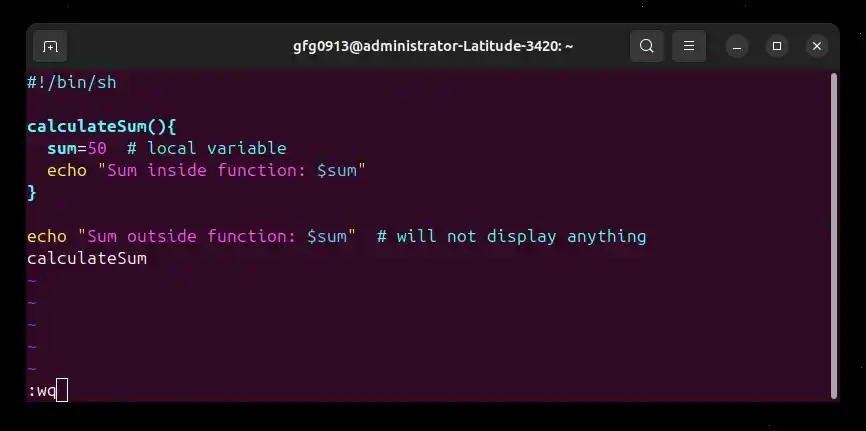
**Script:
#!/bin/sh
calculateSum(){
sum=50 # local variable
echo "Sum inside function: $sum"
}
echo "Sum outside function: $sum" # will not display anything
calculateSum
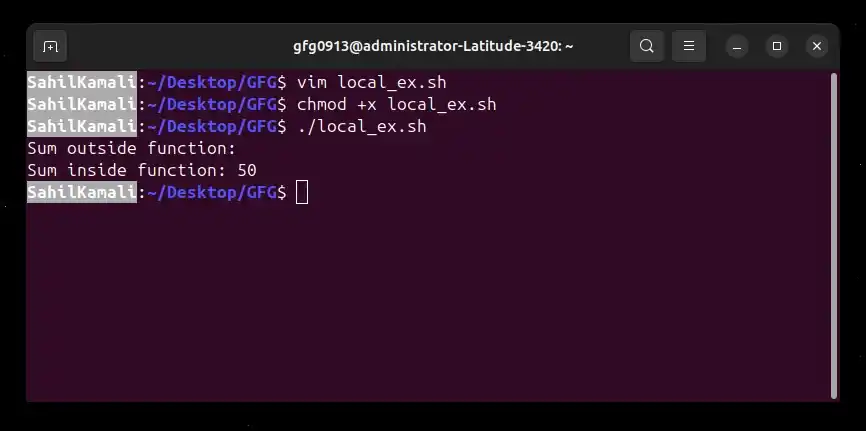
- sum is defined inside calculateSum(), so it is a local variable.
- It cannot be accessed outside the function.
- When the function runs, the value is printed from inside the function.
- Outside the function, the variable has no value.
**Output:
Global Variables
A global variable is a variable that is accessible throughout the script, including inside functions. It is defined outside any function, so all parts of the script can use it. Global variables are useful when you need to share data between multiple functions within a script.
- Scope extends to the entire script
- Can be accessed inside and outside functions
- Useful for values that need to be shared across multiple functions
- By default, they are not available to child scripts unless exported
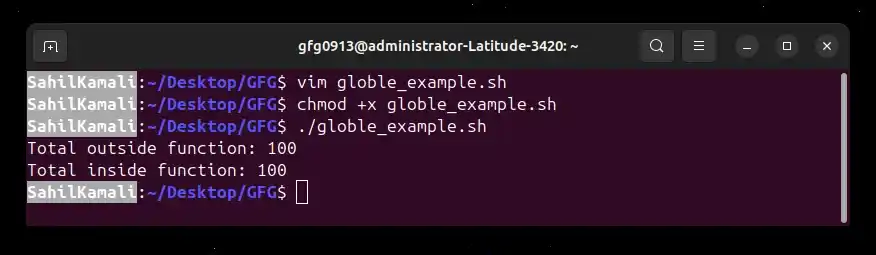
**Example 1: Global variable in the same script
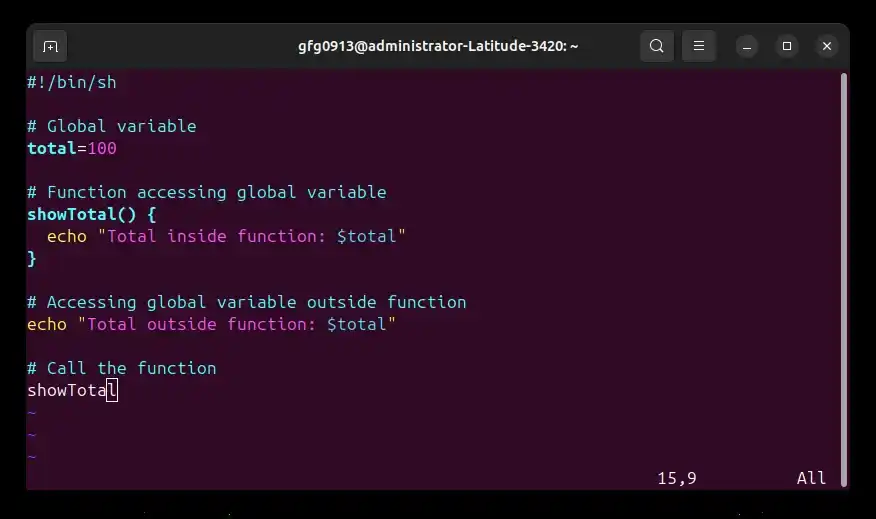
**Script: global_example.sh
#!/bin/sh
Global variable
total=100
Function accessing global variable
showTotal() {
echo "Total inside function: $total"
}
Accessing global variable outside function
echo "Total outside function: $total"
Call the function
showTotal
- total is declared outside the function, making it a global variable.
- It is accessible from both outside and inside the function.
- The same value is shared throughout the script.
**Output:
Exporting Global Variables to Child Scripts
By default, global variables are only available within the current shell script. If you want a global variable to be accessible in another script executed from the current script, you need to use export.
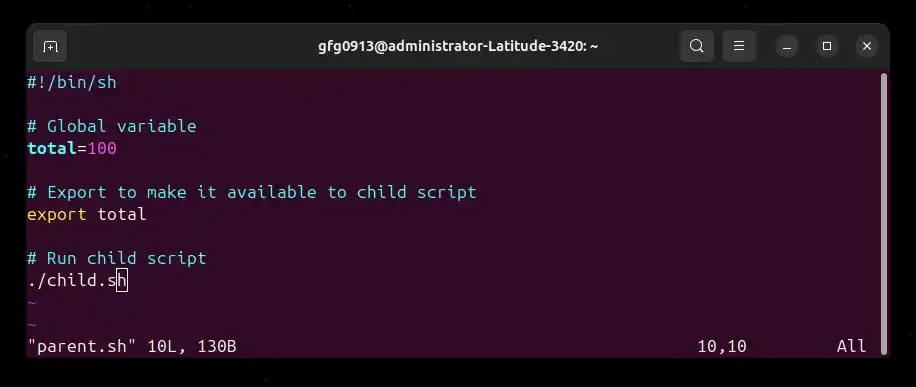
**Example 2: Exporting global variable to a child script
If you want a child script to access this global variable, you need to export it.
**Parent script: parent.sh
#!/bin/sh
Global variable
total=100
Export to make it available to child script
export total
Run child script
./child.sh
**Child script: child.sh
#!/bin/sh
Access the exported variable
echo "Total in child script: $total"
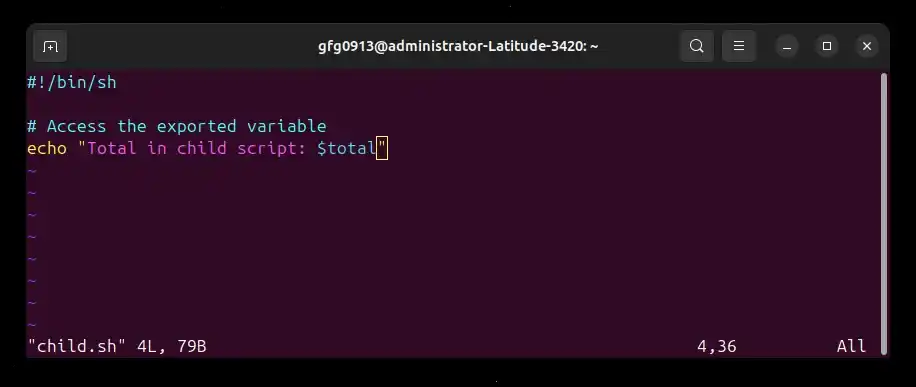
**Note:
- If you run child.sh directly, the variable will be empty.
- This is because child.sh only receives variables that were exported by the shell that launched it.
**Output:
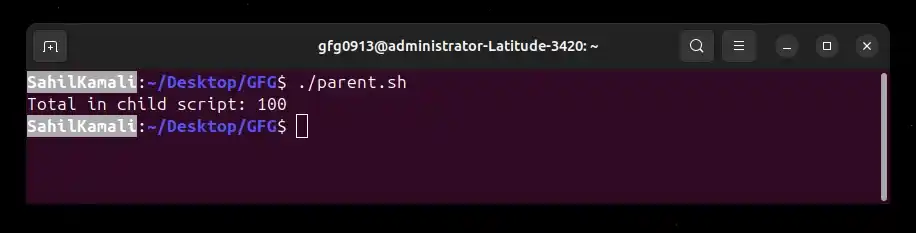
- **export total: makes total available to any child process (like child.sh).
- Without export, child.sh would not see the variable.
**Note:
- “Global” means global to the current shell process, not the entire system.
- export makes a variable available only to child processes. It does not make the variable permanently available in your terminal or system.
- Environment variables are inherited from parent processes by child processes.
- When parent.sh finishes execution, its variables are destroyed. They exist only during the lifetime of that script’s process.
Shell (System) Variables
Shell variables, also known as system variables, are special variables created and maintained by the shell itself. They store system-related information that the shell and scripts use to function correctly. These variables are usually defined in uppercase and are available automatically when the shell starts.
- Created and maintained by the shell automatically.
- Store system and environment information.
- Typically written in uppercase letters.
- Used by scripts to access system settings and user details.
- Useful for writing scripts that interact with the system environment
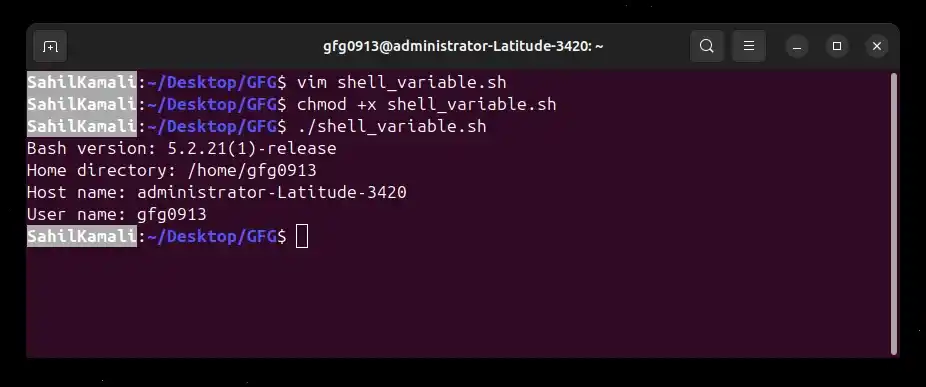
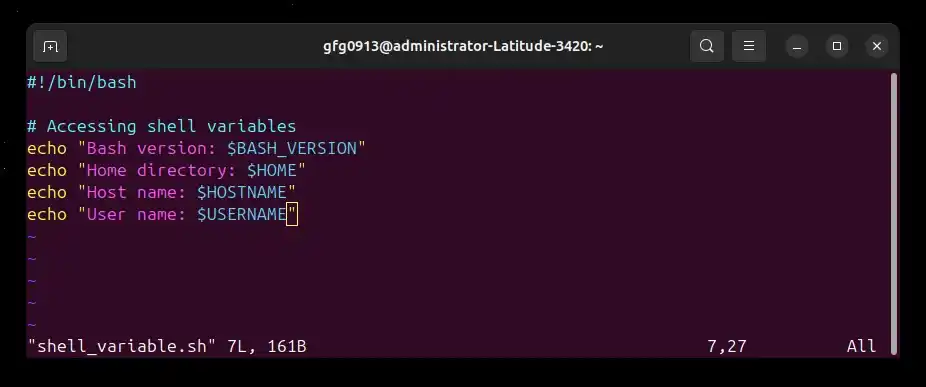
**Example: Using Shell Variables
#!/bin/bash
Accessing shell variables
echo "Bash version: $BASH_VERSION"
echo "Home directory: $HOME"
echo "Host name: $HOSTNAME"
echo "User name: $USERNAME"
- These variables are predefined by the shell.
- They provide system and user-related information.
**Output: