OCR of Handwritten digits | OpenCV (original) (raw)
Last Updated : 17 Jan, 2025
**OCR which stands for **Optical Character Recognition is a computer vision technique used to identify the different types of handwritten digits that are used in common mathematics. To perform OCR in OpenCV we will use the KNN algorithm which detects the nearest k neighbors of a particular data point and then classifies that data point based on the class type detected for n neighbors.
**Data Used
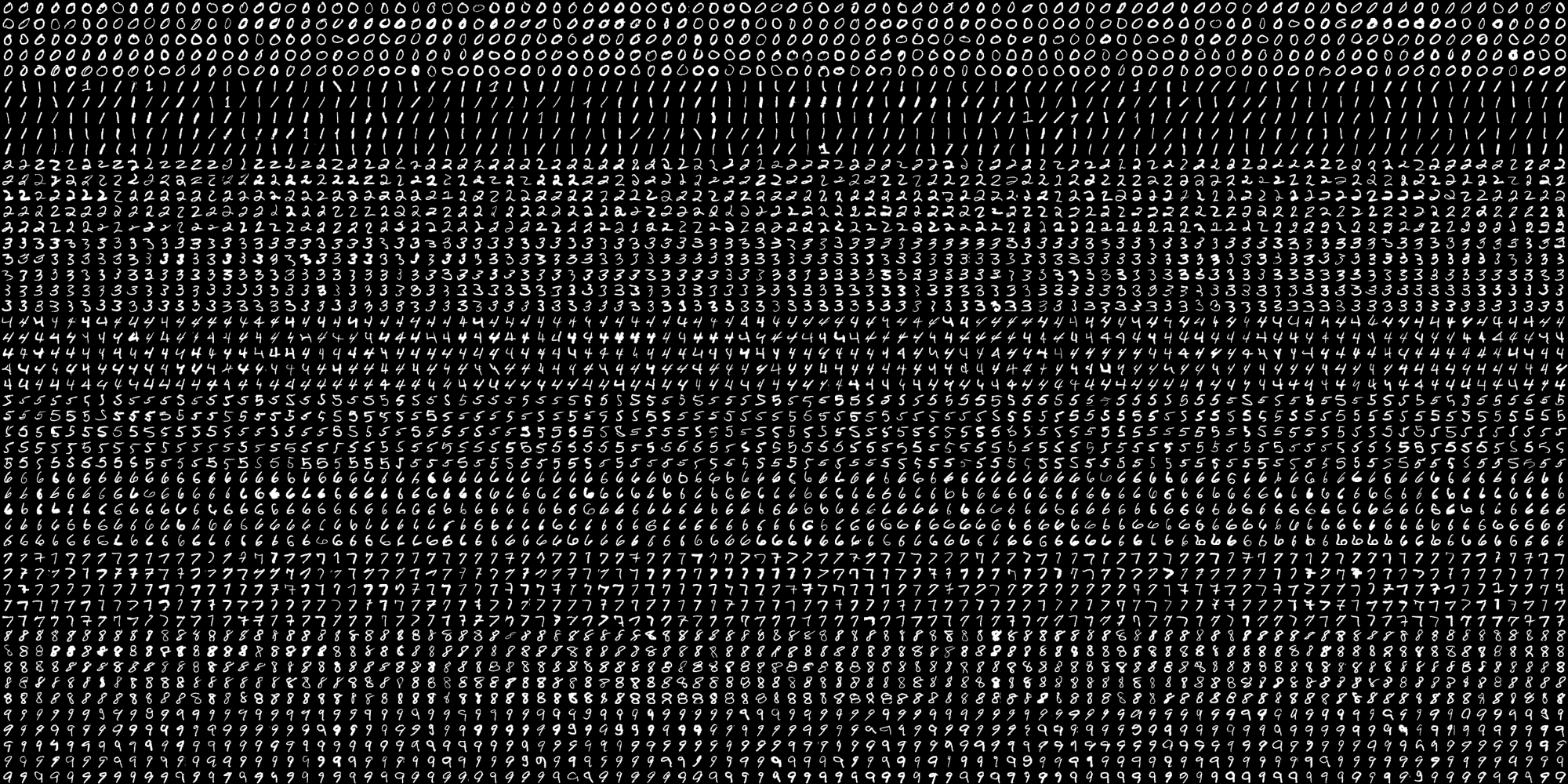
This data contains 5000 handwritten digits where there are 500 digits for every type of digit. Each digit is of 20x20 pixel dimensions. We will split the data such that 250 digits are for training and 250 digits are for testing for every class. Below is the implementation.
Python `
import numpy as np import cv2
Read the image
image = cv2.imread('digits1.png')
gray scale conversion
gray_img = cv2.cvtColor(image, cv2.COLOR_BGR2GRAY)
We will divide the image
into 5000 small dimensions
of size 20x20
divisions = list(np.hsplit(i,100) for i in np.vsplit(gray_img,50))
Convert into Numpy array
of size (50,100,20,20)
NP_array = np.array(divisions)
Preparing train_data
and test_data.
Size will be (2500,20x20)
train_data = NP_array[:,:50].reshape(-1,400).astype(np.float32)
Size will be (2500,20x20)
test_data = NP_array[:,50:100].reshape(-1,400).astype(np.float32)
Create 10 different labels
for each type of digit
k = np.arange(10) train_labels = np.repeat(k,250)[:,np.newaxis] test_labels = np.repeat(k,250)[:,np.newaxis]
Initiate kNN classifier
knn = cv2.ml.KNearest_create()
perform training of data
knn.train(train_data, cv2.ml.ROW_SAMPLE, train_labels)
obtain the output from the
classifier by specifying the
number of neighbors.
ret, output ,neighbours, distance = knn.findNearest(test_data, k = 3)
Check the performance and
accuracy of the classifier.
Compare the output with test_labels
to find out how many are wrong.
matched = output==test_labels correct_OP = np.count_nonzero(matched)
#Calculate the accuracy. accuracy = (correct_OP*100.0)/(output.size)
Display accuracy.
print(accuracy)
`
Output
91.64
You can download the source code by clicking here.