MongoDB Logical Query Operators (original) (raw)
Last Updated : 5 May, 2026
MongoDB logical query operators combine multiple conditions in a single query to enable flexible, precise filtering for advanced searches and data analysis.
- Combine multiple query conditions in one filter.
- Enable complex and conditional searches.
- Improve precision in data retrieval.
- Commonly used in advanced filtering and analysis scenarios.
MongoDB Logical Operators
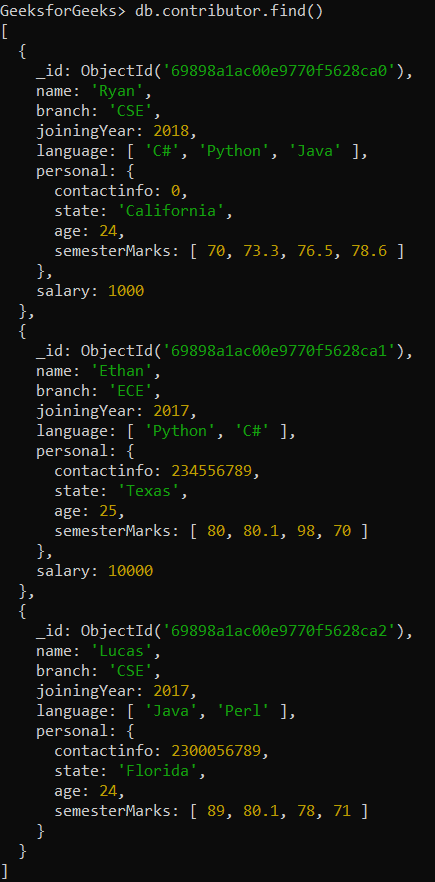
Let’s understand how each operator works with examples from a sample MongoDB collection. In the following examples, we are working with:
- **Database: GeeksforGeeks
- **Collection: contributor
- **Document: three documents that contain the details of the contributors in the form of field-value pairs.
1. $and operator
It Joins query clauses with a logical AND. Returns documents that match all the conditions.
**Syntax
{ $and: [ { }, { }, ... ] }
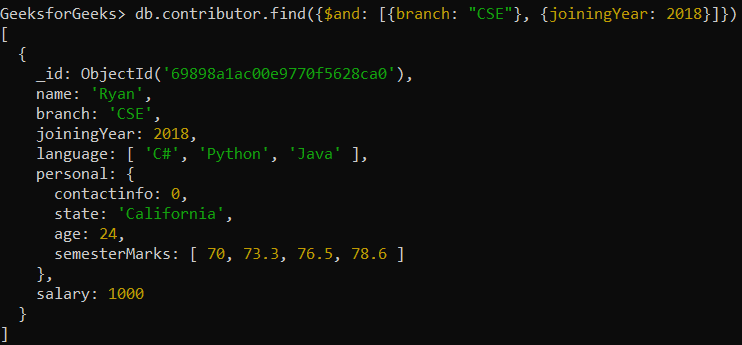
**Example: Retrieving only those employees' documents whose branch is CSE and joiningYear is 2018.
db.contributor.find({$and: [{branch: "CSE"}, {joiningYear: 2018}]})
**Output:
2. $nor operator
It Joins query clauses with a logical NOR. Returns documents that fail to match all the specified conditions (i.e., none of the conditions are true).
**Syntax
{ $nor: [ { }, { }, ... ] }
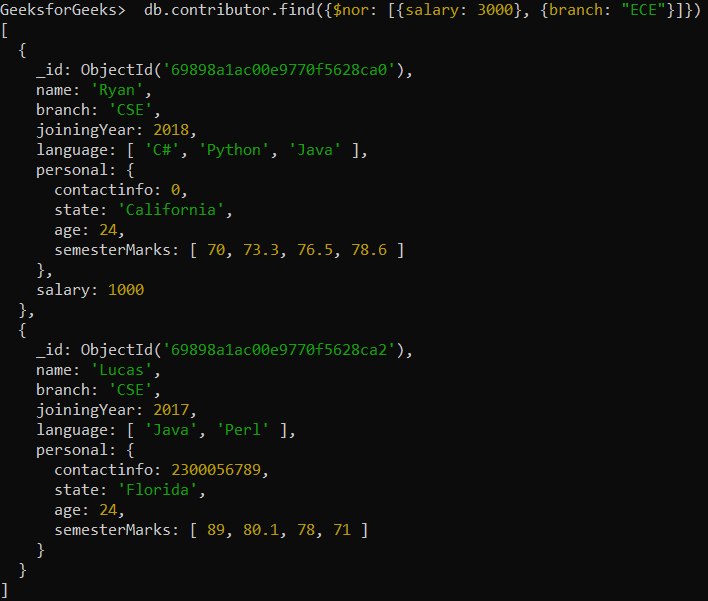
**Example: Retrieving only those employees' documents whose salary and branch is not 3000 and ECE respectively.
db.contributor.find({$nor: [{salary: 3000}, {branch: "ECE"}]})
**Output:
3. $or operator
The $or operator combines multiple conditions, where at least one of the conditions must be true.
**Syntax
{ $or: [ { }, { }, ... ] }
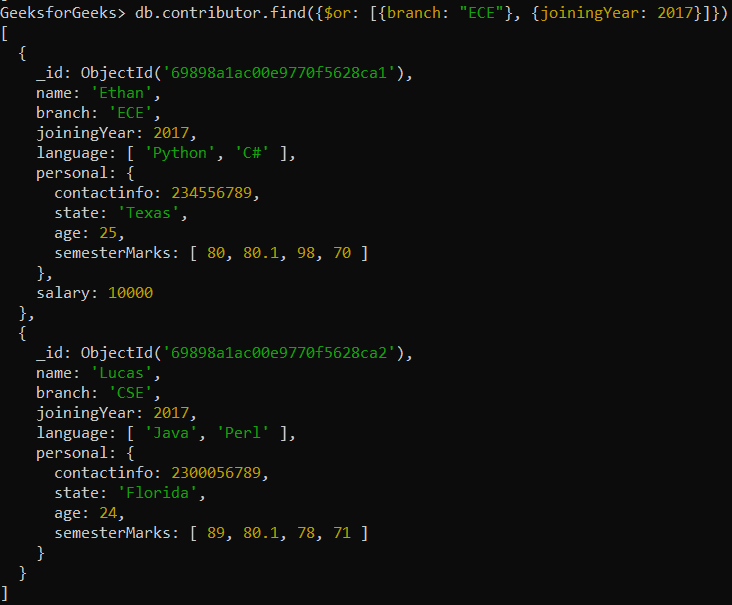
**Example: Retrieving only those employees' documents whose branch is ECE or joiningYear is 2017.
db.contributor.find({$or: [{branch: "ECE"}, {joiningYear: 2017}]})
**Output:
4. $not operator
It negates a condition at the field level and must be used with another operator (e.g., gt,gt, gt,eq). Returns documents that do not match the query expression.
**Syntax
{ : { $not: { } } }
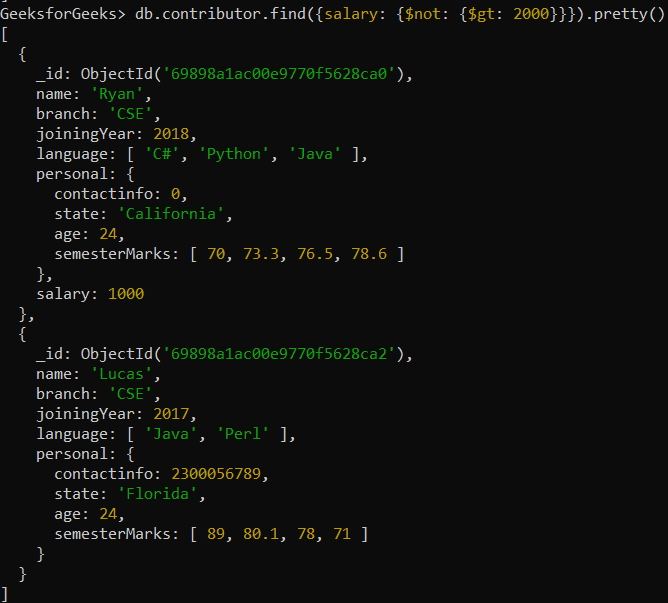
**Example: Retrieving only those employee’s documents whose salary is not greater than 2000.
**Query:
db.contributor.find({salary: {$not: {$gt: 2000}}}).pretty()
**Output: