MongoDB Query Embedded Documents Using Mongo Shell (original) (raw)
Last Updated : 5 May, 2026
MongoDB stores related data as embedded documents within a single record, unlike a relational database that relies on joins.
- Groups related fields in one document.
- Avoids complex joins across collections.
- Can improve read performance in certain use cases, depending on data size and access patterns.
- Supports direct queries on nested fields.
Syntax
db.collection.find(filter, projection)
- **filter (optional): Query criteria, omit or use {} to fetch all documents.
- **projection (optional): Fields to return, omit to return all fields.
- **Returns: Returns a cursor pointing to the matched documents.
Example of an Embedded Document
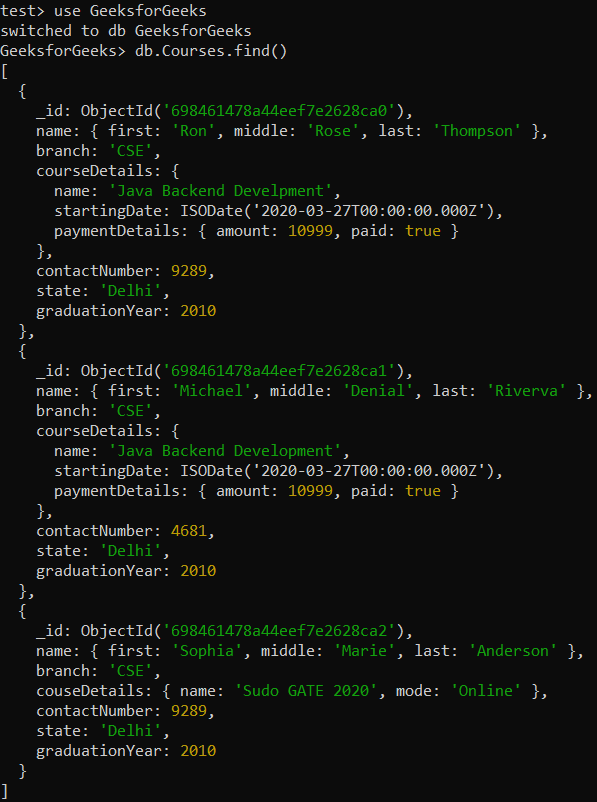
Embed course details inside each student document instead of using separate collections.
- **Database: GeeksforGeeks
- **Collection: Courses
- **Documents: Three documents that contain the details of the students in the form of field-value pairs.
Example 1: Querying Entire Embedded Documents
Retrieving the documents that exactly match the given embedded document.
**Query:
db.Courses.find({name: { first: "Ron", middle: "Rose", last: "Thompson"}})
**Output:
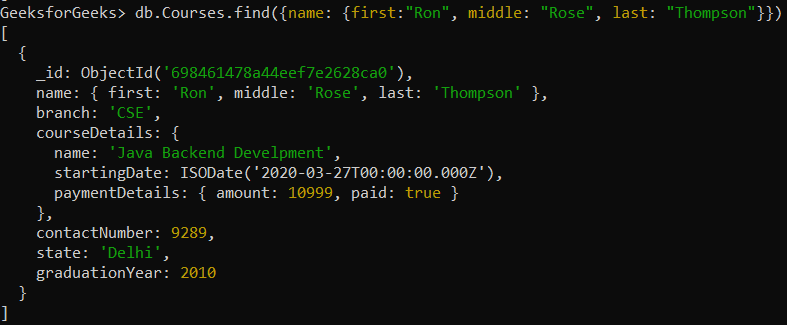
- The field order must exactly match the stored document.
- If the middle name is omitted in the query, the document won't be retrieved.
Example 2: Querying Embedded Documents Using Dot Notation
Query students who are enrolled in Java Backend Development.
**Query:
db.Courses.find({"courseDetails.name": "Java Backend Development"})
**Output:
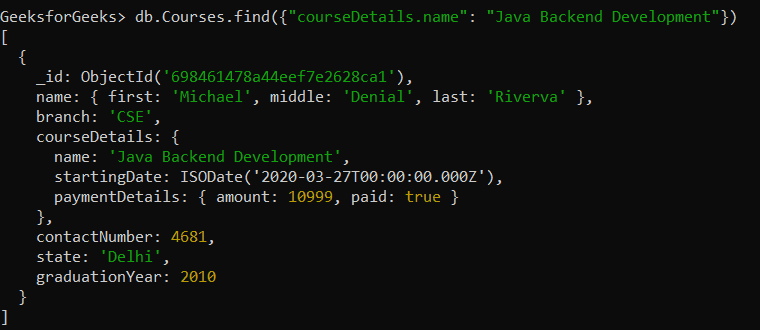
- "courseDetails.name" refers to the nested field inside courseDetails.
- MongoDB retrieves all students where the course name is "Java Backend Development".
Example 3: Using Query Operators for Advanced Filtering
MongoDB query operators enable advanced filtering for precise and efficient document retrieval.
**1. $in Operator: Match Multiple Values
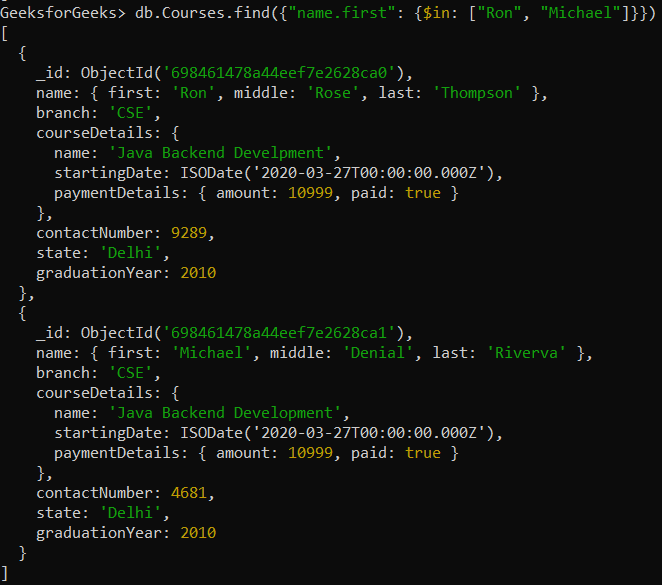
This operator is used to match any of the values specified in the given array. Find students whose first name is either "Ron" or "Michael".
**Query:
db.Courses.find({"name.first": {$in: ["Ron" , "Michael"]}})
**Output:
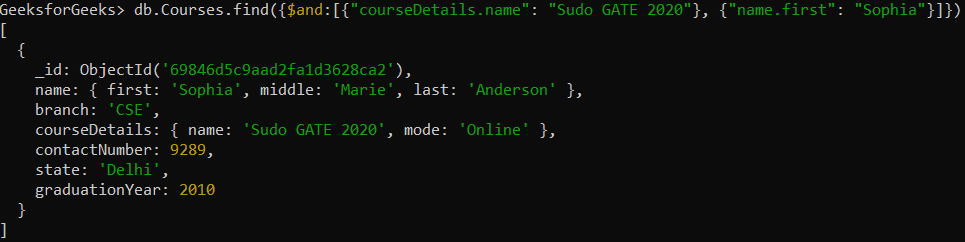
**2. ****$and Operator**: Match Multiple Conditions
Find documents matching nested fields where both conditions are true using $and.
**Query:
db.Courses.find({ $and: [{ "courseDetails.name": "Sudo GATE 2020" }, { "name.first": "Sophia" }] })
**Output:
Example 4: Selecting Specific Fields with Projections
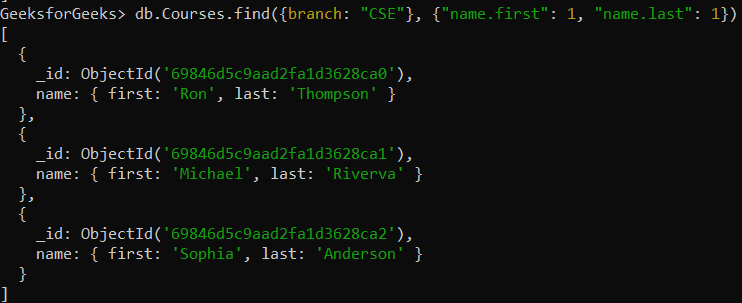
By default MongoDB returns full documents, use projection to fetch only required fields like first and last names from nested documents.
**Query:
db.Courses.find({branch: "CSE"}, {"name.first": 1, "name.last": 1})
**Output:
Best Practices
Here are some best practices discussed below:
- **Use indexing for faster queries: Index frequently queried fields.
- **Use projections to reduce data transfer: Fetch only required fields.
- **Avoid deep nesting: Flatten data where possible for better performance.
- **Use $exists for missing fields: Check field presence before querying.