MongoDB $rename Operator (original) (raw)
Last Updated : 5 May, 2026
The $rename operator in MongoDB lets you change field names without altering the stored values. It’s useful for schema cleanup and consistent naming across collections, even for nested fields.
- Renames fields without affecting data.
- Supports nested fields via dot notation.
- Allows multiple renames in one update.
Features of $rename Operator
Here are some features of $rename operator:
- **Schema Refactoring: Helps standardize and reorganize field names.
- **Nested & Arrays: Works with embedded documents using dot notation, but does not directly rename fields inside array elements.
- **Safe Behavior: No operation if the source field is missing, replaces the target if it exists
Syntax
{ $rename: { : , : , ... } }
- ****:** The current name of the field you want to rename.
- ****:** The new name for the field.
- The new name must be different from the old name.
- For embedded or nested documents, we can use dot notation to refer to the field within the nested structure.
Examples of MongoDB $rename
Examples of how to use the $rename operator in MongoDB, using an Employee collection as a sample.
- **Database: GeeksforGeeks
- **Collection: Employee
- **Document: Three documents that contain the details of the employees in the form of field-value pairs.
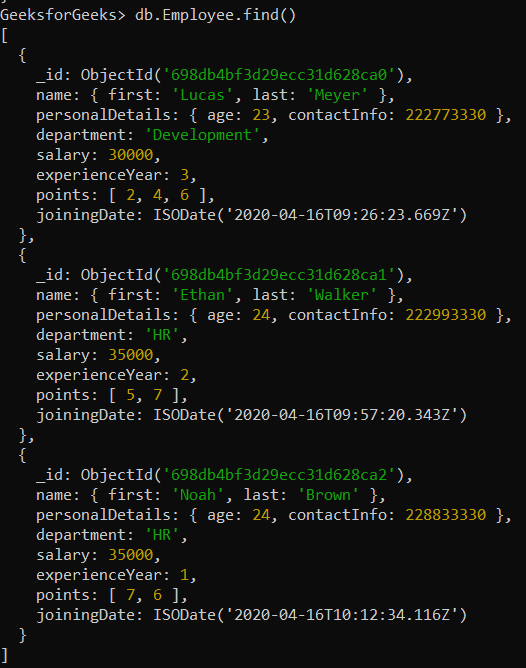
Example 1: Rename a Single Field
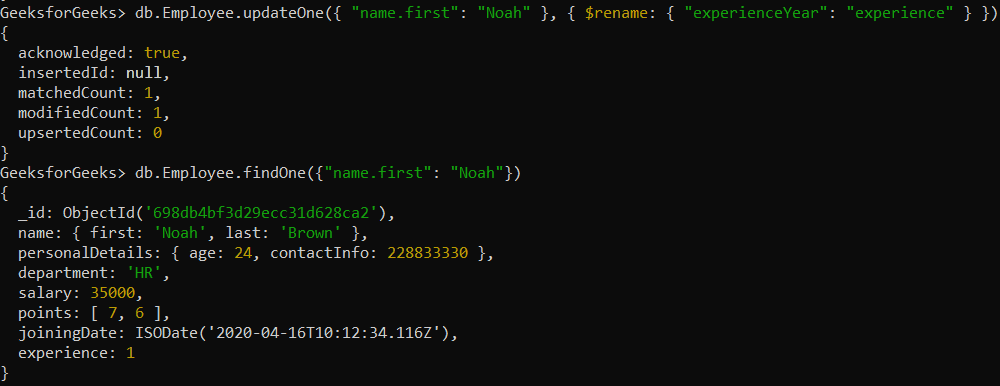
Renaming experienceYear field to experience in the employee’s document whose first name is Noah.
db.Employee.updateOne(
{ "name.first": "Noah" },
{ $rename: { "experienceYear": "experience" } }
)
**Output:
Example 2: Renaming a multiple field
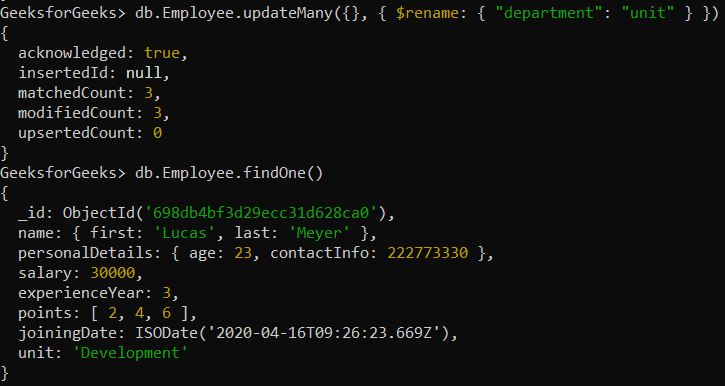
Renaming the department field to unit in all the documents present in the Employee collection.
db.Employee.updateMany(
{},
{ $rename: { "department": "unit" } }
)
**Output:
Example 3: Rename a Field in an Embedded Document
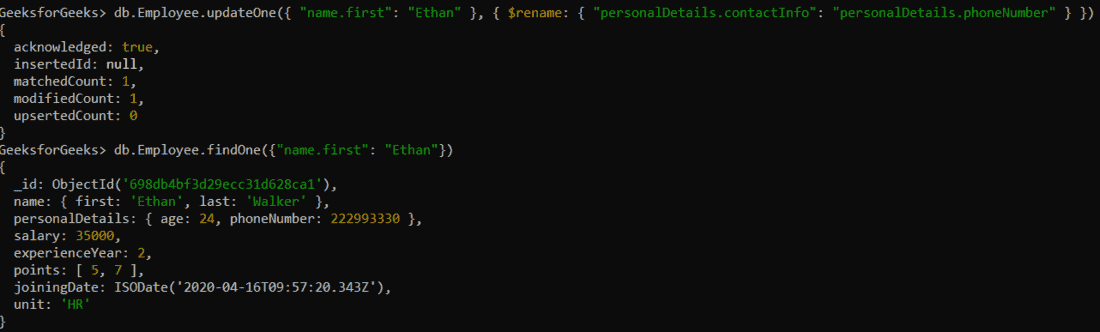
Renaming personalDetails.contactInfo to personalDetails.phoneNumber field in an embedded document of the employee whose name is Ethan.
db.Employee.updateOne(
{ "name.first": "Ethan" },
{ $rename: { "personalDetails.contactInfo": "personalDetails.phoneNumber" } }
)
**Output:
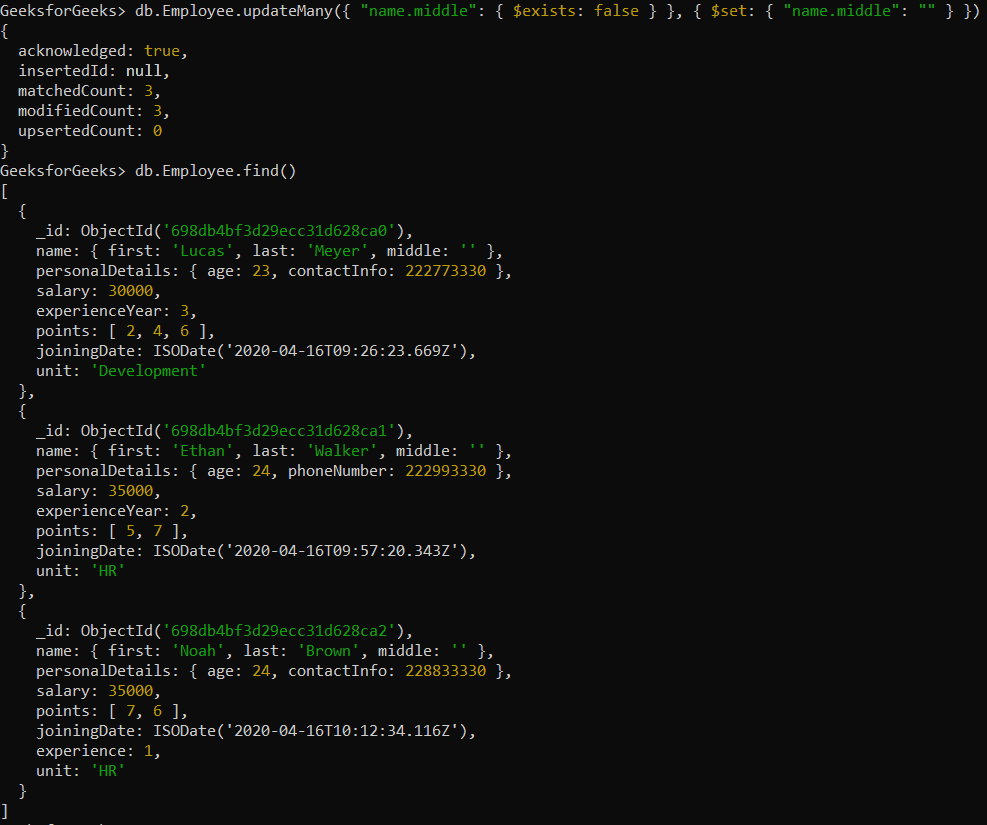
Example 4: Renaming a Non-Existent Field
If a field does not exist in the document, the $rename operation will not perform any action. However, we can add a field first and then rename it. Here’s how you can rename a middle name to middleName:
db.Employee.updateMany(
{ "name.middle": { $exists: false } },
{ $set: { "name.middle": "" } }
);
db.Employee.updateMany(
{},
{ $rename: { "name.middle": "name.middleName" } }
)
**Output:
Usage of MongoDB $rename Operator
Here are some usage of $rename operator:
- **Schema evolution: When you need to change the name of a field during schema migration or when adapting to new application requirements.
- **Field standardization: When renaming fields to standardize naming conventions across your collection.
- **Refactoring database: If you're restructuring your database to improve data consistency or query efficiency.