How to add Popup in NextJS ? (original) (raw)
Last Updated : 26 Jul, 2024
In this article, we are going to learn how we can add Popup in NextJs. NextJS is a React-based framework. It has the power to Develop beautiful Web applications for different platforms like Windows, Linux, and mac.
**Approach: To add our Popup in NextJs we are going to use the reactjs-popup package. The reactjs-popup package helps us to integrate different types of popups. So first, we will install the reactjs-popup package and then we will add popups on our homepage.
**Create NextJS Application: You can create a new NextJs project using the below command:
npx create-next-app gfg
**Install the required package: Now we will install the reactjs-popup package using the below command:
npm i reactjs-popup
**Project Structure: It will look like this.

**Adding Popup: In this example, we are going to add the popup on the homepage of our app using the package that we installed. For this, add the below content in the **index.js file.
CSS `
.trigger-button { padding: 10px 20px; background-color: #0070f3; color: white; border: none; border-radius: 5px; cursor: pointer; transition: background-color 0.3s ease; }
.trigger-button:hover { background-color: #005bb5; }
/* Popup modal overlay */ .popup-overlay { background: rgba(0, 0, 0, 0.5); }
/* Popup modal content */ .modal { background: white; border-radius: 8px; padding: 20px; max-width: 500px; width: 90%; position: relative; box-shadow: 0 2px 10px rgba(0, 0, 0, 0.1); }
.close { position: absolute; top: 10px; right: 10px; background: none; border: none; font-size: 24px; cursor: pointer; }
.header { font-size: 18px; margin-bottom: 10px; }
.content { margin-top: 20px; margin-bottom: 20px; }
.actions .button { padding: 10px 20px; background-color: #0070f3; color: white; border: none; border-radius: 5px; cursor: pointer; transition: background-color 0.3s ease; }
.actions .button:hover { background-color: #005bb5; }
index.js
'use client' import React from 'react'; import Popup from 'reactjs-popup'; import 'reactjs-popup/dist/index.css'; import './globals.css'; // Import the CSS file
export default function PopupGfg() { return (
Next.js Popup - GeeksforGeeks
<Popup trigger={Click to open popup} position="right center" modal nested> {close => (`
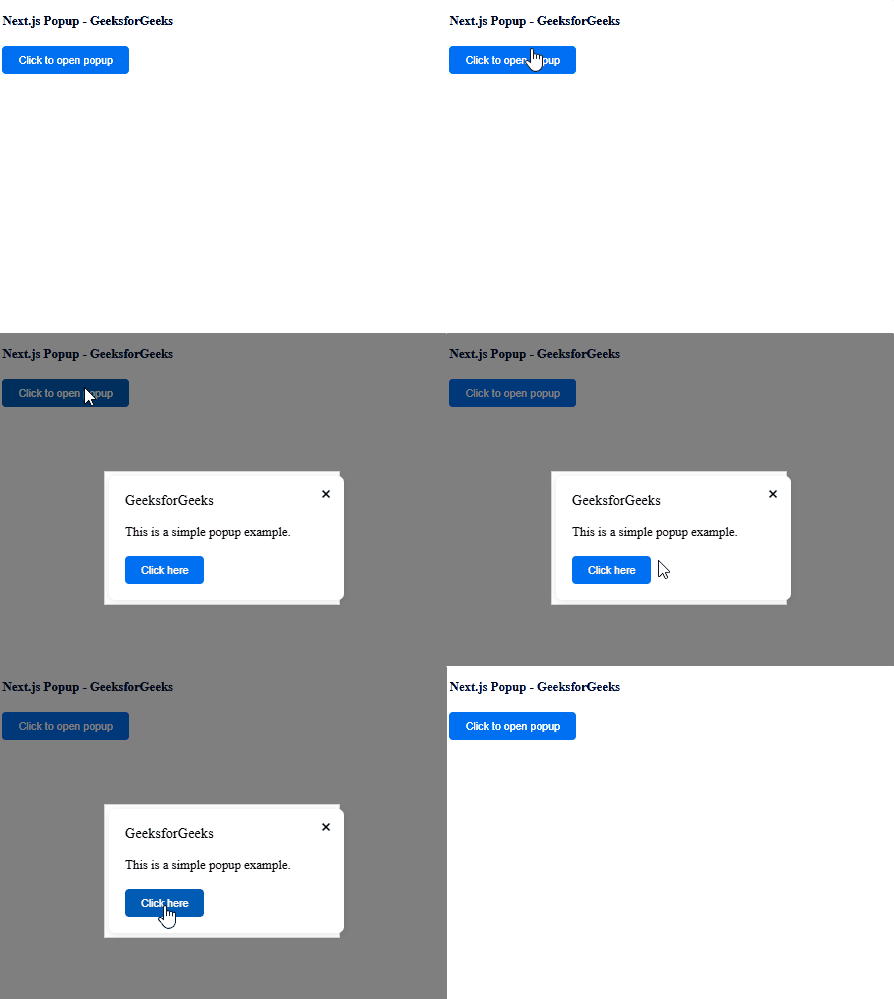
**Explanation: In the above example first, we are importing the Popup component from the react-popup package. After that, we are using our Popup component to add a popup with a button to trigger the popup.
**Steps to run the application: Run the below command in the terminal to run the app.
npm run dev
Output: