How to Download a Model from Hugging Face (original) (raw)
Last Updated : 11 May, 2026
Hugging Face models are pre-trained machine learning models that you can directly download and plug into our applications for tasks like text classification, translation, summarization and more without training from scratch.
- It is an open-source AI platform best known for the transformers library and the Model Hub, which hosts thousands of ready-to-use models for NLP, vision and multimodal tasks.
- Model Hub lets you search, compare and use community and organisation models with just a few lines of code.
- Pre-trained models save you from collecting huge datasets and training deep networks from the beginning.
- They can be fine-tuned on our own data, giving you both speed and flexibility.
Importance of Using Pre-Trained Models
Pre-trained models are models that have already been trained on large datasets. Using them offers several advantages:
- **Saves time and computing: We don’t need to train from scratch on massive datasets.
- **State-of-the-art performance: Many models on Hugging Face are based on cutting edge research.
- **Easy to use: Just load the model and tokeniser with a few lines of code.
- **Customizable: You can fine tune them on our own dataset for our specific task.
- **Consistent APIs: Same pattern for different tasks and architectures.
Downloading a Model from Hugging Face
Step 1: Environment Setup
- We need to install the required packages and libraries.
- Run the following command in your command prompt Python `
pip install transformers pip install torch
`
Step 2: Choose a Model from the Model Hub
- Go to the Hugging Face Model Hub on the browser and we can choose any model based on our task from the wide range of pre trained models available.
- For example, we will use "bert-base-uncased" model.
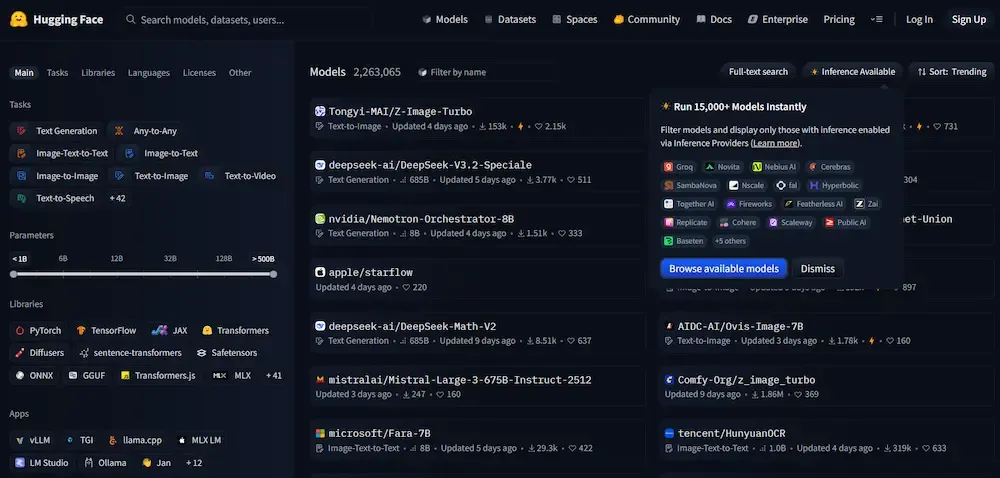
Models from the Model Hub
Step 3: Download the Model and Tokenizer
We use AutoModelForSequenceClassification and AutoTokenizer from transformers to download and load the model.
Python `
from transformers import AutoModelForSequenceClassification, AutoTokenizer model_name = "bert-base-uncased" model = AutoModelForSequenceClassification.from_pretrained(model_name) tokenizer = AutoTokenizer.from_pretrained(model_name)
`
**Output:
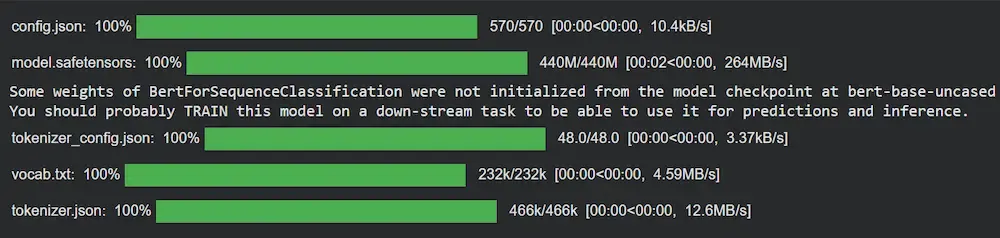
Downloading
Step 4: Saving and Loading the Model Locally
1. If we want to keep a copy for offline use or reuse, we can save our downloaded model into a local directory.
Python `
model.save_pretrained("./my_local_model") tokenizer.save_pretrained("./my_local_model")
`
**Output:
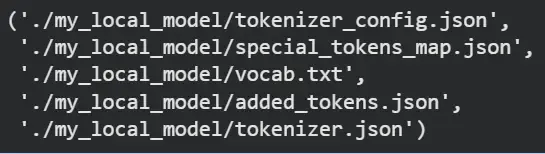
Saving the Model
2. To load the saved model from local directory, we perform the following step
Python `
from transformers import AutoModelForSequenceClassification, AutoTokenizer local_model = AutoModelForSequenceClassification.from_pretrained( "./my_local_model") local_tokenizer = AutoTokenizer.from_pretrained("./my_local_model")
`
Step 5: Use the Model
Let's use the model to verify if it is working or not by performing a simple text classification.
Python `
text = "I love using Hugging Face models for NLP!" inputs = local_tokenizer(text, return_tensors="pt") outputs = local_model(**inputs) print(outputs.logits)
`
**Output:
tensor([[-0.1011, 0.3558]], grad_fn=)
Applications
- Used for tasks like text classification, generation, translation and entity recognition
- Enables rapid prototyping and deployment without training from scratch
- Supports multiple domains including NLP, computer vision and audio
Limitations
While convenient, using pre trained models also comes with certain constraints.
- Large models require high memory and computational resources
- May need fine-tuning for task specific accuracy
- Performance depends on hardware and model compatibility