RAG Architecture (original) (raw)
Last Updated : 9 May, 2026
Retrieval-Augmented Generation (RAG) is an architecture that enhances LLMs by combining them with external knowledge sources, enabling access to up to date and domain specific information for more accurate and relevant responses while reducing hallucinations.
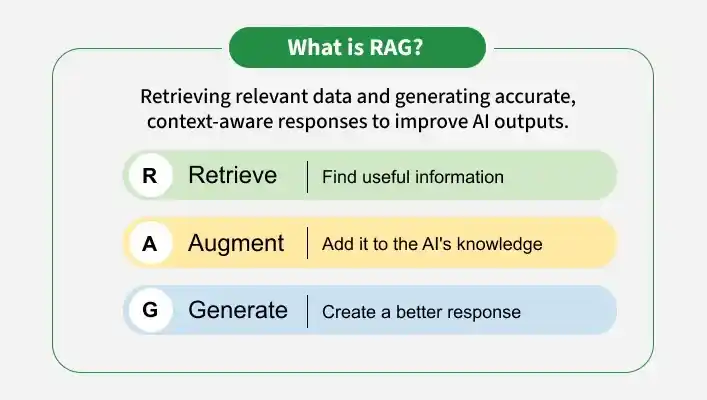
RAG
1. Retrieval Component
The retrieval component identifies relevant data to assist in generating accurate responses. Dense Passage Retrieval (DPR) is a common model that is used to perform retrieval.
- **Query Encoding: Converts the input query into a vector representing its semantic meaning.
- **Passage Encoding: Encodes documents into vectors and stores them for fast retrieval.
- **Retrieval: Compares the query vector with stored vectors to find the most relevant passages.
2. Generative Component
After retrieval, the relevant data is passed to the generative model (like BART or GPT), which combines it with the query to generate the final response.
- **FiD (Fusion-in-Decoder): Combines retrieved data during decoding, keeping retrieval and generation separate for more flexibility.
- **FiE (Fusion-in-Encoder): Merges query and retrieved data at the start, making it more efficient but less flexible.
**FiD vs. FiE
| Aspect | Fusion-in-Decoder(FiD) | Fusion-in-Encoder(FiE) |
|---|---|---|
| Fusion Point | Fusion occurs in the decoding phase. | Fusion happens at the encoding phase before decoding. |
| Process Separation | Retrieval and generation are kept separate. | Retrieval and generation are processed together. |
| Efficiency | Slower due to separate retrieval and generation steps. | Faster due to simultaneous process in encoder phase |
| Complexity | More Complex | Simpler |
| Performance | Higher-quality response | Quicker response generation |
Working
RAG follows a structured workflow where a query is processed, relevant information is retrieved and a final response is generated using both retrieved data and model knowledge.

Retrieval-Augmented Generation
- **Query Processing: The input query is first pre-processed and prepared for further steps, ensuring it is in a suitable form for embedding.
- **Embedding Model: The query is passed through an embedding model that converts it into a vector capturing its semantic meaning.
- **Vector Database Retrieval: This vector is used to search a vector database to find documents that are most similar to the query.
- **Retrieved Contexts: The system retrieves the documents that are closest to the query. These documents are then forwarded to the generative model to help it craft a response.
- **LLM Response Generation: The LLM combines the original query with the retrieved context to generate a coherent and accurate response.
- **Response: The final response integrates both the model’s internal knowledge and the retrieved information, making it more relevant and up-to-date.
Implementation
This example demonstrates how RAG works by combining vector search with language models to generate accurate responses.
Step 1: Install Dependencies
We will install the required libraries and packages for our model,
- FAISS for vector search
- Transformers for language models
- Sentence-Transformers is used for embeddings Python `
!pip install faiss-cpu !pip install sentence-transformers !pip install transformers !pip install langchain==0.1.16
from langchain.memory import ConversationBufferMemory from langchain_core.prompts import PromptTemplate
`
Step 2: Initialize Vector Index and Add Embeddings
Creating a vector database using FAISS and store document embeddings.
- Create embeddings using a real embedding model instead of random vectors.
- Convert text data into embeddings and store them in the FAISS index.
- Verify the number of stored vectors using
index.ntotal. Python `
import faiss import numpy as np from sentence_transformers import SentenceTransformer
embed_model = SentenceTransformer('all-MiniLM-L6-v2')
documents = [ "RAG combines retrieval and generation.", "It reduces hallucinations using external data.", "FAISS enables fast similarity search.", "Embeddings represent semantic meaning.", "RAG improves LLM accuracy." ]
doc_embeddings = embed_model.encode(documents)
index = faiss.IndexFlatL2(doc_embeddings.shape[1]) index.add(np.array(doc_embeddings).astype('float32'))
print(f"Indexed {index.ntotal} documents.")
`
**Output:
Indexed 5 documents.
Step 3: Define Semantic Search Function
- Create a semantic_search() function for vector similarity search.
- Use query_embedding as input and call index.search() to get top matches.
- Return indices of the most relevant documents. Python `
def semantic_search(query_embedding, top_k=3): distances, indices = index.search(query_embedding, top_k) return indices
`
Step 4: Query Embedding and Retrieval
- Simulate a query embedding and pass it to semantic_search() for similarity search.
- Retrieve the top matching document indices from the FAISS index. Python `
query_embedding = embed_model.encode(["What is RAG?"]).astype('float32') retrieved_indices = semantic_search(query_embedding)
print(retrieved_indices)
`
**Output:
Retrieved document indices for query: [[0 4 1]]
Step 5: Initialize Tokenizer and LLM Model
- Load the GPT-2 tokenizer and model for text processing and generation.
- Check for GPU availability and move the model to the selected device for computation. Python `
from transformers import GPT2Tokenizer, GPT2LMHeadModel import torch
tokenizer = GPT2Tokenizer.from_pretrained("gpt2") model = GPT2LMHeadModel.from_pretrained("gpt2")
device = torch.device("cuda" if torch.cuda.is_available() else "cpu") model = model.to(device)
`
**Output:
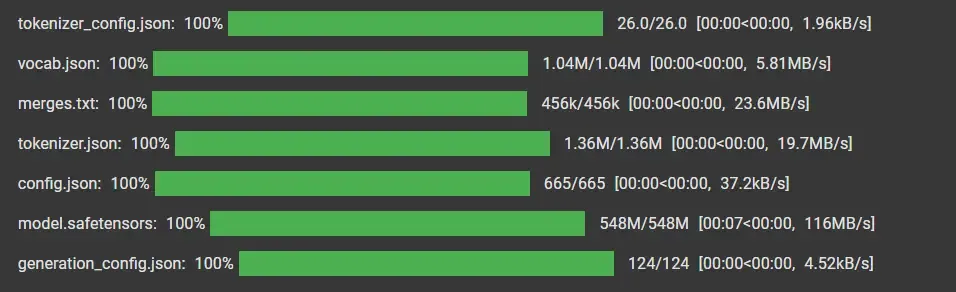
Model Loading and Training
Step 6: Create Prompt with Retrieval Context
- Combine the user question and retrieved document context into a single prompt.
- Include chat_history for maintaining conversation flow.
- Use context from retrieved passages and the user’s question as input. Python `
prompt_template = PromptTemplate( input_variables=["question", "context"], template="Question: {question}\nContext: {context}\nAnswer:" )
`
Step 7: Initialize Memory and Build Chat Function
- Initialize memory to store conversation history.
- Retrieve relevant context using semantic_search().
- Combine context, history and query into a prompt.
- Generate response using the model and update memory. Python `
memory = ConversationBufferMemory( memory_key="chat_history", return_messages=False )
def chat(question):
query_embedding = embed_model.encode([question]).astype("float32")
retrieved_indices = semantic_search(query_embedding)

context_texts = [documents[i] for i in retrieved_indices[0]]
context = "\n".join(context_texts)

chat_history = memory.load_memory_variables({}).get("chat_history", "")

prompt = prompt_template.format(
    question=question,
    context=context
)

inputs = tokenizer.encode(prompt, return_tensors="pt").to(device)

outputs = model.generate(
    inputs,
    max_new_tokens=80,
    pad_token_id=tokenizer.eos_token_id
)

response = tokenizer.decode(outputs[0], skip_special_tokens=True)

memory.chat_memory.add_user_message(question)
memory.chat_memory.add_ai_message(response)

return response
`
Step 8: Generate Response
We will see the functioning of system and the use of memory,
Python `
print(chat("What is RAG?")) print(chat("How does retrieval help LLMs?"))
`
**Output:

Result
You can download the complete code from here
Advantages
- Provides up-to-date answers using external data sources.
- Reduces hallucinations by grounding responses in real information.
- Supports domain-specific responses without retraining.
- Offers a cost-effective alternative to frequent model fine-tuning.