Node.js MySQL Create Table (original) (raw)
Last Updated : 23 Jul, 2025
Introduction: Learn to create a table in MySQL database using NodeJS. We will see how to use the Create Table command in NodeJS using the MySQL module.
Prerequisite: Introduction to NodeJS MySQL
Setting up environment and Execution:
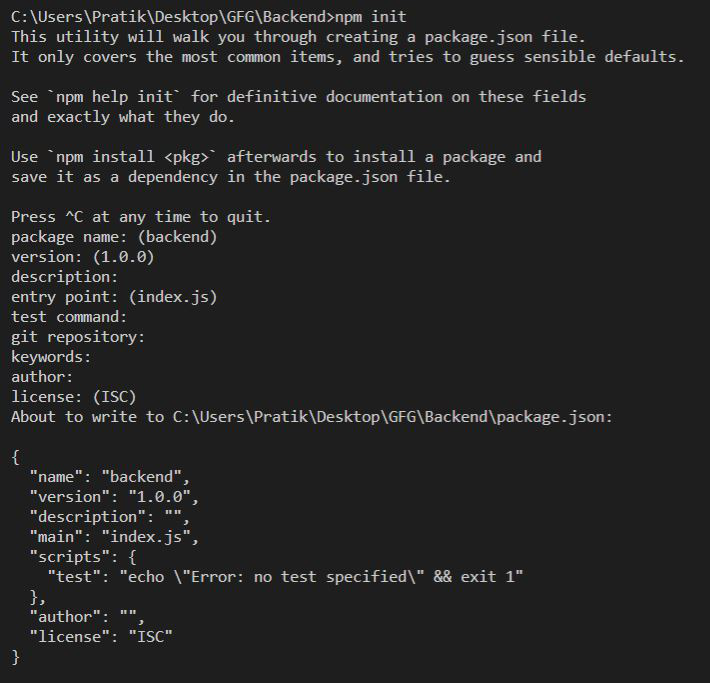
Step 1: Create a NodeJS Project and initialize it using the following command:
npm init
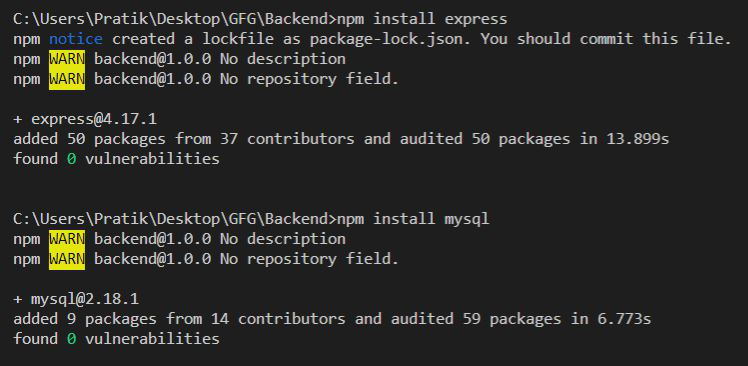
Step 2: Install the express and mysql modules using the following command:
npm install express npm install mysql
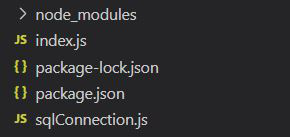
File Structure: Our file structure will look like the following:
Example: Create and export MySQL Connection Object as shown below:
Filename: sqlConnection.js
JavaScript `
const mysql = require("mysql");
let db_con = mysql.createConnection({ host: "localhost", user: "root", password: '', database: 'gfg_db' });
db_con.connect((err) => { if (err) { console.log("Database Connection Failed !!!", err); } else { console.log("connected to Database"); } });
module.exports = db_con;
`
Example 1: Creating a table without a primary key.
index.js ``
const express = require("express"); const database = require('./sqlConnection');
const app = express();
app.get("/", (req, res) => {
let tableName = 'gfg_table';
// Query to create table
let query = CREATE TABLE ${tableName} ( name VARCHAR(255), address VARCHAR(255));
database.query(query, (err, rows) => { if(err) return res.status(500) .send("Table Creation Failed");
return res.send(Successfully Created Table - ${tableName});
})
});
app.listen(5000, () => {
console.log(Server is up and running on 5000 ...);
});
``
Run the index.js file using the following command:
node index.js
Output:
Successfully Created Table - gfg_table
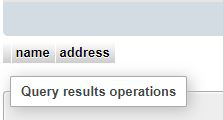
Example 2: Create a Table with an auto-increment primary key.
index.js ``
const express = require("express"); const database = require('./sqlConnection');
const app = express();
app.get("/", (req, res) => {
let tableName = 'gfg_table';

// Query to create table
let query = `CREATE TABLE ${tableName}
    (id INT AUTO_INCREMENT PRIMARY KEY,
    name VARCHAR(255), address VARCHAR(255))`;

database.query(query, (err, rows) => {
    if(err) return res.status(500)
        .send("Table Creation Failed");

    return res.send(
Successfully Created Table - ${tableName});
})
});
app.listen(5000, () => {
console.log(Server is up and running on 5000 ...);
});
``
Run the index.js file using the following command:
node index.js
Output:
Successfully Created Table - gfg_table