Design First Application Using Express (original) (raw)
Last Updated : 5 Aug, 2025
In NodeJS, the task of designing a server was very difficult, but after the introduction of ExpressJS, which is a lightweight web application framework for NodeJS used to build the back-end of web applications relatively fast and easily.
**Prerequisites
To get started with an ExpressJS application, NodeJS and NPM must be installed in your system.
Follow the article to inslall Node and NPM in your system - How to Install NodeJS
Steps to design an ExpressJS application
Step 1: Create a project directory
First, you need to create a project folder in which you want to keep your project
mkdir my-express-app
cd my-express-app
Step 2: Initialize the Node project
After that, you need to initialize the project to install different dependencies and to fully use NodeJS
npm init -y
Step 3: Install ExpressJS
Now it's time to install and add ExpressJS to your project using the following command.
npm install express
**Dependencies
"dependencies": {
"express": "^4.21.2"
}
Step 4: Create the server File
Create a file named server.js in your project directory and set up your basic Express server inside server.js
JavaScript ``
const express = require('express'); const app = express();
const PORT = 3000;
app.get('/', (req, res) => { res.send('Hello, Express!'); });
app.listen(PORT, () => {
console.log(Server is running on http://localhost:${PORT});
});
``
- **Importing Express: const express = require('express'); imports the Express library, which is used to build web servers.
- **Creating an Express App: const app = express(); creates an instance of an Express application.
- **Handling Routes: app.get('/', (req, res) => { res.send('Hello, Express!'); }); sets up a route to handle requests to the root URL ('/'), sending a "Hello, Express!" message in response.
- **Starting the Server: app.listen(PORT, () => { console.log(Server is running on http://localhost:${PORT}\`); });` starts the server on port 3000 and logs a message to confirm it’s running.
Step 5: Run the Application
Start your server by running the following command in your current project directory that you are working upon
node app.js
Step 6: Visit the localhost
Visit http://localhost:3000 in your browser. You should see the message "Hello, Express!".
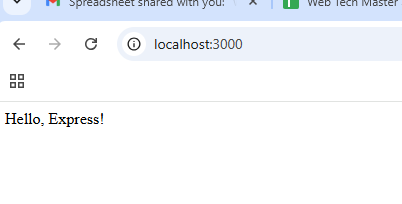
Visit the localhost
**Hooray! your first express application created successfully
Step 7: Add More Routes
Now, let’s add more routes to handle different types of HTTP requests, like GET and POST.
JavaScript `
app.get('/about', (req, res) => { res.send('About Page'); });
app.post('/submit', (req, res) => { res.send('Form Submitted'); });
`
- **Handling a GET Request: app.get('/about', (req, res) => { res.send('About Page'); }); listens for GET requests to the /about route and responds with "About Page."
- **Handling a POST Request: app.post('/submit', (req, res) => { res.send('Form Submitted'); }); listens for POST requests to the /submit route and sends "Form Submitted" as a response when the form is submitted.
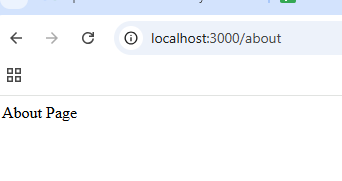
/about route
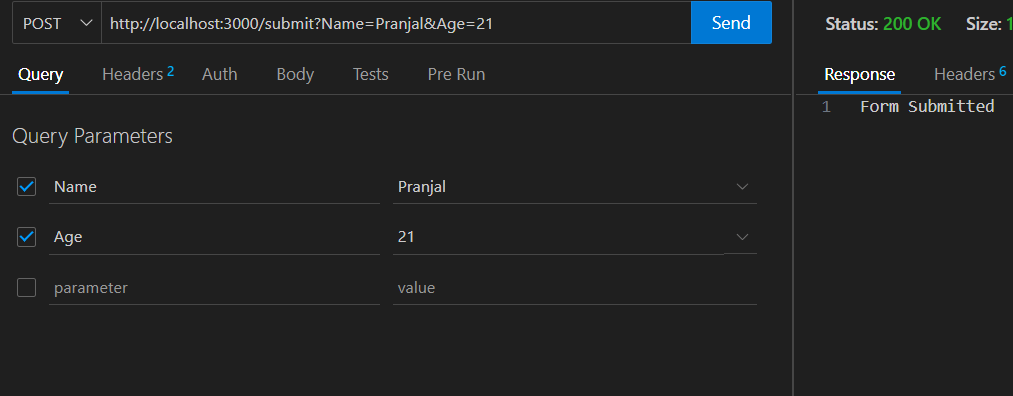
post request at /submit rote
How the ExpressJS application works?
An ExpressJS application works by handling incoming HTTP requests, processing them, and sending back responses.
- The application listens for incoming requests (like GET, POST, PUT, DELETE) on specified routes (URLs).
- When a request comes in, it passes through middleware functions that can modify the request or perform actions (e.g., authentication, logging).
- The request is matched to the appropriate route (based on the URL and HTTP method), and a response is generated.
- The server sends back a response (e.g., HTML, JSON, or status message) to the client.
Why to use ExpressJS above other technologies?
- **Minimal and Flexible: Express is lightweight and gives you the freedom to structure your app the way you want, without unnecessary overhead.
- **Easy to Learn: It has a simple API and integrates well with other libraries, making it ideal for beginners and experienced developers alike.
- **Fast Development: Built on Node.js, it offers fast handling of HTTP requests, helping you quickly build scalable web apps and APIs.
- **Rich Ecosystem: Express has a huge community and a wide range of middleware to extend its functionality, making it easier to implement features like authentication or logging.
- **Asynchronous and Non-blocking: Thanks to Node.js, Express handles multiple requests at once without blocking, making it perfect for I/O-heavy applications.
Use cases of ExpressJS application
- **Building RESTful APIs: Express is commonly used to create APIs that allow clients to interact with the server via standard HTTP methods like GET, POST, PUT, and DELETE.
- **Serving Static Files: Express can serve static files like images, CSS, and JavaScript, making it ideal for building websites or applications with front-end assets.
- **Handling User Authentication: Express can manage user authentication (login/logout) using sessions, cookies, and third-party services like OAuth, making it a core part of user management systems.
- **Real-time Applications: With libraries like Socket.io, Express can handle real-time communication, such as in chat applications or live notifications.
- **Middleware Integration: Express allows the use of middleware to handle tasks such as logging, request validation, and error handling, making it useful for adding custom functionalities and improving app security.
Conclusion
ExpressJS simplifies back-end development by providing a fast and flexible framework for handling HTTP requests. It’s perfect for creating RESTful APIs, serving static files, handling user authentication, and much more. By using Express, you can quickly develop web applications with a clear and easy-to-understand structure, while maintaining high performance and scalability.