Node.js Console (original) (raw)
Last Updated : 17 Jan, 2026
The console module in Node.js is a built-in utility used for logging, debugging, and displaying runtime information through standard output and error streams.
- Provides methods to print messages and debug application behavior.
- Accesses standard output and error streams for logging.
- Available as a global object without requiring import.
- Supports common methods like console.log(), console.error(), and console.warn().
- Includes the Console class for advanced logging control.
Features
The console module offers simple and powerful logging tools for debugging and monitoring applications.
- Offers various methods for different types of logging and debugging needs.
- Simple API for developers to quickly output messages and track application behavior.
- Built-in methods to measure execution time and display performance metrics.
- console.table() and console.dir() provide formatted and interactive data views.
**Example: Make a file and save it as example_console_class.js with the following code in the file.
JavaScript ``
// It requires the fs module const fs = require('fs');
const out = fs.createWriteStream('./stdout.log'); const err = fs.createWriteStream('./stderr.log');
const myobject = new console.Console(out, err);
// It will display 'This is the first example' to out myobject.log('This is the first example');
// It will display 'This is the second example' to out myobject.log('This is the %s example', 'second');
// It will display 'Error: In this we creating some error' to err myobject.error(new Error('In this we creating some error'));
const num = 'third';
// It will display 'This is the third error' to err
myobject.warn(This is the ${num} example);
``
- A custom console object is created using the Console class.
- Output streams can be configured for logging and error messages.
- The Console class instance is created using console.Console.
- This allows greater control over where and how logs are written.
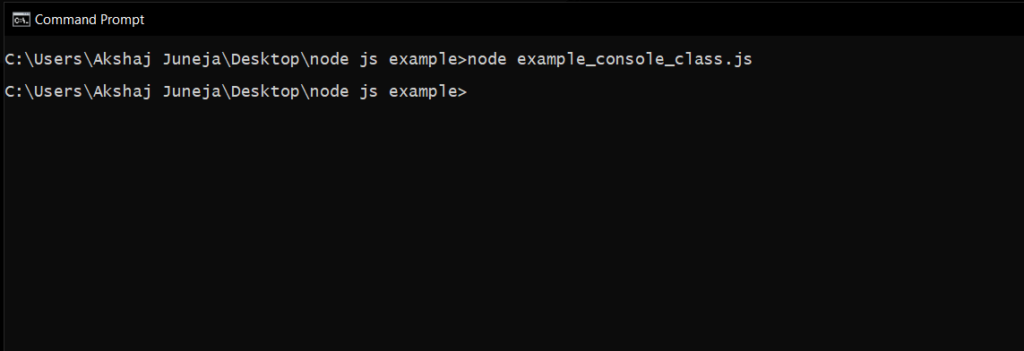
Now, we will execute example_console_class.js script file in command prompt by navigating to the folder where it exists like as shown below.
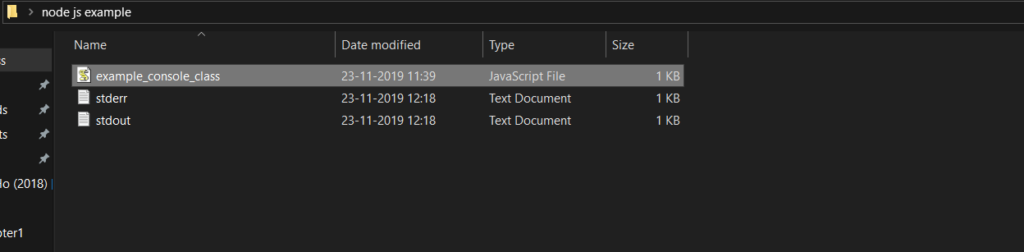
The above node.js example will create a log files (stdout & stderr) in the folder where example_console_class.js file exists with required messages like as shown below.
**Example of Global Console Object: Create a file and save it as example_console_object.js with the following code in the file.
JavaScript ``
// It will display 'This is the first object example' to stdout console.log('This is the first object example');
// It will display 'This is the second object example' to stdout console.log('This is the %s example', 'second object');
// It will display 'Error: New Error has happened' to stderr console.error(new Error('New Error has happened'));
const obj = 'third object';
// It will display 'This is the third object example' to stderr
console.warn(This is the ${obj} example);
``
- Messages are written to Node.js streams using the global console object.
- Methods such as console.log(), console.error(), and console.warn() are used for output.
- The global console object is available without using the require directive.
- This allows quick and easy logging within Node.js applications.
Open a command prompt, navigate to the directory containing example_console_object.js, and execute the file using:
node example_console_object.js
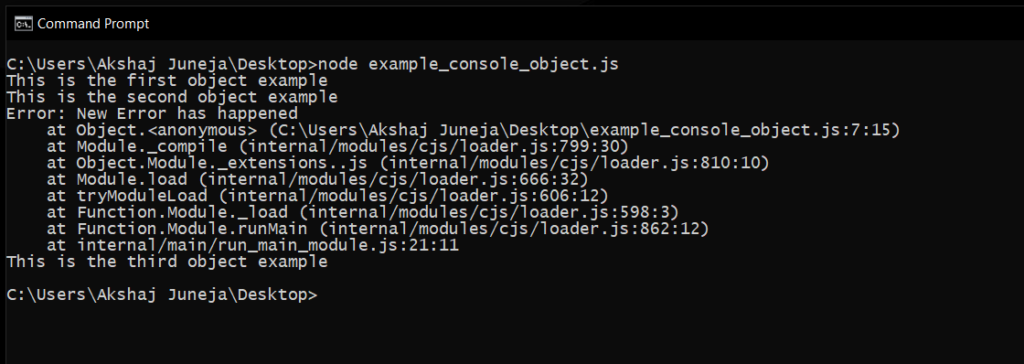
The output confirms that the required messages are successfully written to the Node.js streams using the global console object.
Console Methods
Apart from above three methods (console.log(), console.error(), console.warn()), few other methods also available in node.js console object to write or print a messages in node.js stream.
- **console.count(): It is used to count the number of times a specific label has been called.
- **console.clear(): It is used to clear the console history.
- **console.info(): It is used to write a messages on console and it is an alias of console.log() method.
- **console.time(): It is used to get the starting time of an action.
- **console.timeEnd(): It is used to get the end time of specific action.
- **console.dir(): It use util.inspect() on object and prints the resulting string to stdout.
Advantages
Here are some advantages of console module:
- Simplifies debugging by allowing developers to print and inspect values at various code points.
- Provides various logging methods to cater to different needs, from basic info to detailed stack traces.
- Helps in monitoring performance and identifying bottlenecks through timing functions.