Difference between CLI and GUI (original) (raw)
Last Updated : 22 Sep, 2025
A Command Line Interface (CLI) and a Graphical User Interface (GUI) are two distinct methods for interacting with computer systems and software. Both approaches have unique strengths and weaknesses, catering to different user needs, proficiency levels and computing environments.
**Note: CLI allows users to execute commands by typing them into a terminal. In contrast, GUI offers a visual interface with elements like windows, icons and buttons making it more intuitive and user-friendly.
What is CLI?
CLI (Command Line Interface) is a text-based interface where users interact with the operating system by typing commands into a terminal or console.
- It requires users to know the command syntax and structure.
- CLI is suitable for scenarios where precise input and accuracy are critical, such as server administration, programming or automation.
- Users respond to a visible prompt by entering commands and the system provides output in text form.
- While traditionally minimal in appearance, modern CLI environments can be customized using themes, colors and advanced shells (e.g., PowerShell, Zsh, Bash).
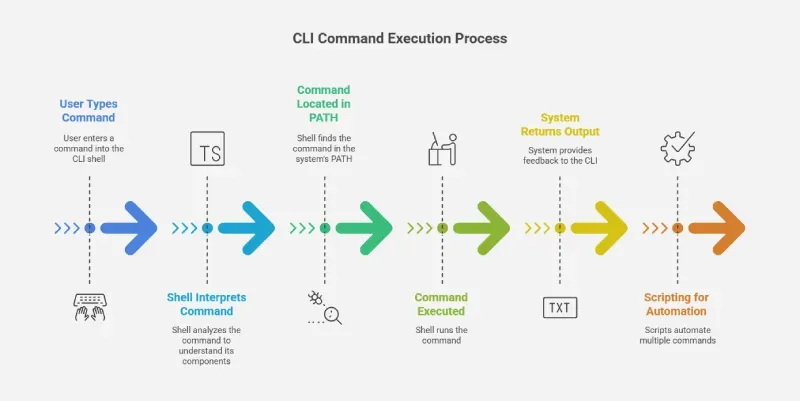
Command Line Interface Execution
**Example Use Cases:
- System administration
- File and process management
- Automation and scripting
- Remote server access.
What is GUI?
GUI (Graphical User Interface) allows users to interact with a system using visual elements such as windows, icons, menus and buttons.
- It relies on pointing devices (like a mouse) in addition to a keyboard.
- GUI is intuitive, easier to learn and reduces the user’s cognitive load.
- Information can be presented in multiple forms: text, images, videos, animations and more.
- GUIs are highly customizable with themes, layouts and visual modifications.
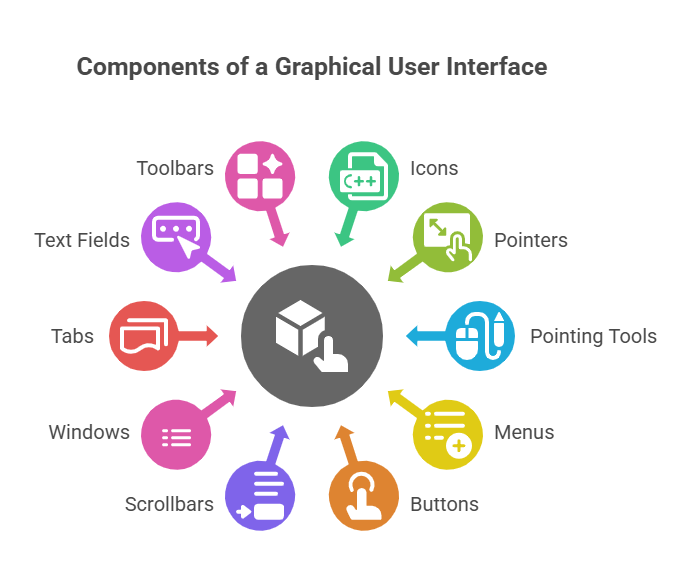
Graphical User Interface
**Example Use Cases:
- Everyday computing (browsers, file explorers, media players)
- Design, gaming and multimedia applications
- Environments where accessibility and ease of use are priorities.
Difference Between GUI and CLI
| Aspect | CLI | GUI |
|---|---|---|
| **Ease of Use | Requires command knowledge; less intuitive for beginners. | User-friendly, intuitive and easy to learn. |
| **Resource Usage | Consumes low memory and processing power. | Consumes more memory and processing resources due to graphics. |
| **Precision | High precision - ideal for tasks needing exact input. | Lower precision; focuses on accessibility. |
| **Speed | Faster execution once commands are known. | Slower due to graphical rendering. |
| **Input Devices | Requires only a keyboard. | Requires both mouse and keyboard. |
| **Appearance | Minimal by default; can be customized with shells/themes. | Highly customizable with visual themes and layouts. |
| **Error Handling | Spelling or syntax errors can cause command failure. | Reduces typing errors with menus and visual input methods. |
| **Multitasking | Multitasking possible but difficult to visualize. | Allows multiple windows/tabs for easy multitasking. |
| **Scripting/Automation | Powerful for scripting sequences of commands. | Limited automation capabilities. |