PostgreSQL LOWER function (original) (raw)
Last Updated : 15 Jul, 2025
In **PostgreSQL, the **LOWER() function is a powerful tool used to convert strings, expressions, or values in a column to lowercase. This function is essential for text normalization, making data comparisons easier and more consistent.
Let's look into the syntax, and usage of the LOWER() function in **PostgreSQLwith detailed examples.
What is the LOWER() Function in PostgreSQL?
The **LOWER() function takes an input string and converts all the characters to lowercase. This is particularly useful when you need to perform case-insensitive comparisons or store data in a uniform format.
**Syntax
**LOWER(string or value or expression)
Parameter
- **string_or_value_or_expression: This argument can be a string, a value, or an expression that you want to convert to lowercase.
PostgreSQL LOWER function Examples
Let us take a look at some of the examples of **LOWER Function in **PostgreSQL to better understand the concept.
**Example 1: Converting Column Values to Lowercase
The below statement uses LOWER function to get the full names of the films from the '**Film' table of the sample database, ie, dvdrental:
**SELECT LOWER(title) from film;
**Output:
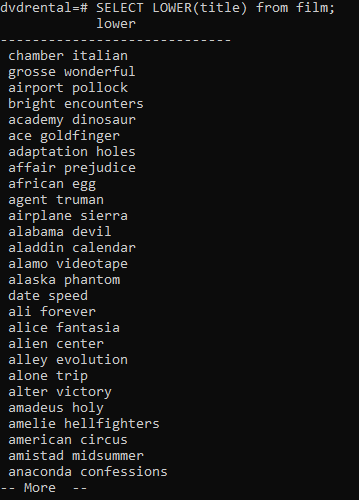
**Explanation: Here, the LOWER() function converts the title column values to lowercase.
**Example 2: Converting a String to Lowercase
The below statement converts an upper case string to lower case:
**SELECT LOWER('GEEKSFORGEEKS');
**Output:
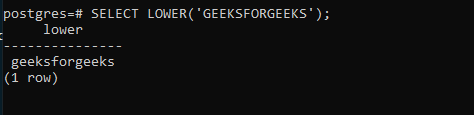
**Explanation: The **LOWER() function converts the input string '**GEEKSFORGEEKS' to '**geeksforgeeks'.
Important Points About the PostgreSQL LOWER() Function
- The LOWER() function consistently converts all characters in the input to lowercase.
- The function is useful for making case-insensitive comparisons.
- Use the **CAST function to convert non-string values to strings if necessary.
- Applicable to strings, expressions, and column values.