Power BI How to Format Table? (original) (raw)
Last Updated : 16 Jan, 2026
Sometimes we want to show data in tabular format for that we have two options here one is a table and another one is a matrix. This article deals with Tables in Power BI.
You can download dataset from here.
The topic that will be covered in the articles are:
- Creating a simple table
- Formatting a Table
**Creating a Simple Table
**Import the table from Your Excel to Power BI.
- Home Tab-> Get Data
- Choose Data which you want Example Excel
- Select the file and Open
- Select The sheet and Load

To create a Table steps are:
- Visualizations ->Build Visuals ->Table
- Resize if Needed
- Click on Field
- Click the Checkbox of the column to be added to the table

After selecting the table visual we can populate it using the desired features.

**Formatting a Table
Formatting a table is a trick used to change the appearance of the table to increase readability.
There are two types of Formatting **Visual and General.
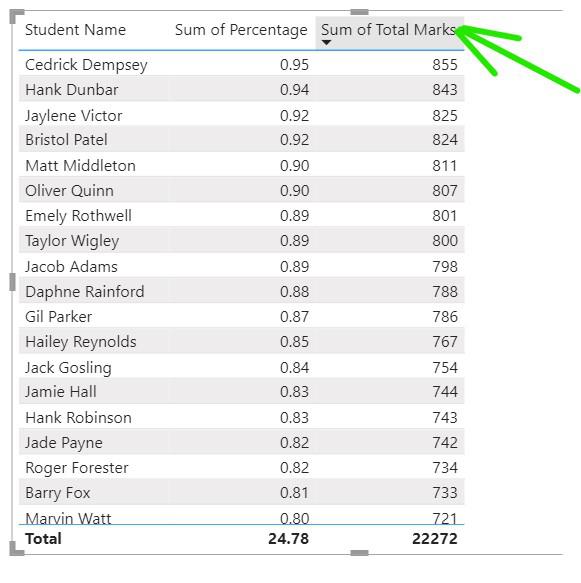
1. To sort the column in ascending or descending order just click on the column heading and it will be sorted.
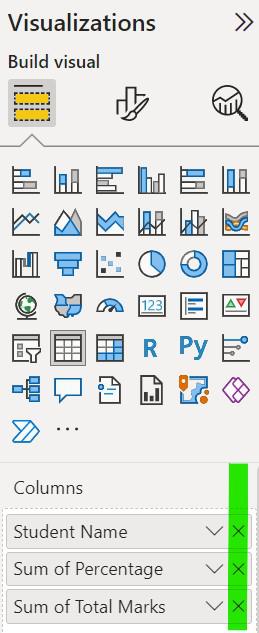
2. To remove any field from the table Click on the 'X' mark in the column section under the visualization
3. To format your visuals click on the format button present under the visualization.

Visual Formatting Options
Under this section there is plenty of options available that can be explored some of them are listed below:
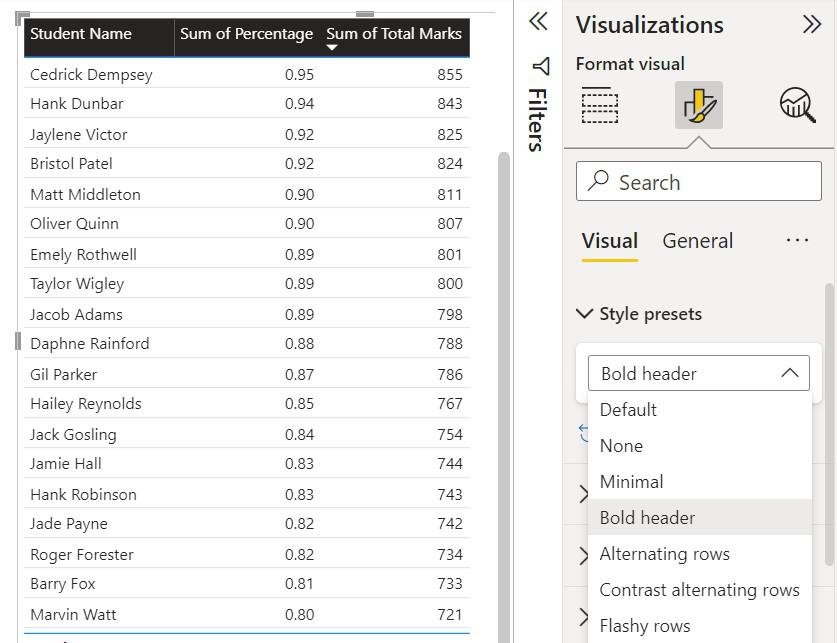
To change the style of the table click on the 'Style Present' Tab and choose the style that you want to give
To apply the grids between the row and column click on Grid and 'on' the horizontal and vertical grid section from there.

- **Borders: Under this, you can give the width and color to the borders
- **Options: Under this Row padding is adjusted and font size can be changed
To change the text color of the row alternatively, click on the values section and choose the color you want to give to the text

- **Column Headers: The heading of all columns are adjusted their alignment, text color and background color are adjusted.
To remove the Total shown below the table click on the total tab and 'off' the value switch

- **Values: The name of the total row can be changed its size, color and text type also can be changed
To change the background color of the cell click on the cell elements and select the column to which you want to give color
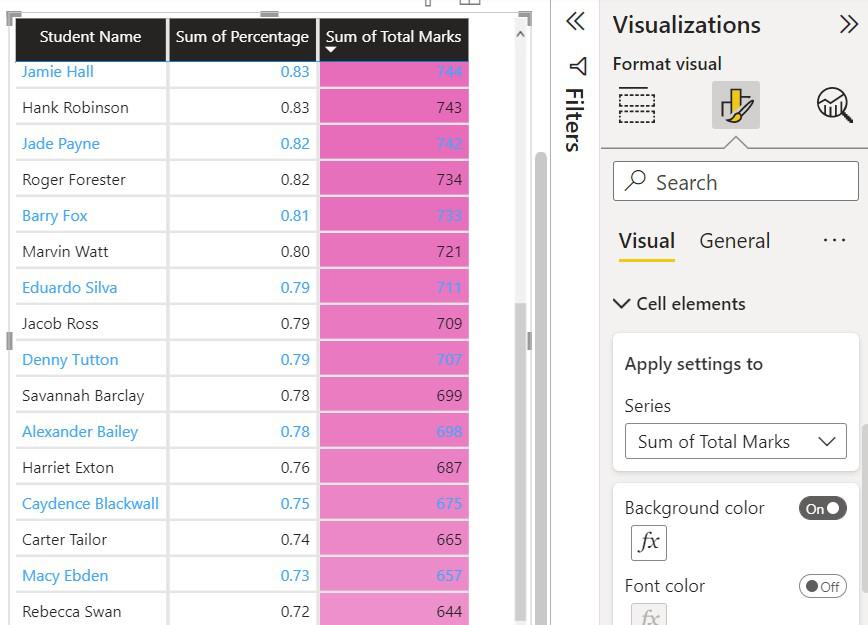
- **Cell element: Conditional formatting is done under this tab such as background color, data bars, font color and cons can be given to the specific column
To change the size, positions click on 'General' under Visualization and it selects the properties

- **Size: It is used to adjust the table size by changing the value of height and width
- **Position: It is used to place the table concerning the page by changing the horizontal and vertical position of the table
- **Advanced Options: It is used to lock the visual of the table
To add a Title to the table Expand the general bar under the title section and Write the name to the table
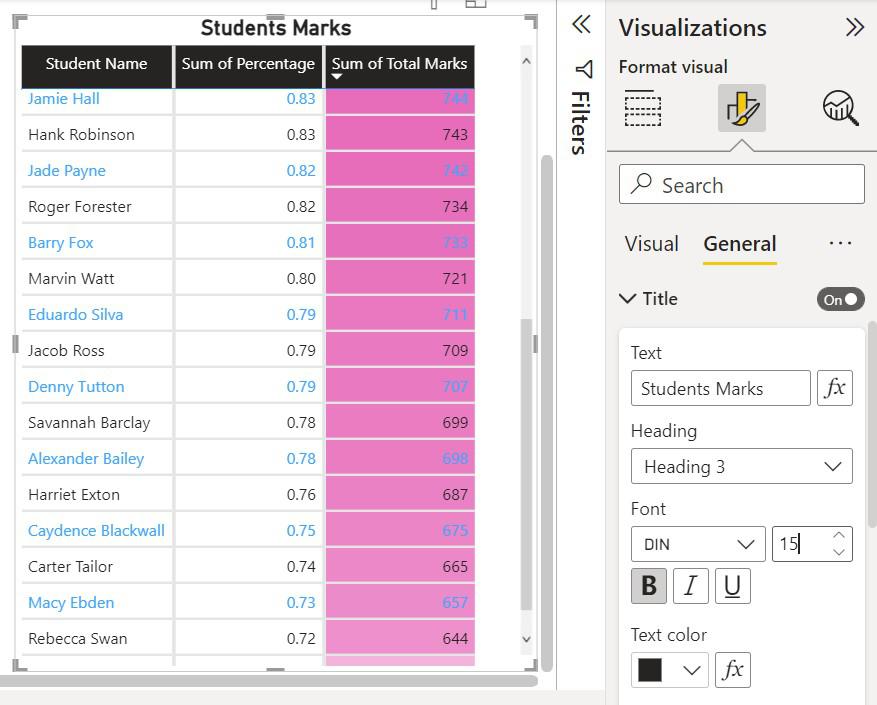
- **Title: It is used to give a title to the table also we can customize the font, color and style, text alignment of the title.
To add background color to the table effect tab is used
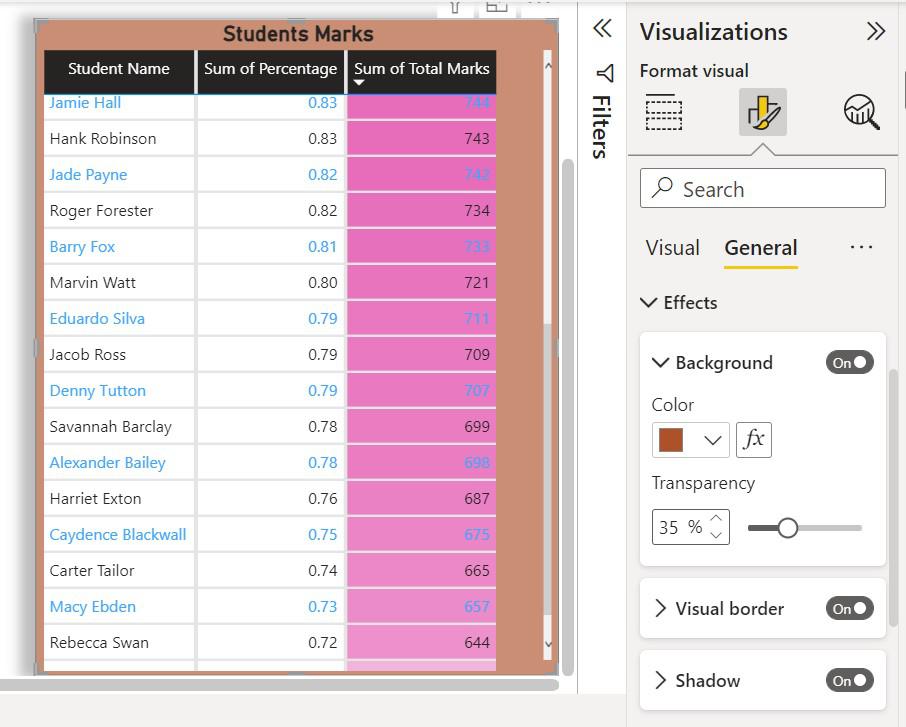
- **Visual borders: Borders add a good looking to the design of the table
- **Shadows: It gives shadow to the cell according to the need
There are still more options to format a table but these are the ones that are used more often.