*args and **kwargs in Python (original) (raw)
Last Updated : 11 Jun, 2026
*args and **kwargs are used to allow functions to accept an arbitrary number of arguments. These features provide great flexibility when designing functions that need to handle a varying number of inputs.
The below code shows how *args collects multiple positional arguments into a tuple and how **kwargs collects keyword arguments into a dictionary.
Python `
*args example
def fun(*args): return sum(args)
print(fun(5, 10, 15))
**kwargs example
def fun(**kwargs): for k, val in kwargs.items(): print(k, val)
fun(a=1, b=2, c=3)
`
Symbols for Handling Variable Arguments
Python provides two special symbols for passing variable numbers of arguments:
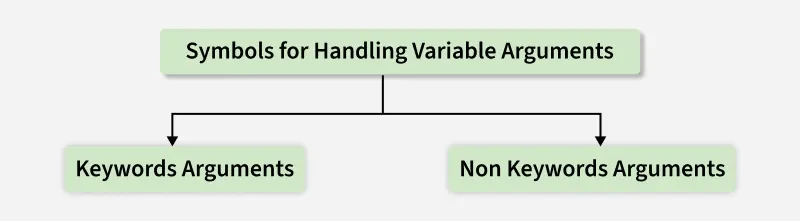
Symbols for Handling Arguments
- ***args: Non-keyword (positional) arguments
- ****kwargs: Keyword arguments
**Note: Use *args or **kwargs when the number of arguments to be passed to a function is not known in advance.*
1. Non-Keyword Arguments (*args)
*args syntax allows a function to accept any number of positional arguments. All passed values are collected into a tuple, which can then be accessed or iterated inside the function. This is useful when the number of arguments is not known beforehand.
python `
def myFun(*argv): for arg in argv: print(arg)
myFun('Hello', 'Welcome', 'to', 'GeeksforGeeks')
`
Output
Hello Welcome to GeeksforGeeks
**Explanation:
- **def myFun(*argv): defines a function that accepts any number of positional arguments.
- **for arg in argv: loops through the tuple of arguments.
Here we use *args to multiply any number of values.
Python `
def multiply(*args): result = 1 for num in args: result *= num return result
print(multiply(2, 3, 4))
`
**Explanation:
- **def multiply(*args): accepts multiple numbers as input.
- **result = 1: initialize result to 1 (since we are multiplying).
- **for num in args: loop through all arguments.
- **result *= num: multiply each number with result.
2. Keyword Arguments (**kwargs)
**kwargs syntax allows a function to accept any number of keyword arguments. All arguments are collected into a dictionary, where the argument names become keys and their corresponding values become dictionary values.
Python `
def fun(**kwargs): for k, val in kwargs.items(): print(k, "=", val)
fun(s1='Python', s2='is', s3='Awesome')
`
Output
s1 = Python s2 = is s3 = Awesome
**Explanation:
- **def fun(**kwargs): defines a function that accepts any number of keyword arguments.
- **kwargs.items(): returns key-value pairs from the dictionary.
Here we use **kwargs to create a formatted string from the arguments.
Python `
def introduce(**kwargs): details = [] for k, v in kwargs.items(): details.append(k + ": " + str(v)) return ", ".join(details)
print(introduce(Name="Alice", Age=25, City="New York"))
`
Output
Name: Alice, Age: 25, City: New York
**Explanation:
- **def introduce(**kwargs): accepts flexible keyword arguments.
- **for k, v in kwargs.items(): loop through each key-value pair.
- **details.append(k + ": " + str(v)): format each pair as key: value and add to list.
- ****", ".join(details):** join list items into a single string separated by commas.
Using both *args and **kwargs
We can also combine *args and **kwargs in the same function. This way, the function can accept both positional and keyword arguments at once.
Python `
def student_info(*args, **kwargs): print("Subjects:", args) # Positional arguments print("Details:", kwargs) # Keyword arguments
Passing subjects as *args and details as **kwargs
student_info("Math", "Science", "English", Name="Alice", Age=20, City="New York")
`
Output
Subjects: ('Math', 'Science', 'English') Details: {'Name': 'Alice', 'Age': 20, 'City': 'New York'}
**Explanation:
- ***args: collects positional arguments into a tuple.
- ****kwargs: collects keyword arguments into a dictionary.