Connect your android phone camera to OpenCV Python (original) (raw)
Last Updated : 23 Jul, 2025
Prerequisites: OpenCV
OpenCV is a huge open-source library for computer vision, machine learning, and image processing. OpenCV supports a wide variety of programming languages like Python, C++, Java, etc. It can process images and videos to identify objects, faces, or even the handwriting of a human.
Many a time, while doing Computer Vision or Image Processing using our PC's webcam is not a very option. Maybe we want to increase the camera quality of our webcam, or we want to create some image processing applications which will use an android camera as the medium.
This article uses Windows to do this. But the basics of the code will be same on other Operating systems too.
Approach
- Download and install IP Webcam application on your mobile phone.
- Then make sure your PC and Phone both are connected to the same network. Open your IP Webcam application on your both, click "Start Server" (usually found at the bottom). This will open a camera on your Phone.
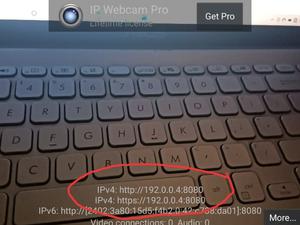
- A URL is being displayed on the Phone screen, type the same URL on your PC browser, and under "Video renderer" Section, click on "Javascript".
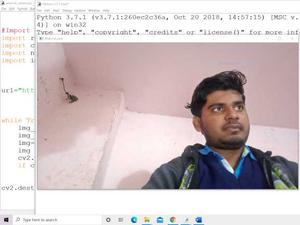
- You can see video captured on your phone, which starts showing up on your browser. Now, what we will be going to do is, taking image data from the URL using the request module and convert this to an image frame using NumPy, and finally, start using our Android camera as a webcam in Python.
- In the code:
- Import module
- Add URL displayed in your phone
- Continuous fetch data from URL
- Keep displaying this data collected
- Close window
Program:
Python3 `
Import essential libraries
import requests import cv2 import numpy as np import imutils
Replace the below URL with your own. Make sure to add "/shot.jpg" at last.
url = "http://192.168.0.103:8080/shot.jpg"

While loop to continuously fetching data from the Url
while True: img_resp = requests.get(url) img_arr = np.array(bytearray(img_resp.content), dtype=np.uint8) img = cv2.imdecode(img_arr, -1) img = imutils.resize(img, width=1000, height=1800) cv2.imshow("Android_cam", img)
# Press Esc key to exit
if cv2.waitKey(1) == 27:
    break
cv2.destroyAllWindows()
`
Output: