Convert Text file to JSON in Python (original) (raw)
Last Updated : 12 Jul, 2025
JSON (JavaScript Object Notation) is a data-interchange format that is human-readable text and is used to transmit data, especially between web applications and servers. The JSON files will be like nested dictionaries in Python. To convert a text file into JSON, there is a json module in Python. This module comes in-built with Python standard modules, so there is no need to install it externally. See the following table given below to see serializing JSON i.e. the process of encoding JSON.
| Python object | JSON object |
|---|---|
| dict | object |
| list, tuple | array |
| str | string |
| int, long, float | numbers |
| True | true |
| False | false |
| None | null |
To handle the data flow in a file, the JSON library in Python uses dump() function to convert the Python objects into their respective JSON object, so it makes easy to write data to files. Syntax:
json.dump()
Various parameters can be passed to this method. They help in improving the readability of the JSON file. They are :
- dict object : the dictionary which holds the key-value pairs.
- indent : the indentation suitable for readability(a numerical value).
- separator : How the objects must be separated from each other, how a value must be separated from its key. The symbols like ", ", ":", ";", "." are used
- sort_keys : If set to true, then the keys are sorted in ascending order
Here the idea is to store the contents of the text as key-value pairs in the dictionary and then dump it into a JSON file. A simple example is explained below. The text file contains a single person's details. The text1.txt file looks like: 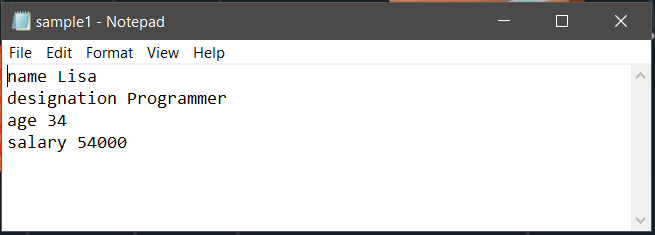 Now to convert this to JSON file the code below can be used:
Python3 `
Python program to convert text
file to JSON
import json
the file to be converted to
json format
filename = 'data.txt'
dictionary where the lines from
text will be stored
dict1 = {}
creating dictionary
with open(filename) as fh:
for line in fh:

    # reads each line and trims of extra the spaces
    # and gives only the valid words
    command, description = line.strip().split(None, 1)

    dict1[command] = description.strip()
creating json file
the JSON file is named as test1
out_file = open("test1.json", "w") json.dump(dict1, out_file, indent = 4, sort_keys = False) out_file.close()
`
When the above code is executed, if a JSON file exists in the given name it is written to it, otherwise, a new file is created in the destination path and the contents are written to it. Output: 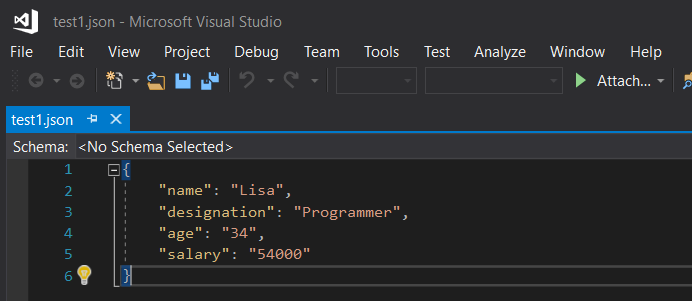 Note the below line of code:
command, description = line.strip().split(None, 1)
Here split(None, 1) is used to trim off all excess spaces between a key-value pair and '1' denotes split only once in a line. This ensures in a key-value pair, the spaces in the value are not removed and those words are not split. Only the key is separated from its value. How to convert if multiple records are stored in the text file ? Let us consider the following text file which is an employee record containing 4 rows. 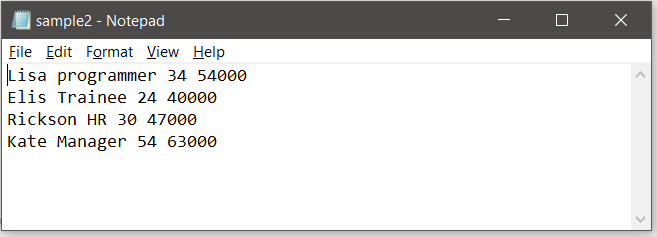 The idea is to convert each employee's detail into an intermediate dictionary and append that to one main resultant dictionary. For each intermediate dictionary a unique id is created and that serves as the key. Thus here the employee id and an intermediate dictionary make a key-value pair for the resultant dictionary to be dumped.
Python3 `
Python program to convert text
file to JSON
import json
the file to be converted
filename = 'data.txt'
resultant dictionary
dict1 = {}
fields in the sample file
fields =['name', 'designation', 'age', 'salary']
with open(filename) as fh:
# count variable for employee id creation
l = 1

for line in fh:

    # reading line by line from the text file
    description = list( line.strip().split(None, 4))

    # for output see below
    print(description)

    # for automatic creation of id for each employee
    sno ='emp'+str(l)

    # loop variable
    i = 0
    # intermediate dictionary
    dict2 = {}
    while i<len(fields):

            # creating dictionary for each employee
            dict2[fields[i]]= description[i]
            i = i + 1

    # appending the record of each employee to
    # the main dictionary
    dict1[sno]= dict2
    l = l + 1
creating json file
out_file = open("test2.json", "w") json.dump(dict1, out_file, indent = 4) out_file.close()
`
The attributes associated with each column is stored in a separate list called 'fields'. In the above code, Each line is split on the basis of space and converted into a dictionary. Each time the line print(attributes) get executed, it appears as given below.
['Lisa', 'programmer', '34', '54000'] ['Elis', 'Trainee', '24', '40000'] ['Rickson', 'HR', '30', '47000'] ['Kate', 'Manager', '54', '63000']
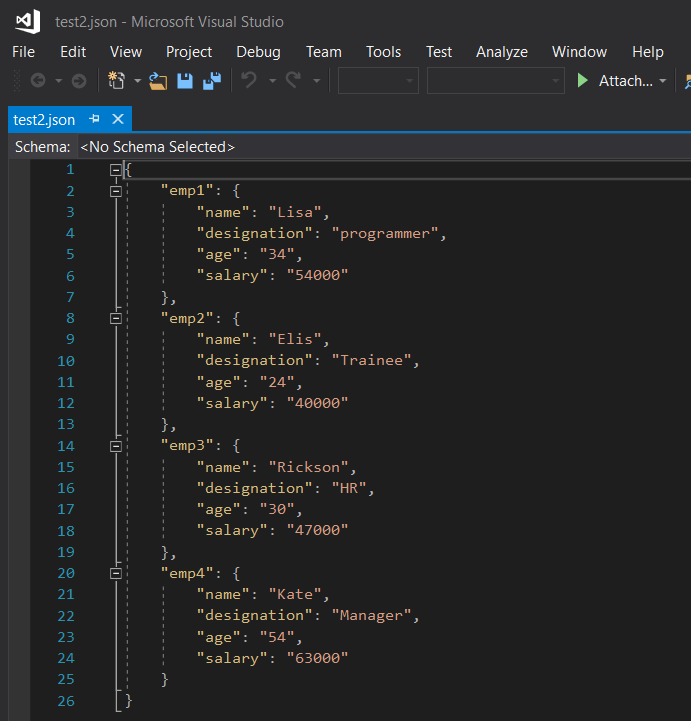
The JSON file created by this code looks like :