Creating First REST API with FastAPI (original) (raw)
Last Updated : 14 Apr, 2026
Building a REST API in FastAPI involves decorating Python functions to handle specific HTTP methods. Using the @app decorator, you can define routes and manage requests with minimal boilerplate:
- @app.get: Retrieve data
- @app.post: Create data
- @app.put / @app.patch: Update data
- @app.delete: Remove data
Below is an example of a basic get route that returns a "Hello, FastAPI" message:
Python `
from fastapi import FastAPI
creating app
app = FastAPI()
defining api endpoint
@app.get("/") def first_example(): return {"message": "Hello, FastAPI!"}
`
Now, start the server using command:
uvicorn main:app --reload
Open the browser and open http://localhost:8000/docs or http://127.0.0.1:8000/docs . You will be able to see the Swagger UI Home page as below: 
Now try to Execute the API, you will get the success status with 200 code. The Response will be as shown below:
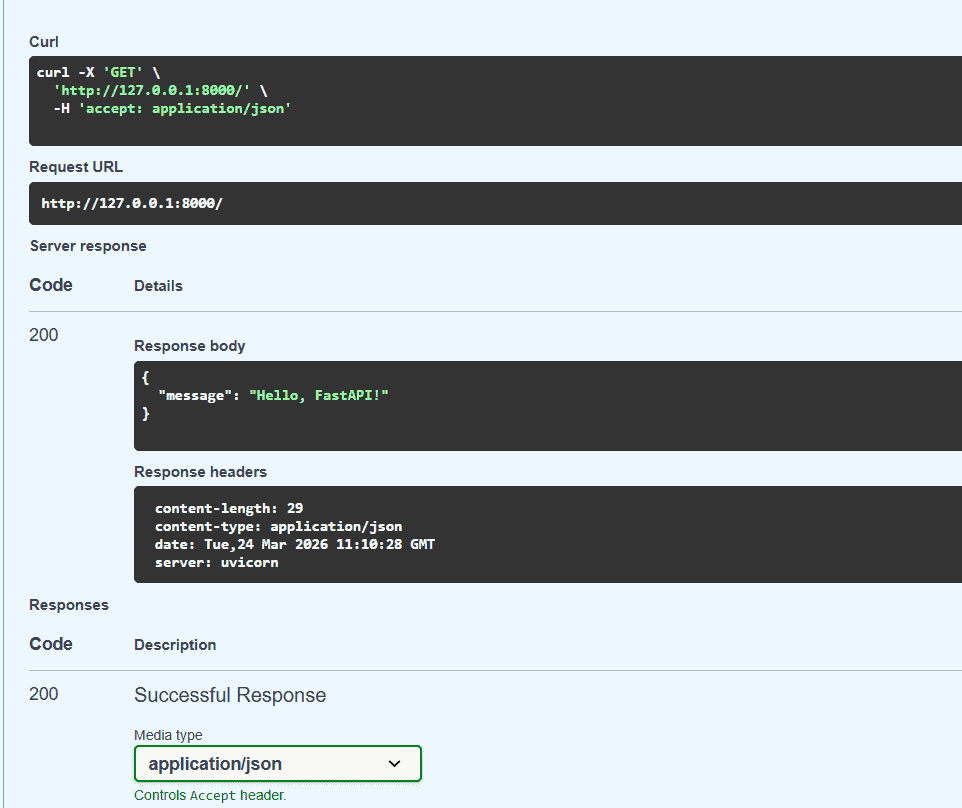
Response after successfull execution
CRUD Operations
Below is an example demonstrating CRUD operations using FastAPI:
Python `
from fastapi import FastAPI from pydantic import BaseModel
app = FastAPI()
Define Item model
class Item(BaseModel): name: str price: float
Temporary in-memory storage
items = {}
CREATE
@app.post("/items/") async def create_item(item: Item): item_id = len(items) + 1 items[item_id] = item return {"id": item_id, "item": item}
READ
@app.get("/items/{item_id}") async def read_item(item_id: int): return items.get(item_id, {"error": "Item not found"})
UPDATE
@app.put("/items/{item_id}") async def update_item(item_id: int, item: Item): if item_id in items: items[item_id] = item return {"message": "Item updated", "item": item} return {"error": "Item not found"}
DELETE
@app.delete("/items/{item_id}") async def delete_item(item_id: int): if item_id in items: deleted_item = items.pop(item_id) return {"message": "Item deleted", "item": deleted_item} return {"error": "Item not found"}
`
**Explanation:
- app = FastAPI(): creates an app instance.
- @app.post() defines the endpoint to create a new item.
- @app.get() defines the endpoint to retrieve an item by ID.
- @app.put() defines the endpoint to update an existing item.
- @app.delete() defines the endpoint to delete an item.
For more details on CRUD operations, refer to the: FastAPI | CRUD Operations.