Encapsulation in Python (original) (raw)
Encapsulation is one of the core concepts of Object Oriented Programming (OOP).
- The idea of encapsulation is to bind the data members and methods into a single unit.
- Helps in better maintainability, readability and usability as we do not need to explicitly pass data members to member methods
- Helps maintain data integrity by allowing validation and control over the values assigned to variables.
- It helps in achieving abstraction. A class can hide the implementation part and discloses only the functionalities required by other classes which allows later changes to representations or implementations without impacting the codes that uses this class.
This example shows encapsulation by keeping __salary variable private inside Employee class. It cannot be accessed directly from outside the class.
Python `
class Employee: def init(self, name, salary): self.name = name # public attribute self.__salary = salary # private attribute
emp = Employee("Fedrick", 50000)
print(emp.name)
print(emp.__salary)
`
**Output
Fedrick
ERROR!
Traceback (most recent call last):
File "<main.py>", line 8, in
AttributeError: 'Employee' object has no attribute '__salary'
**Explanation:
- **self.name = name: Public attribute, can be accessed directly.
- **self.__salary = salary: Private attribute, cannot be accessed directly.
- **print(emp.name): Prints "Fedrick" because name is public.
- **print(emp.__salary): Raises an error because __salary is private and hidden.
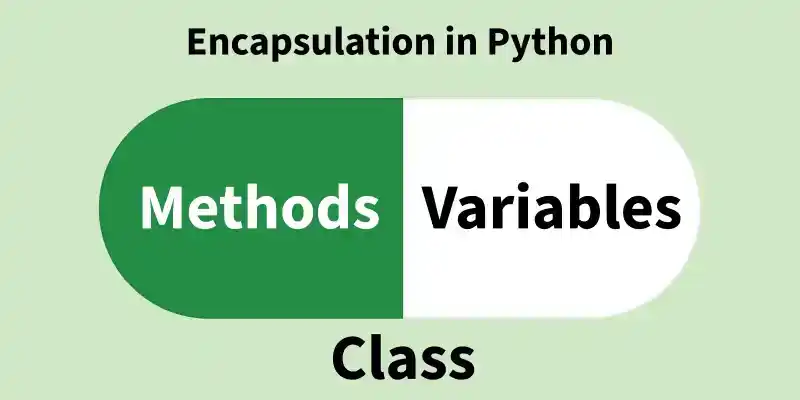
Encapsulation in Python
Why do we need Encapsulation?
- Protects data from unauthorized access and accidental modification.
- Controls data updates using getter/setter methods with validation.
- Enhances modularity by hiding internal implementation details.
- Simplifies maintenance through centralized data handling logic.
- Reflects real-world scenarios like restricting direct access to a bank account balance.
Access Specifiers
Access specifiers define how class members (variables and methods) can be accessed from outside the class. They help in implementing encapsulation by controlling the visibility of data. There are three types of access specifiers:
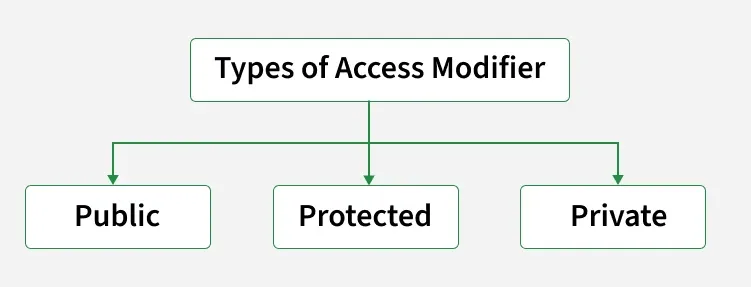
Types of Access Modifiers
Let's discuss it one by one.
1. Public Members
Public members are variables or methods that can be accessed from anywhere inside the class, outside the class or from other modules. By default, all members in Python are public. They are defined without any underscore prefix (e.g., self.name).
**Example: This example shows how a public attribute (name) and a public method (display_name) can be accessed from outside the class using an object.
Python `
class Employee: def init(self, name): self.name = name # public attribute
def display_name(self):   # public method
    print(self.name)
emp = Employee("John") emp.display_name() # Accessible print(emp.name) # Accessible
`
**Explanation:
- **self.name: Declared without underscores, so it is public.
- **display_name(): Public method that prints the value of the public attribute.
- **emp.name: Directly accessed from outside the class, showing public members are fully accessible.
**Note: __init__ method is a constructor and runs as soon as an object of a class is instantiated.
2. Protected members
Protected members are variables or methods that are intended to be accessed only within the class and its subclasses. They are not strictly private but should be treated as internal. In Python, protected members are defined with a single underscore prefix (e.g., self._name).
**Example: This example shows how a protected attribute ****(_age)** can be accessed within a subclass, demonstrating that protected members are meant for use within the class and its subclasses.
Python `
class Employee: def init(self, name, age): self.name = name # public self._age = age # protected
class SubEmployee(Employee): def show_age(self): print("Age:", self._age) # Accessible in subclass
emp = SubEmployee("Ross", 30) print(emp.name) # Public accessible emp.show_age() # Protected accessed through subclass
`
**Explanation:
- **self._age: Defined with a single underscore, marking it as protected.
- **SubEmployee: Inherits from Employee and can access _age directly.
- Protected members should not be accessed outside the class hierarchy, but Python does not enforce this rule strictly.
3. Private members
Private members are variables or methods that cannot be accessed directly from outside the class. They are used to restrict access and protect internal data. In Python, private members are defined with a double underscore prefix (e.g., self.__salary).
Python uses name mangling, where the interpreter internally renames the variable (for eg, __salary becomes _ClassName__salary). This discourages direct access from outside the class, although it does not create strict privacy like other languages.
**Example: This example shows how a private attribute ****(__salary)** is accessed within the class using a public method, demonstrating that private members cannot be accessed directly from outside the class.
Python `
class Employee: def init(self, name, salary): self.name = name # public self.__salary = salary # private
def show_salary(self):
    print("Salary:", self.__salary)
emp = Employee("Robert", 60000) print(emp.name) # Public accessible emp.show_salary() # Accessing private correctly
print(emp.__salary) # Error: Not accessible directly
`
Output
Robert Salary: 60000
**Explanation:
- **self.__salary: Defined with double underscores, so it is private.
- **show_salary(): A public method that provides safe access to the private attribute.
- Attempting emp.__salary causes an AttributeError, proving private members cannot be accessed directly.
Declaring Protected and Private Methods
In Python, you can control method access levels using naming conventions:
- Use a single underscore (_) before a method name to indicate it is protected meant to be used within class or its subclasses.
- Use a double underscore (__) to define a private method accessible only within class due to name mangling.
**Note: Unlike other programming languages, Python does not enforce access modifiers like public, private or protected at the language level. However, it follows naming conventions and uses a technique called **name mangling to support encapsulation.
**Example: This example demonstrates how a **protected method (_show_balance) and a **private method (__update_balance) are used to control access. The private method updates balance internally, while protected method displays it. Both are accessed via a public method (deposit), showing how Python uses naming conventions for encapsulation.
Python `
class BankAccount: def init(self): self.balance = 1000
def _show_balance(self):
    print(f"Balance: ₹{self.balance}")  # Protected method

def __update_balance(self, amount):
    self.balance += amount             # Private method

def deposit(self, amount):
    if amount > 0:
        self.__update_balance(amount)  # Accessing private method internally
        self._show_balance()           # Accessing protected method
    else:
        print("Invalid deposit amount!")
account = BankAccount() account._show_balance() # Works, but should be treated as internal
account.__update_balance(500) # Error: private method
account.deposit(500) # Uses both methods internally
`
Output
Balance: ₹1000 Balance: ₹1500
**Explanation:
- **_show_balance(): (Protected method) Accessible from outside, but intended for internal or subclass use.
- **__update_balance(): (Private method) Only accessible inside class due to name mangling.
- **deposit(): Public method that safely uses both private and protected methods.
Getter and Setter Methods
In Python, **getter and **setter methods are used to access and modify private attributes safely. Instead of accessing private data directly, these methods provide controlled access, allowing you to:
- Read data using a getter method.
- Update data using a setter method with optional validation or restrictions.
**Example: This example shows how to use a getter and a setter method to safely access and update a private attribute (__salary).
Python `
class Employee: def init(self): self.__salary = 50000 # Private attribute
def get_salary(self):    # Getter method
    return self.__salary

def set_salary(self, amount):   # Setter method
    if amount > 0:
        self.__salary = amount
    else:
        print("Invalid salary amount!")
emp = Employee() print(emp.get_salary()) # Access salary using getter
emp.set_salary(60000) # Update salary using setter print(emp.get_salary())
`