Get nlargest values from a particular column in Pandas DataFrame (original) (raw)
Last Updated : 03 Oct, 2025
nlargest() function returns the top n rows with the largest values in the specified column(s).
Syntax:
nlargest(n, columns, keep='first')
**Parameters:
- **n: number of top rows you want to return
- **columns: column (or list of columns) you want to check for the largest values.
- **keep: Decides what to do if there are duplicate values:
'first': keeps the first occurrence (default).
'last': keeps the last occurrence.
'all': keeps all duplicates.
To download the dataset used in this article, click here.
Loading the Dataset
Python `
import pandas as pd df=pd.read_csv(r'enter the path to dataset here')
df.head(10)
`
**Output
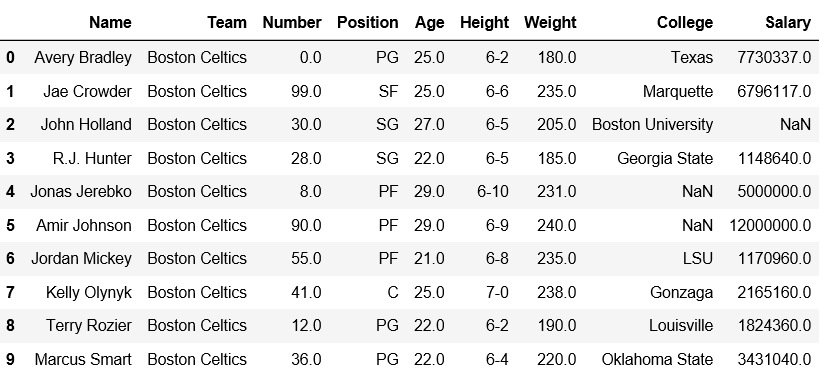
**Explanation:
- **pd.read_csv(): loads the dataset as a pandas dataframe
- **df.head(10): prints the top 10 rows of the dataframe.
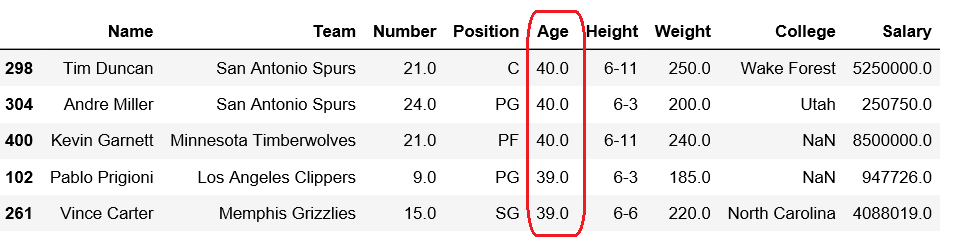
Example 1: Getting 5 Largest Ages
Python `
df.nlargest(5, ['Age'])
`
**Output
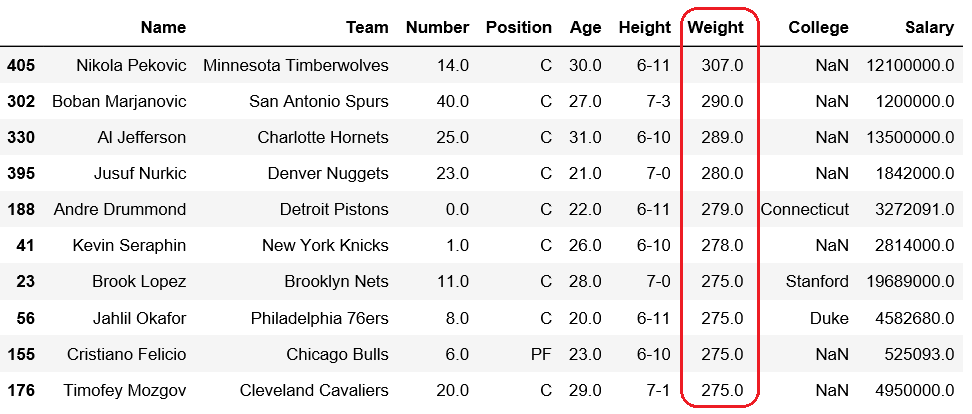
Example 2: Getting 10 maximum weights
Python `
df.nlargest(10, ['Weight'])
`
**Output
Example 3: Getting 5 Largest Salaries
Python `
df.nlargest(5, ['Salary'])
`
**Output
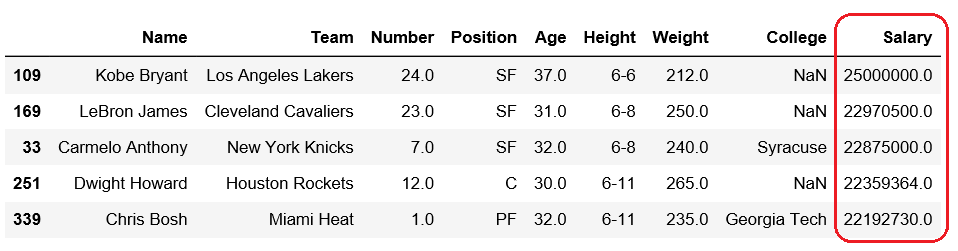
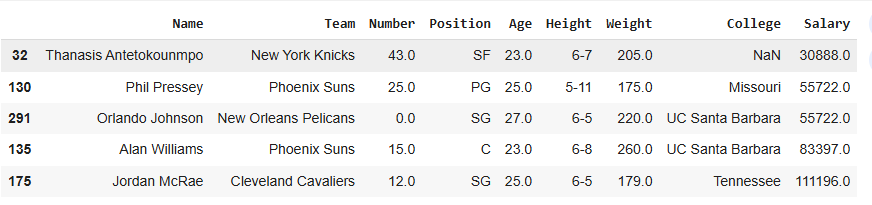
Example 4: Getting the 5 Largest Rows by Age and Weight Together
Retrieve the rows with the largest values in a Pandas DataFrame based on multiple columns, such as Age and Weight.
Python `
df.nlargest(5, ['Age', 'Weight'])
`
**Output