How to Add padding to a tkinter widget only on one side ? (original) (raw)
Last Updated : 15 Mar, 2021
In this article, we will discuss the procedure of adding padding to a Tkinter widget only on one side. Here, we create a widget and use widget.grid() method in tkinter to padding the content of the widget. For example, let's create a label and use label.grid() method. Below the syntax is given:
label1 = Widget_Name(app, text="text_to_be_written_in_label") label1.grid( padx=(padding_from_left_side, padding_from_right_side), pady=(padding_from_top, padding_from_bottom))
Steps Needed:
- First, import the library tkinter
from tkinter import *
- Now, create a GUI app using tkinter
app= Tk()
- Next, give a title to the app.
app.title(“Name of GUI app”)
- Then, create the widget by replacing the #Widget Name with the name of the widget (such as Label, Button, etc.).
l1 =Widget_Name(app, text="Text we want to give in widget")
- Moreover, give the padding where we want to give it.
l1.grid(padx=(padding from left side, padding from right side), pady=(padding from top, padding from bottom))
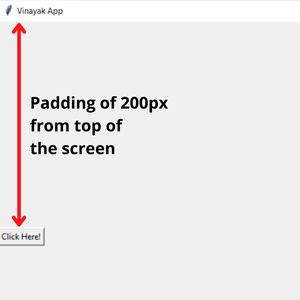
- For instance, if we want to give the padding from the top side only, then enter the padding value at the specified position, and leave the remaining as zero. It will give the padding to a widget from one side only, i.e., top.
l1.grid(padx=(0, 0), pady=(200, 0))
- Finally, make the loop for displaying the GUI app on the screen.
app.mainloop( )
- It will give the output as follows:
Example 1: Padding at left-side to a widget
Python `
Python program to add padding
to a widget only on left-side
Import the library tkinter
from tkinter import *
Create a GUI app
app = Tk()
Give title to your GUI app
app.title("Vinayak App")
Maximize the window screen
width = app.winfo_screenwidth() height = app.winfo_screenheight() app.geometry("%dx%d" % (width, height))
Construct the label in your app
l1 = Label(app, text='Geeks For Geeks')
Give the leftmost padding
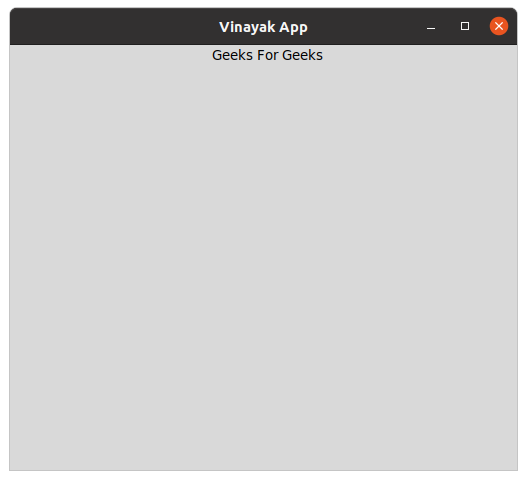
l1.grid(padx=(200, 0), pady=(0, 0))
Make the loop for displaying app
app.mainloop()
`
Output:
Example 2: Padding from top to a widget
Python `
Python program to add padding
to a widget only from top
Import the library tkinter
from tkinter import *
Create a GUI app
app = Tk()
Give title to your GUI app
app.title("Vinayak App")
Maximize the window screen
width = app.winfo_screenwidth() height = app.winfo_screenheight() app.geometry("%dx%d" % (width, height))
Construct the button in your app
b1 = Button(app, text='Click Here!')
Give the topmost padding
b1.grid(padx=(0, 0), pady=(200, 0))
Make the loop for displaying app
app.mainloop()
`
Output: