How to Install Scipy in Python on Windows? (original) (raw)
Last Updated : 3 Jul, 2025
SciPy is a Python library used for scientific and technical computing. It builds on NumPy and provides modules for optimization, integration, interpolation, eigenvalue problems, and more. Before using SciPy in your Python project on Windows, you need to install it properly.
Depending on your environment, you can install SciPy using either pip (Python's package installer) or conda (used with Anaconda/Miniconda). Below are simple step-by-step instructions for both methods.
Method 1: Using pip (Recommended for standard Python installations)
1. Open Command Prompt(CMD)
2. Upgrade pip (optional but recommended):
python -m pip install --upgrade pip
3. Install SciPy using pip:
pip install scipy

Snapshot of Terminal showing Successful installation of SciPy for pip user
Method 2: Using conda (Recommended if using Anaconda or Miniconda)
1. Open Anaconda Prompt
2. Create a new environment (optional):
conda create -n myenv python=3.11
conda activate myenv
3. Install SciPy using conda:
conda install scipy
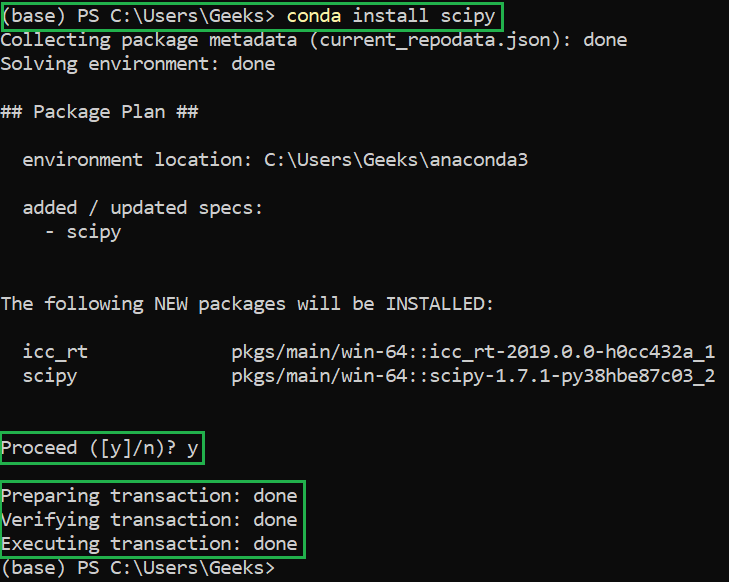
Snapshot of Terminal showing Installation of Scipy for conda user
Verifying Scipy Module Installation
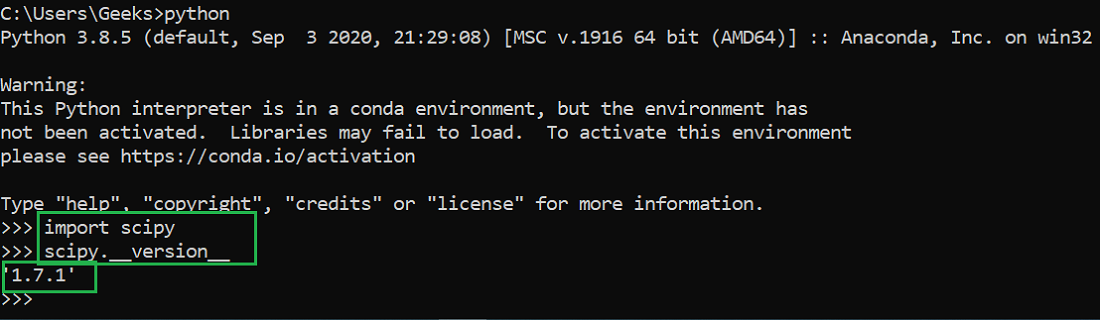
To verify if Scipy has been successfully installed in your system run the below code in python IDE:
Python `
import scipy scipy.version
`
If successfully installed you will get the following output: