How to Parse Data From JSON into Python? (original) (raw)
Last Updated : 3 Jul, 2025
The **json module in Python provides an easy way to convert JSON data into Python objects. It enables the parsing of JSON strings or files into Python's data structures like dictionaries. This is helpful when you need to process JSON data, which is commonly used in APIs, web applications, and configuration files.
Python JSON to Dictionary
**json.loads() function parses a JSON string into a Python dictionary.
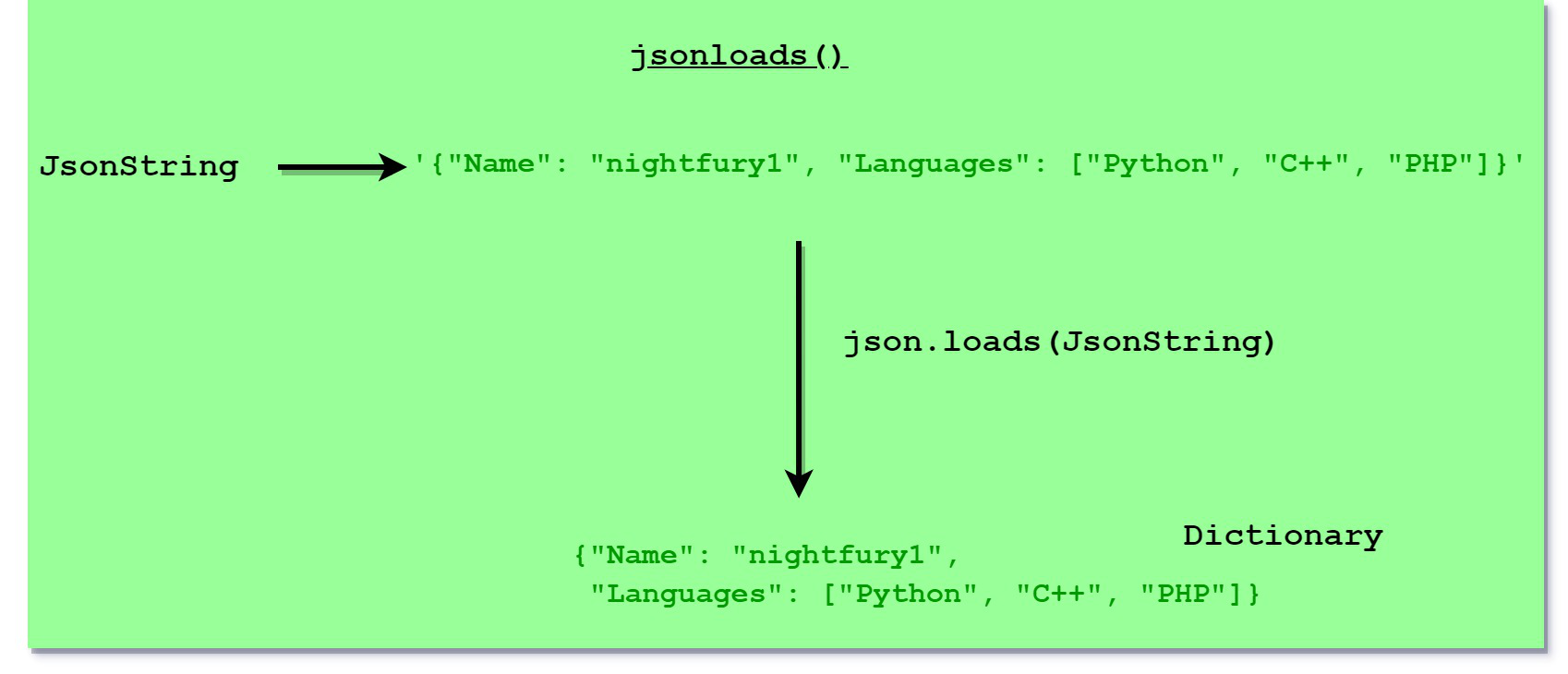
Parse JSON
Python `
import json
geek = '{"Name": "nightfury1", "Languages": ["Python", "C++", "PHP"]}' geek_dict = json.loads(geek)
Displaying dictionary
print("Dictionary after parsing:", geek_dict) print("\nValues in Languages:", geek_dict['Languages'])
`
**Output:
Dictionary after parsing: {'Name': 'nightfury1', 'Languages': ['Python', 'C++', 'PHP']}
Values in Languages: ['Python', 'C++', 'PHP']
Python JSON to Ordered Dictionary
To parse JSON objects into an ordered dictionary, use the json.loads() function with **object_pairs_hook=OrderedDict from the collections module.
Python `
import json from collections import OrderedDict
data = json.loads('{"GeeksforGeeks":1, "Gulshan": 2, "nightfury_1": 3, "Geek": 4}', object_pairs_hook=OrderedDict) print("Ordered Dictionary: ", data)
`
**Output:
Ordered Dictionary: OrderedDict([('GeeksforGeeks', 1), ('Gulshan', 2), ('nightfury_1', 3), ('Geek', 4)])
Parse using JSON file
**json.load() method parses a JSON file into a Python dictionary. This is particularly useful when the data is stored in a .json file.
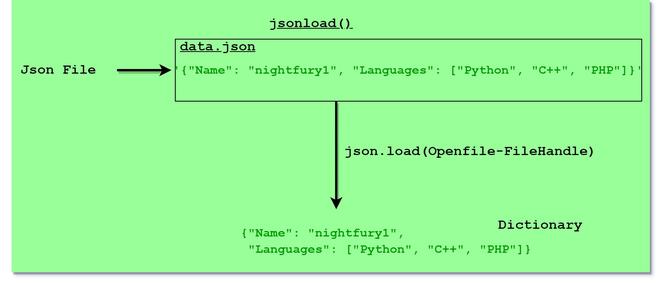
Parsing JSON File
Python `
import json
with open('data.json') as f: data = json.load(f)
printing data from json file
print(data)
`
**Output:
{'Name': 'nightfury1', 'Language': ['Python', 'C++', 'PHP']}