How to rotate x labels using Pygal? (original) (raw)
Last Updated : 23 Jul, 2025
Prerequisites: Pygal
Pygal is a graphics and user interface library for Python that provides functionality commonly required in designing and science applications. While making a plot it is important for us to optimize its label, title, size. In this article, we will see how we can rotate the X-Label value of the plot window in the Pygal module. This can be done by passing the angle of rotation to x_label_rotation parameter.
Here are various ways to change the default plot x_label as per our requirement.
Approach:
- Import required module.
- Create a chart object.
- Pass x_label_rotation value in function.
- Label the graph.
- Display Graph.
Implementation of the concept discussed above is given below:
Example 1:
Python3 `
import library
import pygal import numpy
creating the chart object
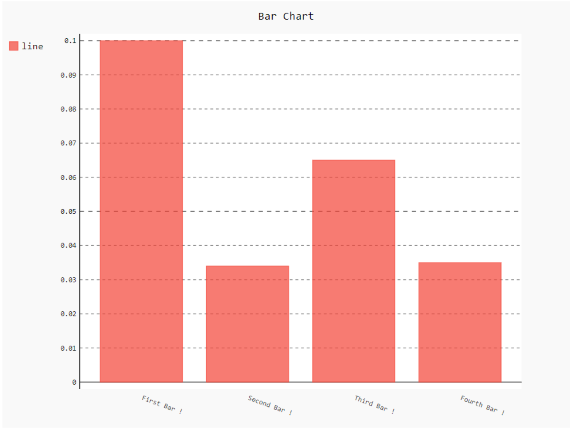
chart = pygal.Bar(x_label_rotation=20)
Random data
chart.x_labels = [ 'First Bar !', 'Second Bar !', 'Third Bar !', 'Fourth Bar !'] chart.add('line', [0.1, .034, .065, .035])
naming the title
chart.title = 'Bar Chart'
chart.render_to_png('img.png');
`
Output:
Example 2:
Python3 `
importing pygal
import pygal import numpy
creating the chart object
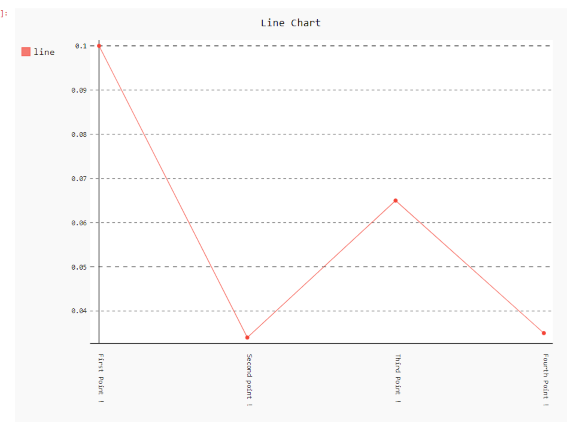
chart = pygal.Line(x_label_rotation=90)
Random data
chart.x_labels = [ 'First Point !', 'Second point !', 'Third Point !', 'Fourth Point !'] chart.add('line', [0.1, .034, .065, .035])
naming the title
chart.title = 'Line Chart'
chart.render_to_png('img.png')
`
Output: