Indexing in MongoDB using Python (original) (raw)
Last Updated : 15 Jul, 2025
In **PyMongo, **indexing is used to improve the performance of queries by allowing MongoDB to quickly locate and access the requested data without scanning every document in a collection. **create_index() defines indexes to optimize queries and enforce constraints. MongoDB auto-indexes _id, but custom indexes can be added on fields using various directions and options.
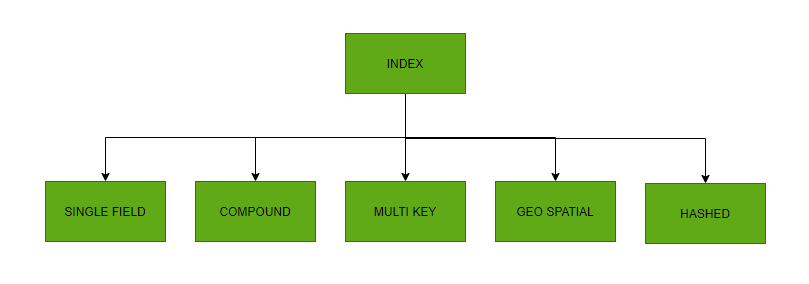
Syntax
collection.create_index([(field, direction)], **options)
**Parameters:
- **field: Field to index (e.g., "name")
- **direction: pymongo.ASCENDING or pymongo.DESCENDING
- **options: Additional index options like unique=True, name="customIndex" etc.
Here is our sample data.
Python `
from pymongo import MongoClient, ASCENDING c = MongoClient("mongodb://localhost:27017/") db = c["indexDB"] col = db["users"]
data = [ {"name": "Alice", "email": "alice@example.com"}, {"name": "Bob", "email": "bob@example.com"}, {"name": "Charlie", "email": "charlie@example.com"} ]
col.delete_many({}) col.insert_many(data) print("Sample data inserted.")
`
**Output
Sample data inserted

Sample data
**Explanation:
- Connects to the local MongoDB server and selects the **indexDB database and users collection.
- Clears existing documents in the collection using **delete_many({}).
- Inserts three sample user records into the collection using **insert_many().
Examples
Example 1: Create index on a field
Python `
from pymongo import MongoClient, ASCENDING c = MongoClient("mongodb://localhost:27017/") db = c["indexDB"] col = db["users"]
idx_name = col.create_index([("name", ASCENDING)]) print(idx_name)
`
**Output

**Explanation: Creates an ascending index on the name field to speed up queries using name.
Example 2: List all index
Python `
from pymongo import MongoClient, ASCENDING c = MongoClient("mongodb://localhost:27017/") db = c["indexDB"] col = db["users"]
for idx in col.list_indexes(): print(idx)
`
**Output

Snapshot of the Output
**Explanation: Displays all indexes on the users collection. The default _id_ index and the created **name_1 index will be shown.
Example 3: Drop an index
Python `
from pymongo import MongoClient, ASCENDING c = MongoClient("mongodb://localhost:27017/") db = c["indexDB"] col = db["users"]
col.drop_index("name_1")
`
**Output
Index dropped
**Explanation: Drops the index named ****"name_1"**. You must pass the exact index name created earlier.
Example 4: Create index on a new field (default ascending)
Python `
from pymongo import MongoClient, ASCENDING c = MongoClient("mongodb://localhost:27017/") db = c["indexDB"] col = db["users"]
res = col.create_index("index_created") print(res)
`
**Output
index_created_1
**Explanation: Creates an ascending index (default) on a new field **index_created.
Example 5: Create compound index
Python `
from pymongo import MongoClient, ASCENDING c = MongoClient("mongodb://localhost:27017/") db = c["indexDB"] col = db["users"]
res = col.create_index([ ("ascending_index", 1), ("second_descending_index", DESCENDING) ]) print(res)
`