Login and Registration Project in Flask using MySQL (original) (raw)
Creating a user authentication system is a fundamental part of web applications. This guide will help you build a Login and Registration system using Flask and MySQL.
Prerequisites: Basic knowledge of Python, MySQL Workbench, and Flask.
To learn how to build login and registration in Flask, let's create a project and go through it step by step.
Project Structure
The project structure will look like this:
Project Setup
Step 1. Create a Virtual Environment
py -3 -m venv venv
Step 2: Activate the environment
venv\Scripts\activate
Step 3: Install Flask and MySQL Connector
pip install Flask flask-mysqldb
Step 4: Set Up MySQL Database
1. Open MySQL in terminal, run the following command and enter your MySQL root password when prompted:
mysql -u root -p
2. Create the Database "geeklogin" by executing the following SQL command:
CREATE DATABASE IF NOT EXISTS geeklogin DEFAULT CHARACTER SET utf8 COLLATE utf8_general_ci;
3. Create the "accounts" table executing this SQL commands-
CREATE TABLE IF NOT EXISTS accounts (
id INT(11) NOT NULL AUTO_INCREMENT,
username VARCHAR(50) NOT NULL UNIQUE,
password VARCHAR(255) NOT NULL,
email VARCHAR(100) NOT NULL UNIQUE,
PRIMARY KEY (id)
) ENGINE=InnoDB AUTO_INCREMENT=2 DEFAULT CHARSET=utf8;
The query creates a database named geeklogin and switches to it using USE geeklogin;. Then, it defines a table called accounts with the following columns:
- **id: An auto-incrementing primary key to uniquely identify each user.
- **username: A unique VARCHAR(50) field to store the username (cannot be null).
- **password: A VARCHAR(255) field to store the user's password securely.
- **email: A unique VARCHAR(100) field to store the user's email (cannot be null).
This table is designed to manage user accounts for the login system.
Creating Main Flask App
Create app.py file, this file serves as the core of our Flask application, handling routes, user authentication, and database interactions.
Python `
from flask import Flask, render_template, request, redirect, url_for, session from flask_mysqldb import MySQL import MySQLdb.cursors import re
app = Flask(name) app.secret_key = 'your_secret_key'
app.config['MYSQL_HOST'] = 'localhost' app.config['MYSQL_USER'] = 'root' app.config['MYSQL_PASSWORD'] = '_________' # Enter your MySql password app.config['MYSQL_DB'] = 'geeklogin'
mysql = MySQL(app)
@app.route('/') @app.route('/login', methods=['GET', 'POST']) def login(): msg = '' if request.method == 'POST' and 'username' in request.form and 'password' in request.form: username = request.form['username'] password = request.form['password'] cursor = mysql.connection.cursor(MySQLdb.cursors.DictCursor) cursor.execute('SELECT * FROM accounts WHERE username = %s AND password = %s', (username, password)) account = cursor.fetchone() if account: session['loggedin'] = True session['id'] = account['id'] session['username'] = account['username'] return render_template('index.html', msg='Logged in successfully!') else: msg = 'Incorrect username/password!' return render_template('login.html', msg=msg)
@app.route('/logout') def logout(): session.pop('loggedin', None) session.pop('id', None) session.pop('username', None) return redirect(url_for('login'))
@app.route('/register', methods=['GET', 'POST']) def register(): msg = '' if request.method == 'POST' and 'username' in request.form and 'password' in request.form and 'email' in request.form: username = request.form['username'] password = request.form['password'] email = request.form['email'] cursor = mysql.connection.cursor(MySQLdb.cursors.DictCursor) cursor.execute( 'SELECT * FROM accounts WHERE username = %s OR email = %s', (username, email) ) account = cursor.fetchone() if account: msg = 'Account already exists!' elif not re.match(r'[^@]+@[^@]+.[^@]+', email): msg = 'Invalid email address!' elif not re.match(r'[A-Za-z0-9]+', username): msg = 'Username must contain only letters and numbers!' elif not username or not password or not email: msg = 'Please fill out the form!' else: cursor.execute('INSERT INTO accounts VALUES (NULL, %s, %s, %s)', (username, password, email)) mysql.connection.commit() msg = 'You have successfully registered!' return render_template('register.html', msg=msg)
if name == 'main': app.run(debug=True)
`
**Explanation:
- **Importing Libraries: import Flask for web handling, flask_mysqldb for MySQL database connectivity, and re for input validation.
- **Flask App Configuration: configures the app, including MySQL connection settings and a secret key for session handling.
- **Login Route (/login): handles user authentication by checking the username and password against the database.
- **Logout Route (/logout): ends the session and redirects to the login page.
- **Registration Route (/register): handles new user registrations by validating input and inserting user details into the database.
- **Running the App: the app runs in debug mode, enabling easy debugging during development.
**Note: Use debug=True only during development and disable it in production.
Frontend
We have three HTML pages for our frontend- login, register, and index. These pages handle user interactions for authentication and dashboard access. Let's look at each of them one by one.
login.html
This page contains a form where users enter their username and password to log in. If the credentials are correct, the user is redirected to the index page.
Python `
Login<div class="container"> <!-- Wrapper for form -->
<h2 class="word">Login</h2>
<form action="{{ url_for('login') }}" method="post">
<div>{{ msg }}</div>
<input class="textbox" type="text" name="username" placeholder="Enter Username" required>
<input class="textbox" type="password" name="password" placeholder="Enter Password" required>
<button class="btn" type="submit">Login</button>
</form>
<p class="bottom">Don't have an account? <a href="{{ url_for('register') }}">Register here</a></p>
</div>`
register.html
This page allows new users to create an account by entering a username, password, and email. Upon successful registration, a success message is displayed.
html `
Register<div class="container"> <!-- Wrapper for form -->
<h2 class="word">Register</h2>
<form action="{{ url_for('register') }}" method="post">
<div>{{ msg }}</div>
<input class="textbox" type="text" name="username" placeholder="Enter Username" required>
<input class="textbox" type="password" name="password" placeholder="Enter Password" required>
<input class="textbox" type="email" name="email" placeholder="Enter Email" required>
<button class="btn" type="submit">Register</button>
</form>
<p class="bottom">Already have an account? <a href="{{ url_for('login') }}">Login here</a></p>
</div>`
index.html
Once logged in, users are welcomed on this page. It confirms their successful login and provides a logout option.
html `
Dashboard<div class="header">
<h1 class="word">Welcome, {{ session.username }}!</h1>
</div>
<div class="border">
<p class="word">You are now logged in.</p>
<a class="btn" href="{{ url_for('logout') }}">Logout</a>
</div>`
Creating CSS
Create the folder "static" and create the file "style.css" inside the 'static' folder and paste the given CSS code to add styling to the project.
css `
/* General styling */ body { font-family: Arial, sans-serif; background-color: #9AC0CD; display: flex; justify-content: center; align-items: center; height: 100vh; margin: 0; }
.container { background-color: #6699A1; padding: 40px; border-radius: 10px; box-shadow: 0px 0px 10px rgba(0, 0, 0, 0.2); text-align: center; width: 350px; }
h1 { color: #FFFFFF; font-style: oblique; font-weight: bold; background-color: #236B8E; padding: 10px; border-radius: 5px; }
/* Input fields */ input[type="text"], input[type="password"], input[type="email"] { width: 90%; padding: 12px; margin: 10px 0; border: none; border-radius: 5px; background-color: #F0F8FF; text-align: center; font-weight: bold; font-style: oblique; }
/* Placeholder text styling */ ::placeholder { color: #236B8E; font-weight: bold; font-style: oblique; }
/* Button styling */ button { width: 95%; padding: 12px; background-color: #236B8E; color: white; border: none; border-radius: 5px; font-weight: bold; font-style: oblique; cursor: pointer; margin-top: 10px; }
button:hover { background-color: #1E5A7B; }
/* Bottom text link */ p { margin-top: 15px; color: #1E5A7B; font-style: oblique; }
a { color: #00008B; font-weight: bold; text-decoration: none; }
a:hover { text-decoration: underline; }
`
Demonstration
Start the Flask app by running the following command in the terminal. Then, open the development server in your browser to test the login and registration features:
python app.py.
Below are snapshots of our project in action:
Login page
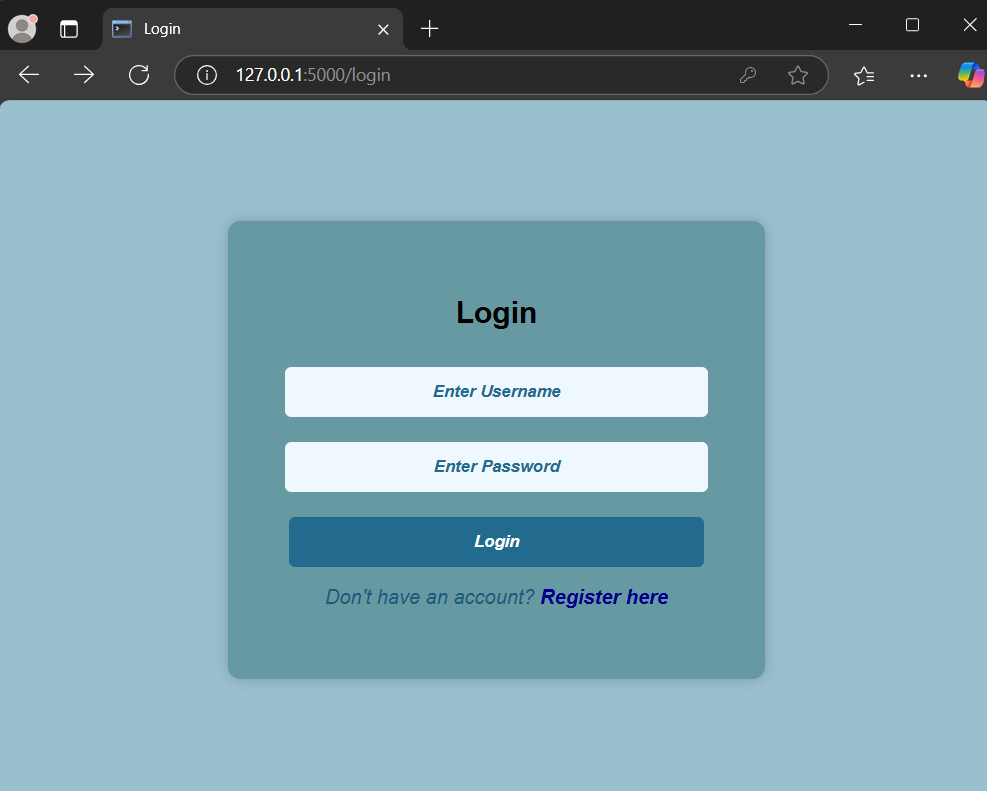
Login page
Registration page

Registration successful
After successful login
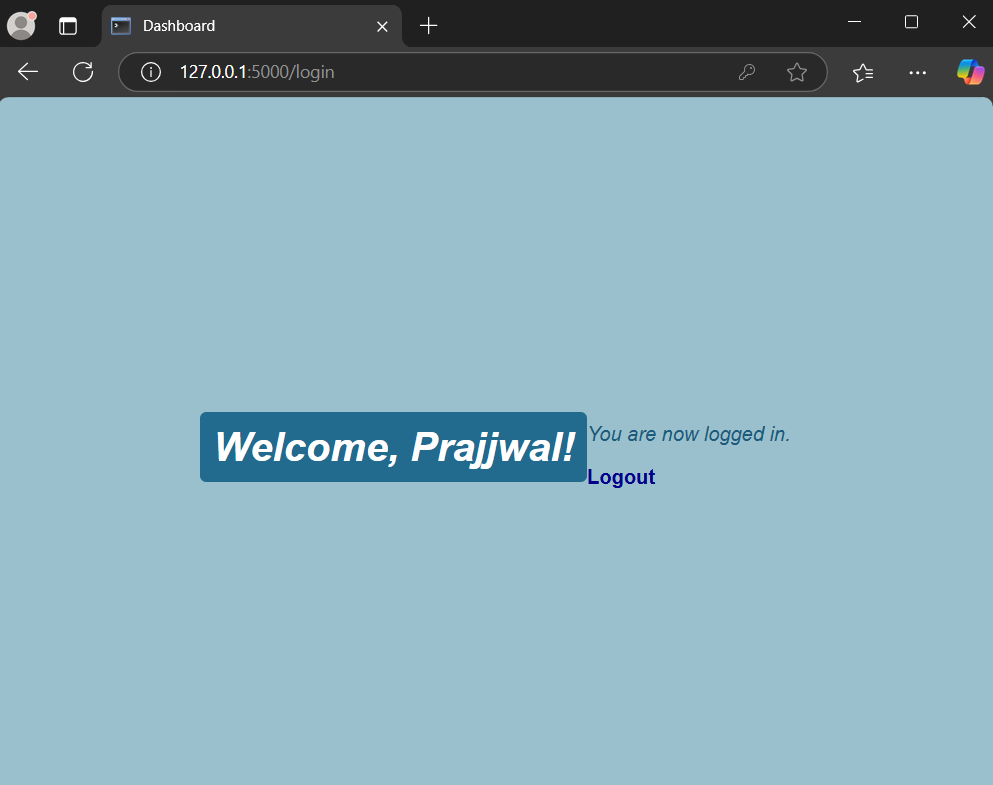
Welcome Page
If login fails
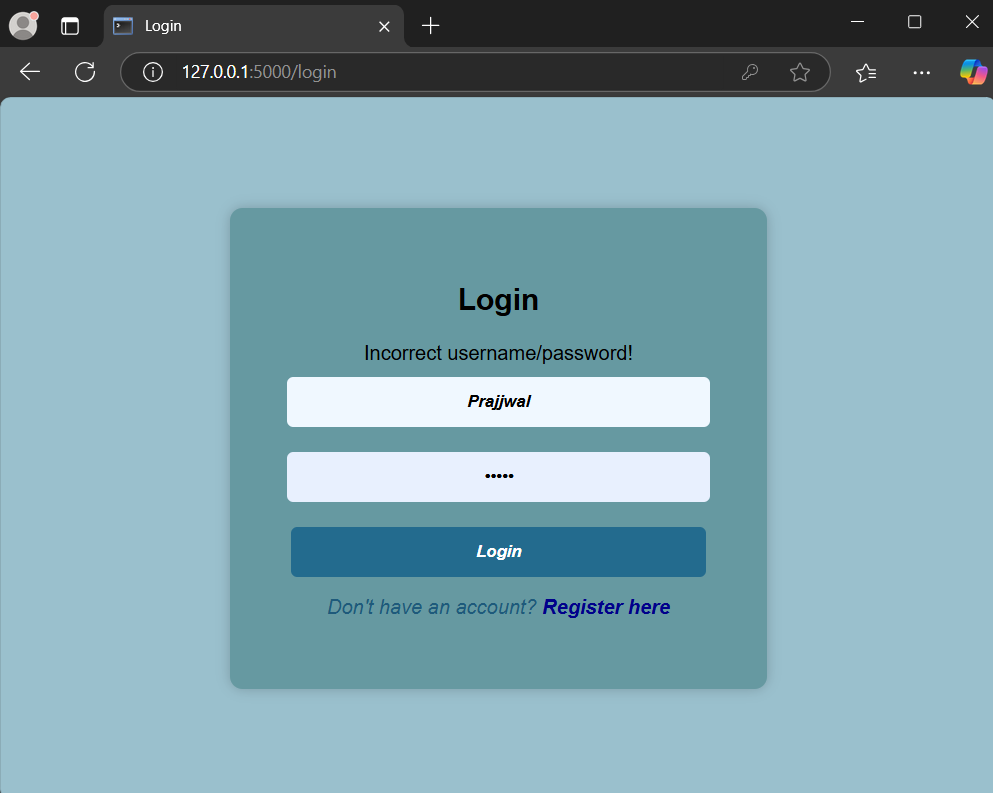
Login fail response