Matplotlib.axes.Axes.legend() in Python (original) (raw)
Last Updated : 12 Jul, 2025
Matplotlib is a library in Python and it is numerical - mathematical extension for NumPy library. The Axes Class contains most of the figure elements: Axis, Tick, Line2D, Text, Polygon, etc., and sets the coordinate system. And the instances of Axes supports callbacks through a callbacks attribute.
matplotlib.axes.Axes.legend() Function
The Axes.legend() function in axes module of matplotlib library is used to place a legend on the axes.
Syntax: Axes.legend(self, *args, **kwargs)Parameters: This method accepts the following parameters.
- labels : This parameter is the list of labels to show next to the artists.
- handles : This parameter is the list of Artists (lines, patches) to be added to the legend. **Returns:**This method returns the matplotlib.legend.Legend instance.
Below examples illustrate the matplotlib.axes.Axes.legend() function in matplotlib.axes:Example 1:
Python3 `
Implementation of matplotlib function
import matplotlib.pyplot as plt
fig, ax = plt.subplots()
line1, = ax.plot([1, 2, 3], label ="Line 1", color ="black", linewidth = 4, linestyle =':')
line2, = ax.plot([3, 2, 1], label ="Line 2", color ="green", linewidth = 4)
first_legend = ax.legend(handles =[line1], loc ='upper center')
ax.add_artist(first_legend)
ax.legend(handles =[line2], loc ='lower center')
fig.suptitle('matplotlib.axes.Axes.legend()
function Example\n', fontweight ="bold")
plt.show()
`
Output: 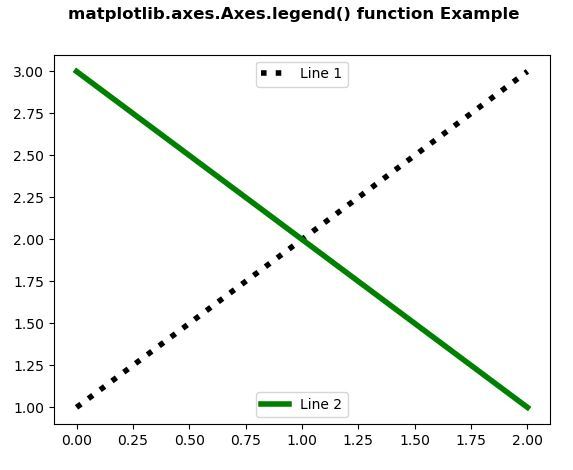 Example 2:
Python3 `
Implementation of matplotlib function
import numpy as np import matplotlib.pyplot as plt
np.random.seed(19680801)
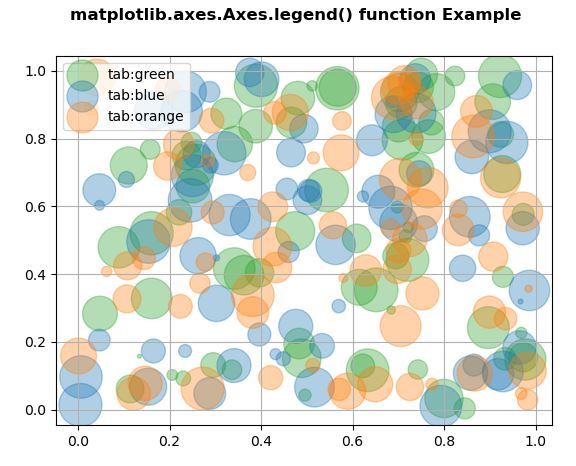
fig, ax = plt.subplots() for color in [ 'tab:green', 'tab:blue', 'tab:orange']: n = 70 x, y = np.random.rand(2, n) scale = 1000.0 * np.random.rand(n) ax.scatter(x, y, c = color, s = scale, label = color, alpha = 0.35)
ax.legend()
ax.grid(True)
fig.suptitle('matplotlib.axes.Axes.legend() function
Example\n', fontweight ="bold")
plt.show()
`
Output: