Matplotlib.dates.DateFormatter class in Python (original) (raw)
Last Updated : 12 Jul, 2025
Matplotlib is an amazing visualization library in Python for 2D plots of arrays. Matplotlib is a multi-platform data visualization library built on NumPy arrays and designed to work with the broader SciPy stack.
Matplotlib.dates.DateFormatter
The matplotlib.dates.DateFormatter class is used to format a tick (in seconds since the epoch) with a string of strftime format. Its base class is matplotlib.ticker.Formatter.
Syntax: class matplotlib.dates.DateFormatter(fmt, tz=None)Parameters:
- fmt: It accepts a strftime format string for formatting and is a required argument.
- tz: It holds information regarding the timezone. If set to none it ignores the timezone information while formatting of the date string.
Example 1:
Python3 1== `
import numpy import matplotlib.pyplot as plt import matplotlib.dates as mdates import pandas
total_bars = 25 numpy.random.seed(total_bars)
dates = pandas.date_range('3/4/2020', periods=total_bars, freq='m')
diff = pandas.DataFrame( data=numpy.random.randn(total_bars), index=dates, columns=['A'] )
figure, axes = plt.subplots(figsize=(10, 6))
axes.xaxis.set_major_formatter(mdates.DateFormatter('%Y-%m'))
axes.bar(diff.index, diff['A'], width=25, align='center')
`
Output: 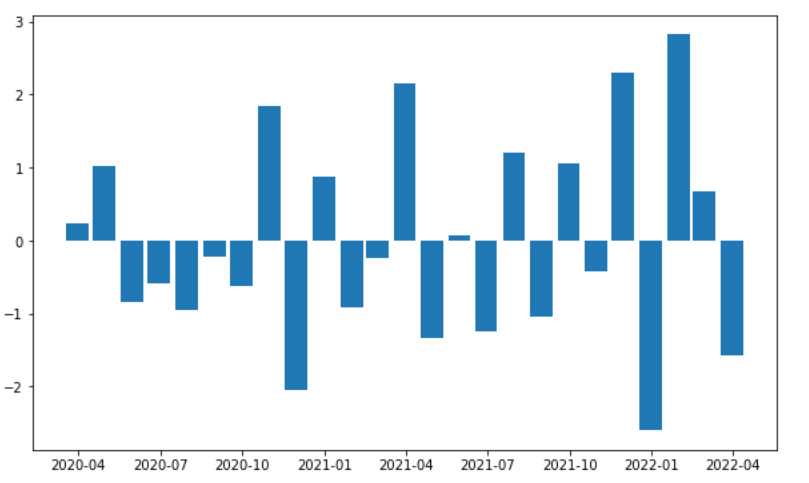 Example 2:
Python3 1== `
import matplotlib import matplotlib.pyplot as plt from datetime import datetime
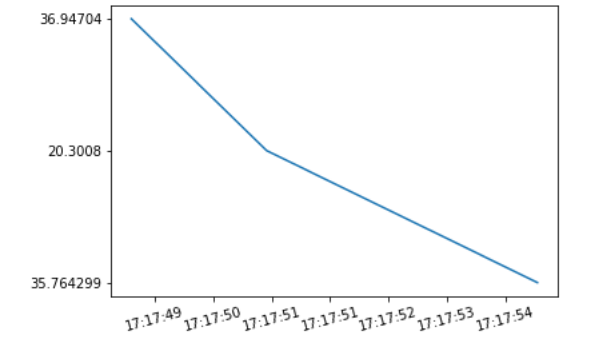
origin = ['2020-02-05 17:17:55', '2020-02-05 17:17:51', '2020-02-05 17:17:49']
a = [datetime.strptime(d, '%Y-%m-%d %H:%M:%S') for d in origin]
b = ['35.764299', '20.3008', '36.94704']
x = matplotlib.dates.date2num(a) formatter = matplotlib.dates.DateFormatter('%H:%M:%S')
figure = plt.figure() axes = figure.add_subplot(1, 1, 1)
axes.xaxis.set_major_formatter(formatter) plt.setp(axes.get_xticklabels(), rotation = 15)
axes.plot(x, b) plt.show()
`
Output: