Matplotlib.pyplot.show() in Python (original) (raw)
Last Updated : 12 Jul, 2025
Matplotlib is a library in Python and it is numerical - mathematical extension for NumPy library. Pyplot is a state-based interface to a Matplotlib module which provides a MATLAB-like interface. Sample Code -
Python3 1== `
sample code
import matplotlib.pyplot as plt
plt.plot([1, 2, 3, 4], [16, 4, 1, 8]) plt.show()
`
Output: 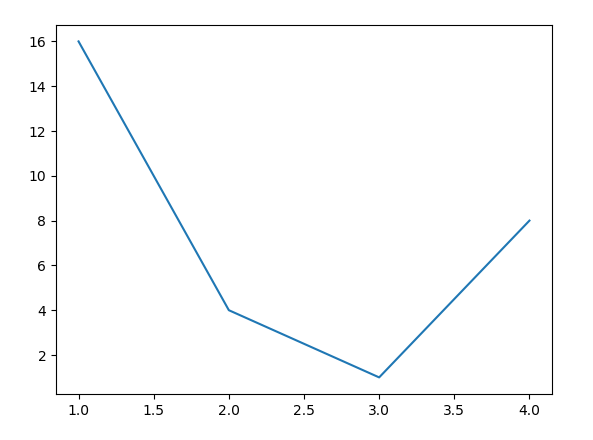
matplotlib.pyplot.show() Function
The show() function in pyplot module of matplotlib library is used to display all figures.
Syntax:
matplotlib.pyplot.show(*args, **kw)
Parameters: This method accepts only one parameter which is discussed below:
- block : This parameter is used to override the blocking behavior described above. Returns: This method does not return any value.
Below examples illustrate the matplotlib.pyplot.show() function in matplotlib.pyplot:Example #1:
Python3 1== `
Implementation of matplotlib function
import matplotlib.pyplot as plt import numpy as np
fig = plt.figure() x = np.arange(20) / 50 y = (x + 0.1)*2
val1 = [True, False] * 10 val2 = [False, True] * 10
plt.errorbar(x, y, xerr = 0.1, xlolims = True, label ='Line 1')
y = (x + 0.3)*3
plt.errorbar(x + 0.6, y, xerr = 0.1, xuplims = val1, xlolims = val2, label ='Line 2')
y = (x + 0.6)*4 plt.errorbar(x + 1.2, y, xerr = 0.1, xuplims = True, label ='Line 3')
plt.legend()
fig.suptitle('matplotlib.pyplot.show() Example') plt.show()
`
Output: 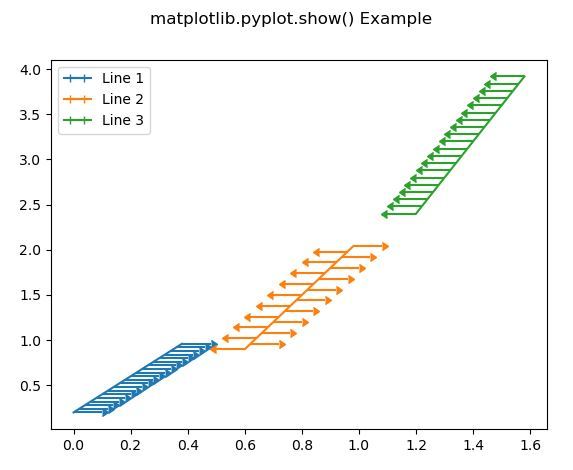 Example #2:
Python3 1== `
Implementation of matplotlib function
import numpy as np import matplotlib.pyplot as plt
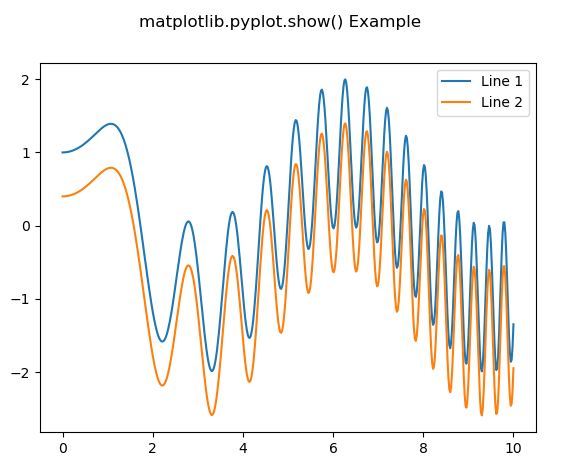
x = np.linspace(0, 10, 500) y = np.sin(x**2)+np.cos(x)
fig, ax = plt.subplots()
ax.plot(x, y, label ='Line 1')
ax.plot(x, y - 0.6, label ='Line 2')
ax.legend()
fig.suptitle('matplotlib.pyplot.show() Example') plt.show()
`
Output: