PUT method Python requests (original) (raw)
Last Updated : 12 Jul, 2025
The requests library is a powerful and user-friendly tool in Python for making HTTP requests. The PUT method is one of the key HTTP request methods used to update or create a resource at a specific URI.
Working of HTTP PUT Method
- If the resource **exists at the given URI, it is **updated with the **new data.
- If the resource **does not exist, the server can **create it at that URI.
- The request includes the data to be stored in the request body.
- It's **idempotent, meaning sending the same request multiple times results in the same outcome (**unlike POST).
Syntax
requests.put(url, params={key: value}, **args)
**Parameters:
- **url: The target endpoint.
- **data: **Dictionary or **string to be sent in the body (often form or JSON data).
- **args: Optional parameters like headers, authentication, timeout, etc.
Installation
To use the requests module, we need to first install it using this command:
pip install requests
Example – Making a PUT Request
In this example, we are going to make a real PUT Request using httpbin.org, a public testing **API.
Python `
import requests
res = requests.put('https://httpbin.org/put', data={'key': 'value'})
print("Status Code:", res.status_code)
print("Response Body:", res.content.decode())
`
**Output:
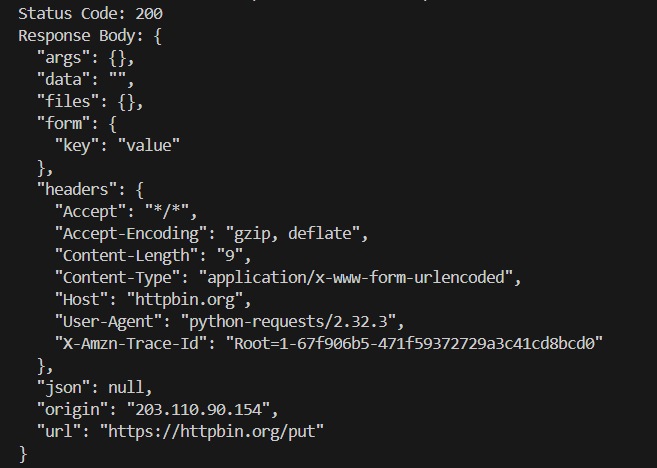
Terminal Output
**Explanation:
- **requests.put() sends the **PUT request to the specified **URL.
- data parameter inside **requests.put() is used to pass the key-value data to be updated or created on the server.
- **print(r) displays the response object, including the **HTTP status code (e.g., **200 for success).
- **print(r.content) prints the response body returned by the server after processing the **PUT request.