AnchorLayout in Kivy using .kv file Python (original) (raw)
Last Updated : 13 Jan, 2026
AnchorLayout in Kivy is used to place widgets at fixed positions like top, center, or bottom inside the window. It keeps widgets at the selected position even when the window size changes.
**Example: In this example, a TextInput is placed at the center of the window using AnchorLayout using .kv file.
Python `
main.py
from kivy.app import App from kivy.uix.anchorlayout import AnchorLayout
class Main(AnchorLayout): pass
class Demo(App): def build(self): return Main()
Demo().run()
Python
demo.kv
TextInput:
    text: "Enter name"
    size_hint: .5, .2
`
**Output
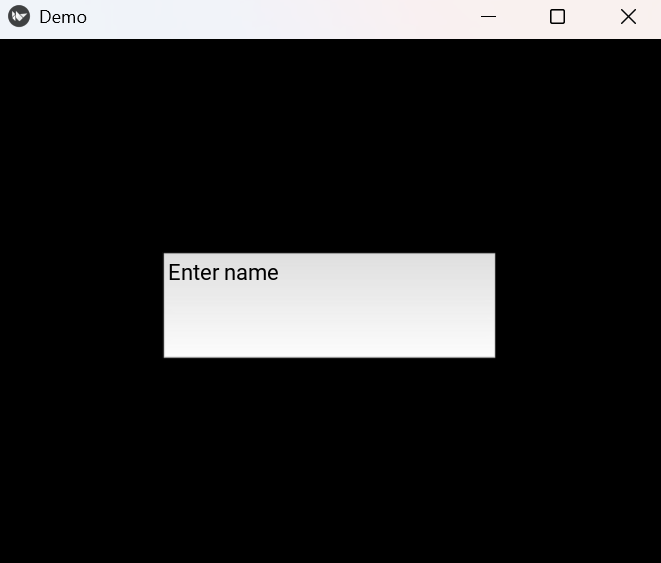
A text input box appears at the center of the window.
**Explanation:
- Main(AnchorLayout) creates an anchor container
- anchor_x: "center" sets horizontal center
- anchor_y: "center" sets vertical center
- TextInput creates the text box
- size_hint controls width and height
Syntax
AnchorLayout(anchor_x="center", anchor_y="center")
**Parameters:
- **anchor_x: Horizontal alignment -> 'left', 'center', 'right'
- **anchor_y: Vertical alignment -> 'top', 'center', 'bottom'
Examples
**Example 1: In this example, a button is placed at the top-left of the window.
Python `
main.py
from kivy.app import App from kivy.uix.anchorlayout import AnchorLayout
class Main(AnchorLayout): pass
class Demo(App): def build(self): return Main()
Demo().run()
Python
demo.kv
Button:
    text: "Top Left"
    size_hint: .4, .2
`
**Output
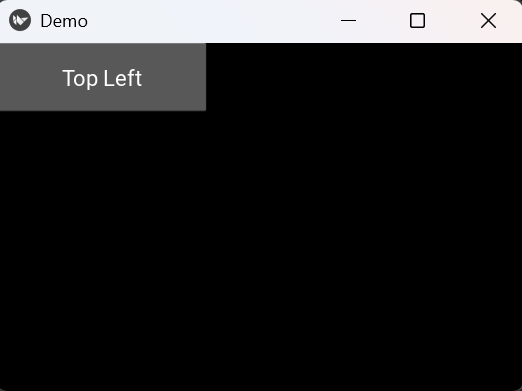
A button appears at the top-left of the window.
**Explanation:
- anchor_x: "left" moves widget to left
- anchor_y: "top" moves widget to top
- Button creates the button
- size_hint sets button size
**Example 2: This program places a label at the bottom-right of the screen.
Python `
main.py
from kivy.app import App from kivy.uix.anchorlayout import AnchorLayout
class Main(AnchorLayout): pass
class Demo(App): def build(self): return Main()
Demo().run()
Python
demo.kv
Label:
    text: "Bottom Right"
    size_hint: None, None
    size: 150, 40
`
**Output
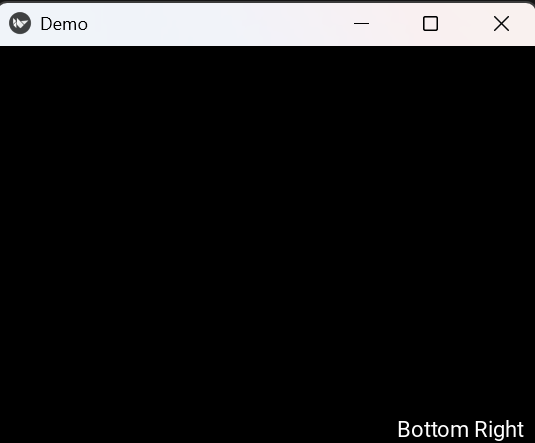
A label appears at the bottom-right of the window.
**Explanation:
- anchor_x: "right" aligns widget to right
- anchor_y: "bottom" aligns widget to bottom
- Label creates the text
- size sets fixed size