Python | Create a simple assistant using Wolfram Alpha API. (original) (raw)
Last Updated : 12 Jul, 2025
The Wolfram|Alpha Webservice API provides a web-based API allowing the computational and presentation capabilities of Wolfram|Alpha to be integrated into web, mobile, desktop, and enterprise applications. Wolfram Alpha is an API which can compute expert-level answers using Wolfram’s algorithms, knowledgebase and AI technology. It is made possible by the Wolfram Language. This article tells how to create a simple assistant application in Python which can answer simple questions like the ones listed below.
Input : What is the capital of India? Output : New Delhi
Input : What is sin(30)? Output : 0.5
Prerequisite: Basic understanding of python syntax and functions.Getting API Id
- Create a account at Wolfram alpha. The account can be created at the official website.
- After signing up, sign in using your Wolfram ID.

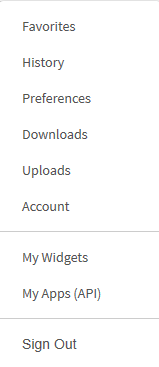
- Now you will see the homepage of the website. Head to the section in the top right corner where you see your email. In the drop down menu, select the My Apps (API) option.
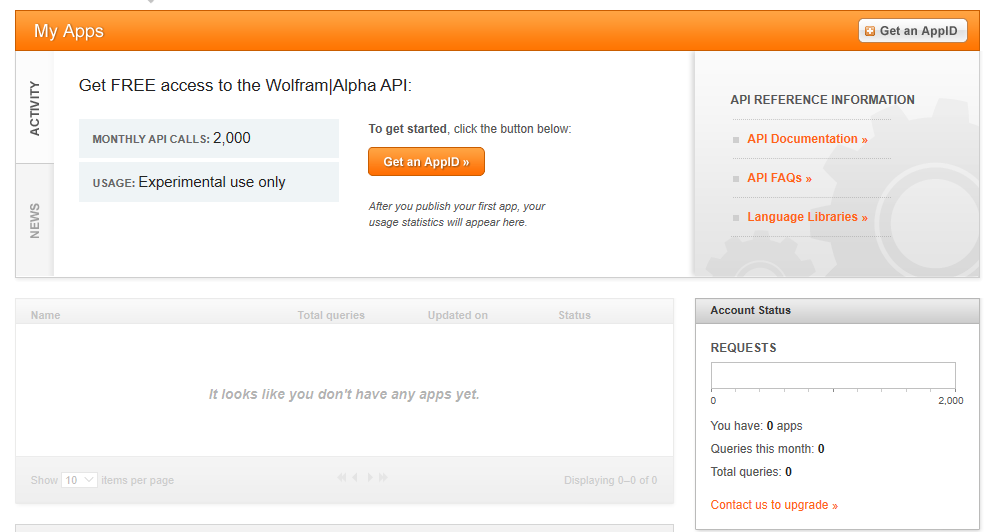
- Click the Get an AppID button to get the id.
- In the next dialog box, give the app a suitable name and description.
- Note down the APPID that appears in the next dialog box. This app id will be specific to the application.
ImplementationMake sure that wolframalpha python package is installed beforehand. It can be done by running the following command in the terminal or cmd -
pip install wolframalpha
Below is the implementation
Python3 1== `
Python program to
demonstrate creation of an
assistant using wolf ram API
import wolframalpha
Taking input from user
question = input('Question: ')
App id obtained by the above steps
app_id = ‘Your app_id’
Instance of wolf ram alpha
client class
client = wolframalpha.Client(app_id)
Stores the response from
wolf ram alpha
res = client.query(question)
Includes only text from the response
answer = next(res.results).text
print(answer)
`
Output: 