Python | Merge two text files (original) (raw)
Last Updated : 19 Jul, 2019
Given two text files, the task is to merge the data and store in a new text file. Let's see how can we do this task using Python. To merge two files in Python, we are asking user to enter the name of the primary and second file and make a new file to put the unified content of the two data into this freshly created file. In order to do this task, we have to import shutil & pathlib libraries. You can install the libraries using this command -
pip install shutil pip install pathlib
Also, place the two text files on the Desktop.First text file:  Second text file:
  Below is the Python implementation -
Python3 1== `
import shutil from pathlib import Path
firstfile = Path(r'C:\Users\Sohom\Desktop\GFG.txt') secondfile = Path(r'C:\Users\Sohom\Desktop\CSE.txt')
newfile = input("Enter the name of the new file: ") print() print("The merged content of the 2 files will be in", newfile)
with open(newfile, "wb") as wfd:
for f in [firstfile, secondfile]:
    with open(f, "rb") as fd:
        shutil.copyfileobj(fd, wfd, 1024 * 1024 * 10)
print("\nThe content is merged successfully.!") print("Do you want to view it ? (y / n): ")
check = input() if check == 'n': exit() else: print() c = open(newfile, "r") print(c.read()) c.close()
`
Output: 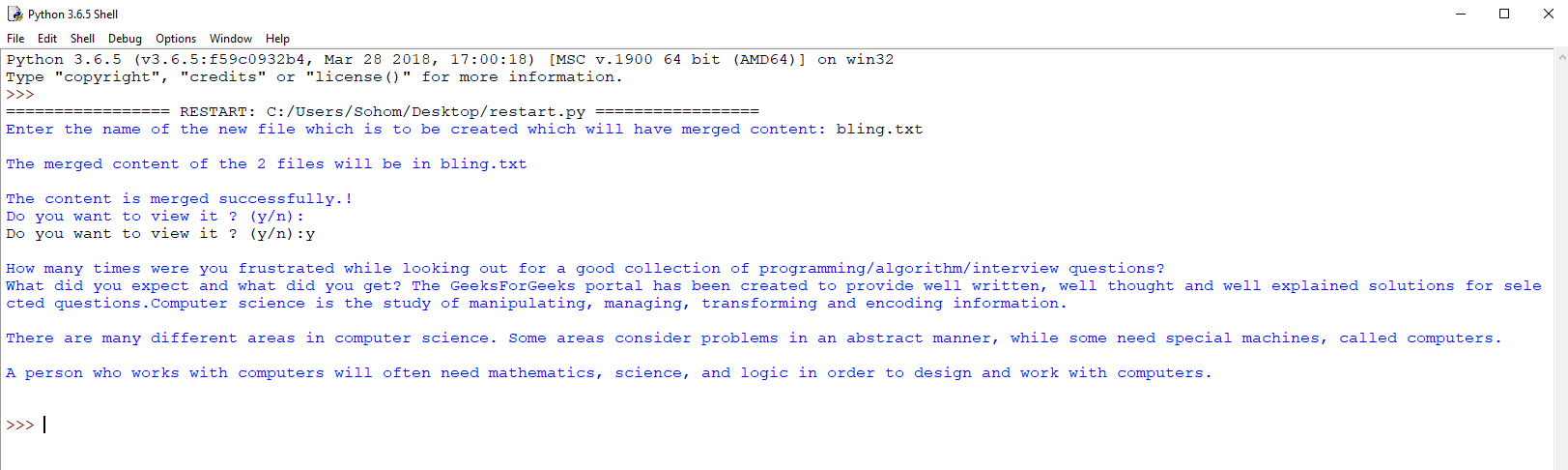 The updated merged text file: