Python OpenCV: Object Tracking using Homography (original) (raw)
In this article, we are trying to track an object in the video with the image already given in it. We can also track the object in the image. Before seeing object tracking using homography let us know some basics.
What is Homography?
Homography is a transformation that maps the points in one point to the corresponding point in another image. The homography is a 3x3 matrix :
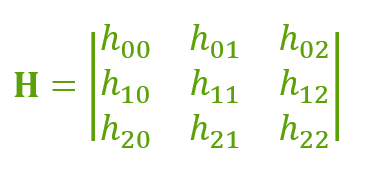
If 2 points are not in the same plane then we have to use 2 homographs. Similarly, for n planes, we have to use n homographs. If we have more homographs then we need to handle all of them properly. So that is why we use feature matching.
Importing Image Data : We will be reading the following image :
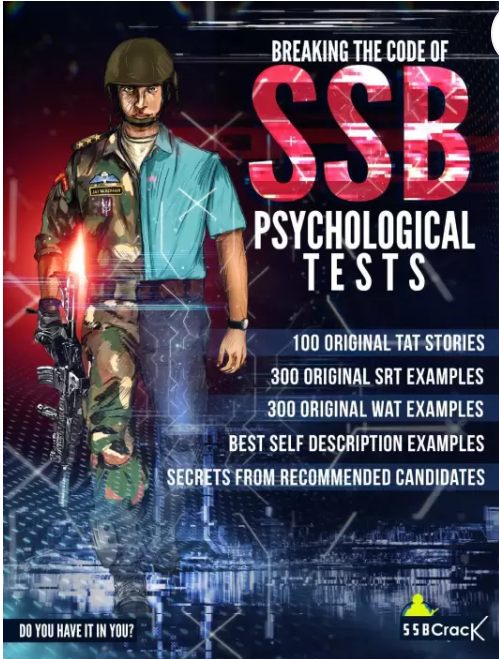
Above image is the cover page of book and it is stored as 'img.jpg'.
Python `
importing the required libraries
import cv2 import numpy as np
reading image in grayscale
img = cv2.imread("img.jpg", cv2.IMREAD_GRAYSCALE)
initializing web cam
cap = cv2.VideoCapture(0)
`
Feature Matching : Feature matching means finding corresponding features from two similar datasets based on a search distance. Now will be using sift algorithm and flann type feature matching.
Python `
creating the SIFT algorithm
sift = cv2.xfeatures2d.SIFT_create()
find the keypoints and descriptors with SIFT
kp_image, desc_image =sift.detectAndCompute(img, None)
initializing the dictionary
index_params = dict(algorithm = 0, trees = 5) search_params = dict()
by using Flann Matcher
flann = cv2.FlannBasedMatcher(index_params, search_params)
`
Now, we also have to convert the video capture into grayscale and by using appropriate matcher we have to match the points from image to the frame.
Here, we may face exceptions when we draw matches because infinitely there will we many points on both planes. To handle such conditions we should consider only some points, to get some accurate points we can vary the distance barrier.
Python `
reading the frame
_, frame = cap.read()
converting the frame into grayscale
grayframe = cv2.cvtColor(frame, cv2.COLOR_BGR2GRAY)
find the keypoints and descriptors with SIFT
kp_grayframe, desc_grayframe = sift.detectAndCompute(grayframe, None)
finding nearest match with KNN algorithm
matches= flann.knnMatch(desc_image, desc_grayframe, k=2)
initialize list to keep track of only good points
good_points=[]
for m, n in matches: #append the points according #to distance of descriptors if(m.distance < 0.6*n.distance): good_points.append(m)
`
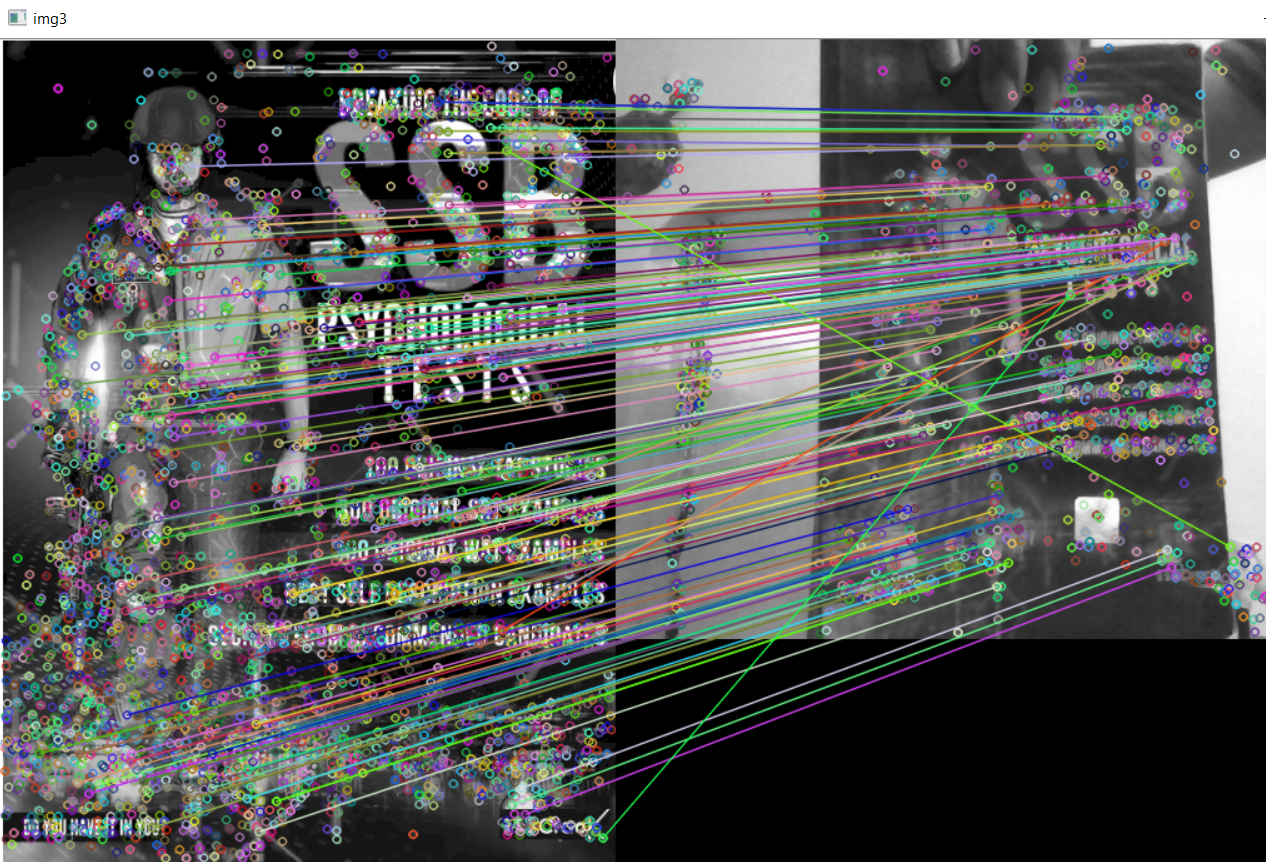
Homography : To detect the homography of the object we have to obtain the matrix and use function findHomography() to obtain the homograph of the object.
Python `
maintaining list of index of descriptors
in query descriptors
query_pts = np.float32([kp_image[m.queryIdx] .pt for m in good_points]).reshape(-1, 1, 2)
maintaining list of index of descriptors
in train descriptors
train_pts = np.float32([kp_grayframe[m.trainIdx] .pt for m in good_points]).reshape(-1, 1, 2)
finding perspective transformation
between two planes
matrix, mask = cv2.findHomography(query_pts, train_pts, cv2.RANSAC, 5.0)
ravel function returns
contiguous flattened array
matches_mask = mask.ravel().tolist()
`
Everything is done till now, but when we try to change or move the object in another direction then the computer cannot able to find its homograph to deal with this we have to use perspective transform. For example, humans can see near objects larger than far objects, here perspective is changing. This is called Perspective transform.
Python `
initializing height and width of the image
h, w = img.shape
saving all points in pts
pts = np.float32([[0, 0], [0, h], [w, h], [w, 0]]) .reshape(-1, 1, 2)
applying perspective algorithm
dst = cv2.perspectiveTransform(pts, matrix)
`
At the end, lets see the output
Python `
using drawing function for the frame
homography = cv2.polylines(frame, [np.int32(dst)], True, (255, 0, 0), 3)
showing the final output
with homography
cv2.imshow("Homography", homography)
`