Python | Pandas dataframe.keys() (original) (raw)
Last Updated : 19 Nov, 2018
Python is a great language for doing data analysis, primarily because of the fantastic ecosystem of data-centric python packages. Pandas is one of those packages and makes importing and analyzing data much easier. Pandas **dataframe.keys()** function returns the 'info axis' for the pandas object. If the pandas object is series then it returns index. If the pandas object is dataframe then it returns columns. If the pandas object is panel then it returns major_axis.
Syntax: DataFrame.keys()
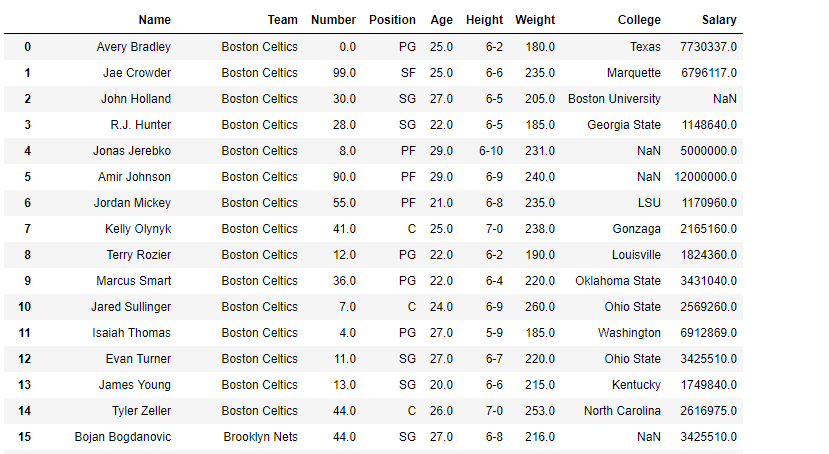
For link to the CSV file, click here Example #1: Use keys() function to find the columns of a dataframe.
Python3 `
importing pandas as pd
import pandas as pd
Creating the dataframe
df = pd.read_csv("nba.csv")
Print the dataframe
df
`
Python3 1== `
find the keys of the dataframe
df.keys()
`
Output :  Example #2: Use
 keys() function to find the index of the pandas series object.
Python3 `
importing pandas as pd
import pandas as pd
Creating the series
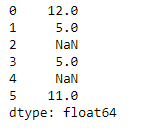
sr = pd.Series([12, 5, None, 5, None, 11])
Print the series
sr
`
Python3 1== `
to find the index
sr.keys()
`
Output : 