Python PIL | GaussianBlur() method (original) (raw)
Last Updated : 14 Jul, 2019
PIL is the Python Imaging Library which provides the python interpreter with image editing capabilities. The ImageFilter module contains definitions for a pre-defined set of filters, which can be used with the Image.filter() method. **PIL.ImageFilter.GaussianBlur()** method create Gaussian blur filter.
Syntax: PIL.ImageFilter.GaussianBlur(radius=5) Parameters: radius – blur radius. Changing value of radius the different intensity of GaussianBlur image were obtain.Returns type: An image.
Image Used: 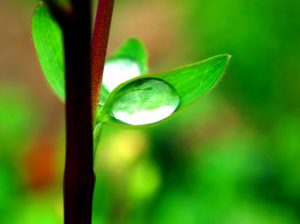
Python3 1== `
Importing Image and ImageFilter module from PIL package
from PIL import Image, ImageFilter
creating a image object
im1 = Image.open(r"C:\Users\System-Pc\Desktop\leave.JPG")
applying the Gaussian Blur filter
im2 = im1.filter(ImageFilter.GaussianBlur(radius = 5))
im2.show()
`
Output: 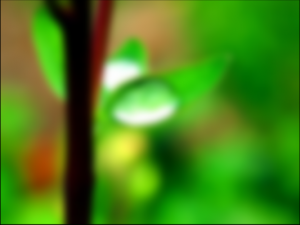 **radius:**radius value used here is 2.
Python3 1== `
Importing Image and ImageFilter module from PIL package from PIL import Image, ImageFilter
creating a image object
im1 = Image.open(r"C:\Users\System-Pc\Desktop\leave.JPG")
applying the Gaussian Blur filter
im2 = im1.filter(ImageFilter.GaussianBlur(radius = 2))
im2.show()
`
Output: