Image.crop() method Python PIL (original) (raw)
Last Updated : 21 Jan, 2026
Image.crop() method in PIL (Python Imaging Library) is used to extract a specific rectangular region from an image. It takes a box defined by four coordinates left, upper, right and lower and returns only that selected area as a new image. Example: This example shows how to open an image and crop a rectangular portion using the coordinates (left, top, right, bottom).
**Image used:

logo.png
Python `
from PIL import Image
img = Image.open("logo.png") res = img.crop((50, 50, 200, 200)) res.show()
`
**Output

Cropped Image
**Explanation: img.crop((50, 50, 200, 200)) extracts the area from x=50 to 200 and y=50 to 200.
Syntax
Image.crop(box=None)
**Parameters: box - A 4-tuple defining the crop area -> (left, upper, right, lower)
**Return Value: Returns a new Image object containing only the cropped region.
**Example 1: This example crops the central portion of the image using manually defined coordinates that cut from each side.
**Image used:
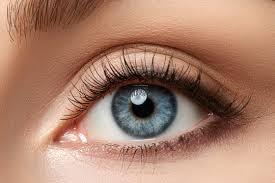
eyes.jpg
Python `
from PIL import Image
img = Image.open("eyes.jpg") w, h = img.size res = img.crop((20, h//4, w-20, 3*h//4)) res.show()
`
**Output
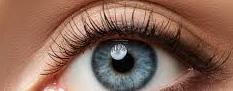
Cropped image displayed
**Explanation: img.crop((20, h//4, w-20, 3*h//4)) selects the middle horizontal strip of the image.
**Example 2: This example extracts a smaller object located in the top-right part of the image.
**Image Used:
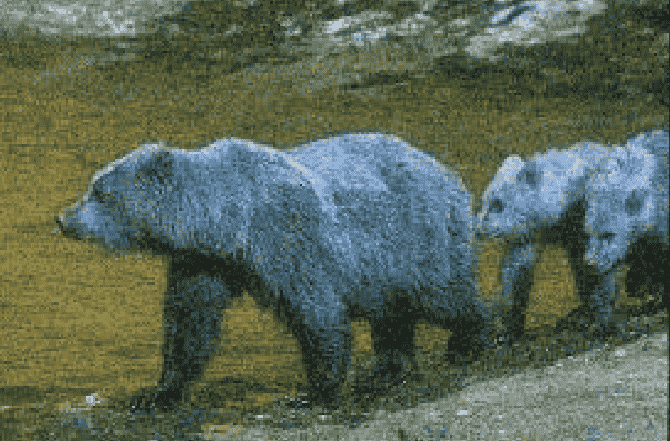
bear.png
Python `
from PIL import Image
img = Image.open("bear.png") res = img.crop((150, 40, 320, 200)) res.show()
`
**Output
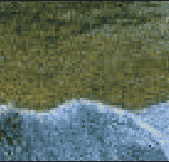
Cropped image displayed
**Explanation: coordinates (150, 40, 320, 200) target a specific rectangle in the upper-right corner.