Python PIL | Image.resize() method (original) (raw)
Last Updated : 10 Dec, 2025
The Image.resize() method in Python's PIL (Pillow) library is used to change the size of an image. It creates a new resized copy without modifying the original image. This method is mainly used when preparing images for thumbnails, preprocessing images for ML models, or standardizing image dimensions.
**Note: For this article we will use a sample image "bear.png", to download click here.

**Example: Here's a example to resize an image to 300×300, and displays the resized output.
Python `
from PIL import Image
img = Image.open("bear.png") res = img.resize((300, 300)) res.show()
`
**Output
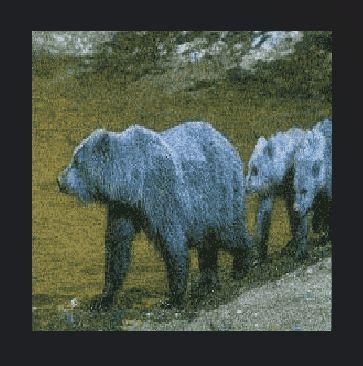
resize an image to 300×300
**Explanation:
- Image.open() loads the original image
- resize((300, 300)) creates a resized copy with the given width and height
- show() displays the resized image
Syntax
Image.resize(size, resample=Image.BICUBIC)
**Parameters:
- **size: A tuple (width, height) defining the new image size.
- **resample (Optional): filter for quality. Common options are: Image.NEAREST -> Fast, lowest quality, **Image.BILINEAR -> Moderate quality, **Image.BICUBIC -> High quality (default) and **Image.LANCZOS -> Best quality for downscaling
Examples
**Example 1: This example resizes the image to a fixed square size suitable for thumbnails.
Python `
from PIL import Image
img = Image.open("bear.png") out = img.resize((200, 200), Image.LANCZOS) out.show()
`
**Output
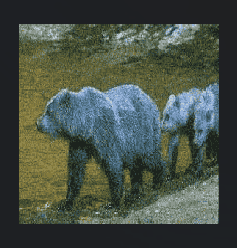
A 200×200 resized thumbnail.
**Explanation: resize((200, 200), Image.LANCZOS) applies high-quality downscaling for a sharper result.
**Example 2: Here, we change only the width and automatically compute the height to maintain aspect ratio.
Python `
from PIL import Image
img = Image.open("bear.png") w, h = img.size new_w = 400 new_h = int(h * (new_w / w)) out = img.resize((new_w, new_h), Image.BICUBIC) out.show()
`
**Output
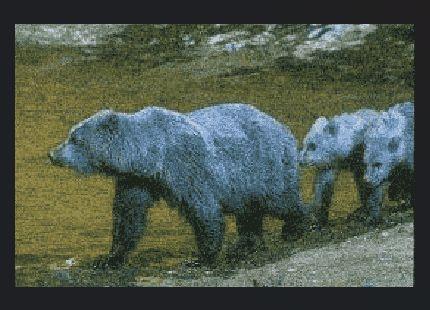
A resized image with width = 400 while preserving proportions.
**Explanation:
- **new_h = int(h * (new_w / w)) calculates proportional height
- **resize((new_w, new_h)) resizes while keeping aspect ratio
**Example 3: This example uses NEAREST to create a pixelated effect, often used for retro-style graphics.
Python `
from PIL import Image
img = Image.open("bear.png") out = img.resize((120, 120), Image.NEAREST) out.show()
`
**Output
A pixelated low-resolution version of the image.
**Explanation: Image.NEAREST enlarges or shrinks the image using the nearest pixel, creating a blocky effect.