Switch Widget in Kivy Python (original) (raw)
Last Updated : 8 Oct, 2025
A Switch is a two-state widget (On/Off) that represents a boolean value (True/False) and can be bound to callbacks to react to state changes. Let's add a simple Switch to a Kivy window.
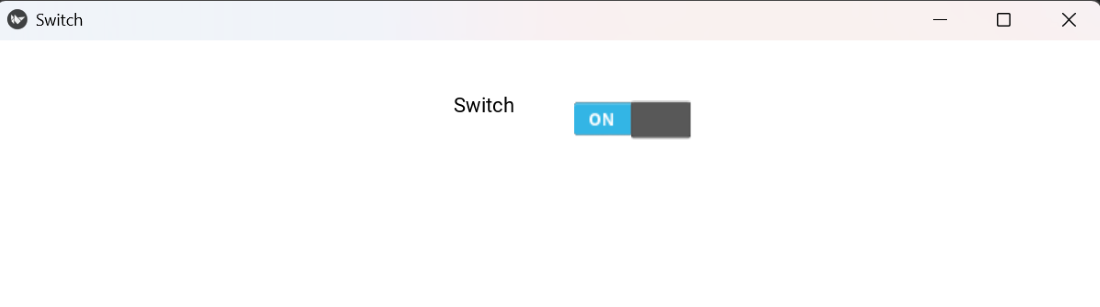
Below example shows a single Switch with a short label near the top of the window (no callback).
Python `
from kivy.app import App from kivy.uix.switch import Switch from kivy.uix.label import Label from kivy.uix.widget import Widget from kivy.core.window import Window
Window.clearcolor = (1, 1, 1, 1)
class BasicSwitch(Widget): def init(self, **kwargs): super().init(**kwargs) cx = Window.width / 2 self.lbl = Label(text='Switch', color=(0,0,0,1),pos=(cx - 120, Window.height - 120)) self.add_widget(self.lbl) self.sw = Switch(active=False, pos=(cx + 40, Window.height - 135)) self.add_widget(self.sw)
class SwitchApp(App): def build(self): return BasicSwitch()
if name == 'main': SwitchApp().run()
`
**Output
**Explanation:
- **Window.clearcolor = (1,1,1,1): sets a white background.
- **Label(...): displays a short message near the top.
- **Switch(active=False): places the switch beside the label.
- **add_widget(): adds both widgets to the window.
Syntax
Switch(active=False, disabled=False, size_hint=(None, None), pos=(x,y))
**Parameters:
- **active: True if the switch starts ON, False if OFF.
- **disabled: True to disable interaction.
- **size_hint, pos: use size_hint=(None,None) and pos for manual placement.
**Common usage: **sw.bind(active=callback) -> responds when user toggles the switch. Read the state using **sw.active.
Examples
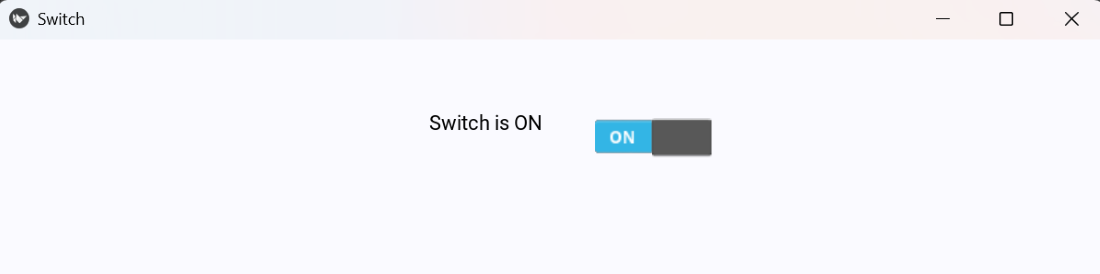
**Example 1: This example updates a Label and prints to console when the switch changes
Python `
Window.clearcolor = (0.98, 0.98, 1, 1)
class CallbackSwitch(Widget): def init(self, **kwargs): super().init(**kwargs) cx = Window.width / 2 self.lbl = Label(text='Switch is OFF', color=(0,0,0,1),pos=(cx - 120, Window.height - 140)) self.add_widget(self.lbl) self.sw = Switch(active=False, pos=(cx + 60, Window.height - 155)) self.sw.bind(active=self.on_active) self.add_widget(self.sw)
def on_active(self, instance, value):
    self.lbl.text = 'Switch is ON' if value else 'Switch is OFF'
    print('Switch state:', 'ON' if value else 'OFF')
class SwitchApp(App): def build(self): return CallbackSwitch()
if name == 'main': SwitchApp().run()
`
**Output
**Explanation:
- Create a label to show the current state.
- Create a **Switch(active=False) and position it slightly lower than the label.
- Bind the switch to a callback using **sw.bind(active=self.on_active).
- Update the label and print the switch state in the callback.
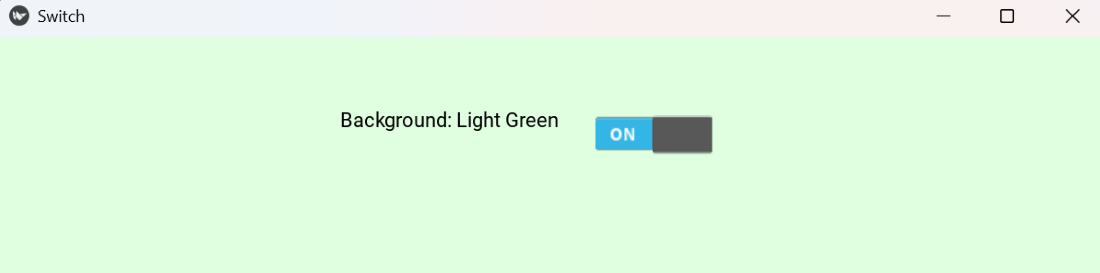
**Example 2: This program changes the window background color when the switch is toggled
Python `
Window.clearcolor = (1, 1, 1, 1)
class BgToggleSwitch(Widget): def init(self, **kwargs): super().init(**kwargs) cx = Window.width / 2 self.lbl = Label(text='Background: White', color=(0,0,0,1),pos=(cx - 160, Window.height - 140)) self.add_widget(self.lbl) self.sw = Switch(active=False, pos=(cx + 60, Window.height - 155)) self.sw.bind(active=self.toggle_bg) self.add_widget(self.sw)
def toggle_bg(self, instance, value):
    if value:
        Window.clearcolor = (0.88, 1, 0.88, 1)
        self.lbl.text = 'Background: Light Green'
    else:
        Window.clearcolor = (1, 1, 1, 1)
        self.lbl.text = 'Background: White'
class SwitchApp(App): def build(self): return BgToggleSwitch()
if name == 'main': SwitchApp().run()
`
**Output
**Explanation:
- Display a label showing current background color.
- Create a switch below and bind it to **toggle_bg().
- When toggled **ON, background changes to green; when **OFF, returns to white.
- Label text updates accordingly.