Python Tkinter Entry Widget (original) (raw)
Last Updated : 21 Aug, 2024
Python offers multiple options for developing a GUI (Graphical User Interface). Out of all the GUI methods, Tkinter is the most commonly used method. Python with Tkinter is the fastest and easiest way to create GUI applications. Creating a GUI using Tkinter is an easy task.
In Python3 Tkinter is come preinstalled But you can also install it by using the command:
pip install tkinter
**Example: Now let's create a simple window using Tkinter
Python3 `
creating a simple tkinter window
if you are using python2
use import Tkinter as tk
import tkinter as tk
root = tk.Tk() root.title("First Tkinter Window") root.mainloop()
`
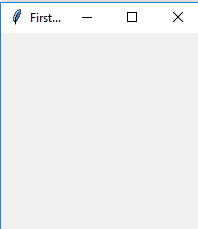
**Output :
The Entry Widget
The Entry Widget is a Tkinter Widget used to Enter or display a single line of text.
**Syntax :
entry = tk.Entry(parent, options)
**Parameters:
**1) Parent: The Parent window or frame in which the widget to display.
**2) Options: The various options provided by the entry widget are:
- **bg : The normal background color displayed behind the label and indicator.
- **bd : The size of the border around the indicator. Default is 2 pixels.
- **font : The font used for the text.
- **fg : The color used to render the text.
- **justify : If the text contains multiple lines, this option controls how the text is justified: CENTER, LEFT, or RIGHT.
- **relief : With the default value, relief=FLAT. You may set this option to any of the other styles like : SUNKEN, RIGID, RAISED, GROOVE
- **show : Normally, the characters that the user types appear in the entry. To make a .password. entry that echoes each character as an asterisk, set show="*".
- **textvariable : In order to be able to retrieve the current text from your entry widget, you must set this option to an instance of the StringVar class.
**Methods: The various methods provided by the entry widget are:
- **get() : Returns the entry's current text as a string.
- **delete() : Deletes characters from the widget
- **insert ( index, 'name') : Inserts string 'name' before the character at the given index.
**Example:
Python3 `
Program to make a simple
login screen
import tkinter as tk
root=tk.Tk()
setting the windows size
root.geometry("600x400")
declaring string variable
for storing name and password
name_var=tk.StringVar() passw_var=tk.StringVar()
defining a function that will
get the name and password and
print them on the screen
def submit():
name=name_var.get()
password=passw_var.get()

print("The name is : " + name)
print("The password is : " + password)

name_var.set("")
passw_var.set("")
creating a label for
name using widget Label
name_label = tk.Label(root, text = 'Username', font=('calibre',10, 'bold'))
creating a entry for input
name using widget Entry
name_entry = tk.Entry(root,textvariable = name_var, font=('calibre',10,'normal'))
creating a label for password
passw_label = tk.Label(root, text = 'Password', font = ('calibre',10,'bold'))
creating a entry for password
passw_entry=tk.Entry(root, textvariable = passw_var, font = ('calibre',10,'normal'), show = '*')
creating a button using the widget
Button that will call the submit function
sub_btn=tk.Button(root,text = 'Submit', command = submit)
placing the label and entry in
the required position using grid
method
name_label.grid(row=0,column=0) name_entry.grid(row=0,column=1) passw_label.grid(row=1,column=0) passw_entry.grid(row=1,column=1) sub_btn.grid(row=2,column=1)
performing an infinite loop
for the window to display
root.mainloop()
`
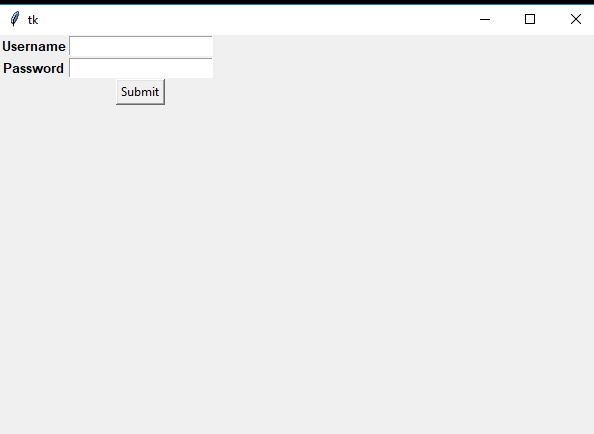
**Output :