Python Tkinter Label (original) (raw)
Last Updated : 23 Feb, 2026
Tkinter Label widget is used to display text or images inside a Tkinter window. It is commonly used to show titles, captions or information in GUI applications.
**Example: In this example, a simple window is created and display a basic text label.
Python `
import tkinter as tk
root = tk.Tk() lbl = tk.Label(root, text="Hello World") lbl.pack()
root.mainloop()
`
**Output
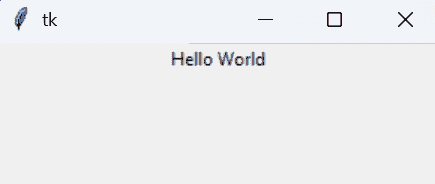
Tkinter window displaying a simple "Hello World" label.
**Explanation:
- tk.Label(root, text="Hello World") creates a label with the text Hello World.
- lbl.pack() displays the label in the window.
- root.mainloop() runs the GUI loop to show the window.
Label(master, options)
**Parameters:
- **master: The parent window or widget in which the frame is placed.
- **options: A set of configuration options written as key-value pairs.
Tkinter Label Options
Some commonly used options of the Label widget are:
- **text: The text displayed on the label.
- **image: Displays an image on the label.
- **bg: Sets the background color.
- **fg: Sets the text color.
- **font: Specifies the font style and size.
- **width: Sets the width of the label.
- **height: Sets the height of the label.
- **padx: Adds horizontal padding.
- **pady: Adds vertical padding.
- **relief: Sets the border style (FLAT, RAISED, SUNKEN, etc.).
Example
In this example, a Tkinter window is created and display a styled label with custom font, colors, size and border. This shows how labels are used in real GUI applications.
Python `
import tkinter as tk
root = tk.Tk() root.geometry("400x200") root.title("Label Example")
lbl = tk.Label(root, text="Welcome to Tkinter", font=("Arial", 16, "bold"), bg="lightblue", fg="darkblue", width=20, height=2, relief="raised")
lbl.pack(pady=30) root.mainloop()
`
**Output
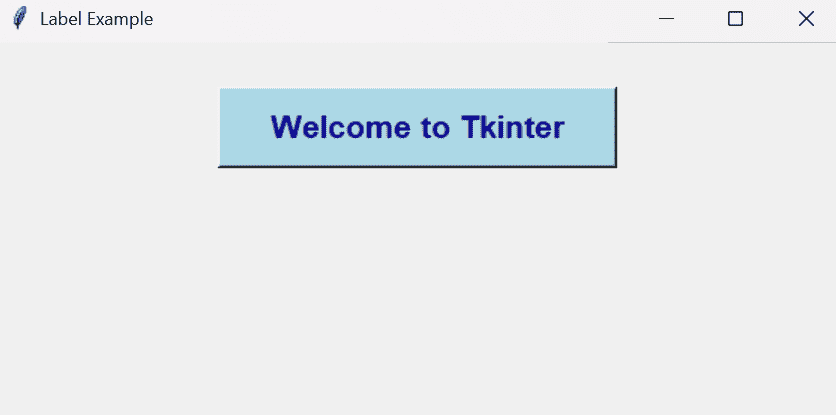
Tkinter window showing a styled label with custom font, colors and border.
**Explanation:
- root.geometry("400x200") sets the window size.
- tk.Label(... text="Welcome to Tkinter" ...) creates the label with text.
- font=("Arial", 16, "bold") styles the text.
- bg="lightblue" sets label background color.
- fg="darkblue" sets text color.
- relief="raised" adds border style.
- lbl.pack(pady=30) displays the label with spacing.