Python Urllib Module (original) (raw)
Urllib package is the URL handling module for python. It is used to fetch URLs (Uniform Resource Locators). It uses the
_urlopen
function and is able to fetch URLs using a variety of different protocols. Urllib is a package that collects several modules for working with URLs, such as:
- urllib.request for opening and reading.
- urllib.parse for parsing URLs
- urllib.error for the exceptions raised
- urllib.robotparser for parsing robot.txt files
If urllib is not present in your environment, execute the below code to install it.
pip install urllib
Let's see these in details.
**urllib.request
This module helps to define functions and classes to open URLs (mostly HTTP). One of the most simple ways to open such URLs is :
_urllib.request.urlopen(url)
We can see this in an example:
Python `
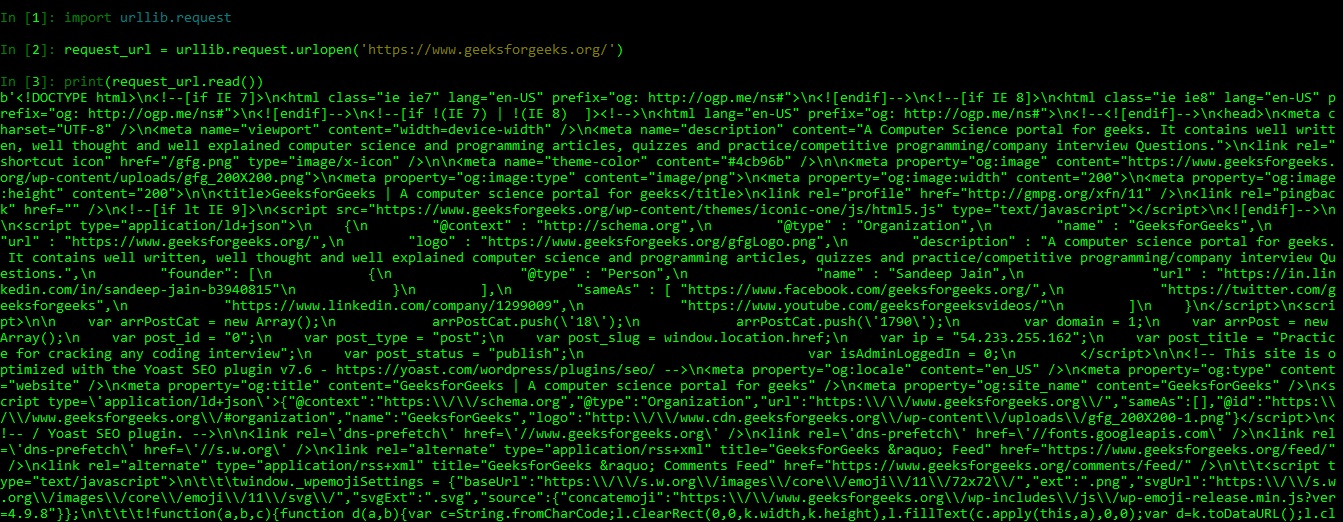
import urllib.request request_url = urllib.request.urlopen('https://www.geeksforgeeks.org////') print(request_url.read())
`
The source code of the URL i.e. Geeksforgeeks.
**urllib.parse
This module helps to define functions to manipulate URLs and their components parts, to build or break them. It usually focuses on splitting a URL into small components; or joining different URL components into URL strings. We can see this from the below code:
Python `
from urllib.parse import *
parse_url = urlparse('https://www.geeksforgeeks.org/// / python-langtons-ant/') print(parse_url) print("\n")
unparse_url = urlunparse(parse_url) print(unparse_url)
`
ParseResult(scheme='https', netloc='www.geeksforgeeks.org', path='/python-langtons-ant/', params='', query='', fragment='')
https://www.geeksforgeeks.org/python/python-langtons-ant/
Note:- The different components of a URL are separated and joined again. Try using some other URL for better understanding.
Different other functions of urllib.parse are :
| Function | Use |
|---|---|
| **urllib.parse.urlparse | Separates different components of URL |
| **urllib.parse.urlunparse | Join different components of URL |
| **urllib.parse.urlsplit | It is similar to urlparse() but doesn't split the params |
| **urllib.parse.urlunsplit | Combines the tuple element returned by urlsplit() to form URL |
| **urllib.parse.urldeflag | If URL contains fragment, then it returns a URL removing the fragment. |
**urllib.error
This module defines the classes for exception raised by urllib.request. Whenever there is an error in fetching a URL, this module helps in raising exceptions. The following are the exceptions raised :
- URLError - It is raised for the errors in URLs, or errors while fetching the URL due to connectivity, and has a 'reason' property that tells a user the reason of error.
- HTTPError - It is raised for the exotic HTTP errors, such as the authentication request errors. It is a subclass or URLError. Typical errors include '404' (page not found), '403' (request forbidden), and '401' (authentication required).
We can see this in following examples :
Python3 1== `
URL Error
import urllib.request import urllib.parse
trying to read the URL but with no internet connectivity
try: x = urllib.request.urlopen('https://www.google.com//') print(x.read())
Catching the exception generated
except Exception as e : print(str(e))
`
URL Error: urlopen error [Errno 11001] getaddrinfo failed
Python3 1== `
HTTP Error
import urllib.request import urllib.parse
trying to read the URL
try: x = urllib.request.urlopen('https://www.google.com// / search?q = test') print(x.read())
Catching the exception generated
except Exception as e : print(str(e))
`
HTTP Error 403: Forbidden
**urllib.robotparser
This module contains a single class, RobotFileParser. This class answers question about whether or not a particular user can fetch a URL that published robot.txt files.
_Robots.txt is a text file webmasters create to instruct web robots how to crawl pages on their website.
The robot.txt file tells the web scraper about what parts of the server should not be accessed. For example :
Python3 1== `
importing robot parser class
import urllib.robotparser as rb
bot = rb.RobotFileParser()
checks where the website's robot.txt file reside
x = bot.set_url('https://www.geeksforgeeks.org/// / robot.txt') print(x)
reads the files
y = bot.read() print(y)
we can crawl the main site
z = bot.can_fetch('*', 'https://www.geeksforgeeks.org////') print(z)
but can not crawl the disallowed url
w = bot.can_fetch('*', 'https://www.geeksforgeeks.org/// / wp-admin/') print(w)
`