Render Model in Django Admin Interface (original) (raw)
Last Updated : 2 May, 2026
Rendering a model in Django Admin Interface provides a built-in UI to perform CRUD operations (Create, Read, Update, Delete) on models, while the Django ORM handles database interactions behind the scenes.
- To use the admin interface for a model, it must be registered in admin.py.
- Once registered, data for the model can be added, viewed, updated and deleted through the admin panel.
**Example: Let's consider a project named 'geeksforgeeks' having an app named 'geeks'.
1. Define Your Model in models.py
Python `
from django.db import models
Create your models here.
class GeeksModel(models.Model): title = models.CharField(max_length = 200) content = models.TextField(max_length = 200, null = True, blank = True) views = models.IntegerField() url = models.URLField(max_length = 200) image = models.ImageField(upload_to='images/')
`
**Note: ImageField requires the Pillow library (pip install pillow) and proper MEDIA_ROOT and MEDIA_URL configuration for handling uploads.
2. Make Migrations and Migrate
After creating this model, we need to run two commands in order to create Database for the same.
python manage.py makemigrations
python manage.py migrate
3. Create a Superuser
While model instances can be created using the Django shell, the admin panel provides an easy interface for inserting, deleting or modifying data.
- Before using the admin interface, a superuser must be created.
- A superuser is an admin account that can access and modify all aspects of a Django project.
To create a superuser, run the following command in the terminal:
python manage.py createsuperuser
Enter your Name, Email, Password and confirm password.

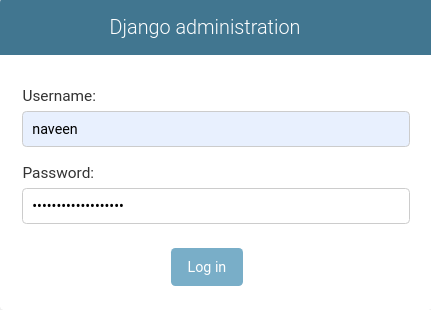
4. Login to Admin Panel
- Visit http://localhost:8000/admin/ in your browser.
- Log in using the superuser credentials created earlier.
5. Register Your Model in admin.py
In geeks/admin.py:
Python `
from django.contrib import admin
Register your models here.
from .models import GeeksModel admin.site.register(GeeksModel)
`
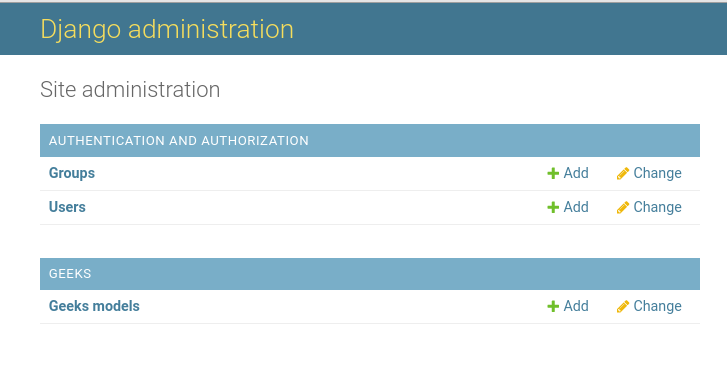
6. Check admin interface
Visit: http://localhost:8000/admin/
7. Add Data via Admin Panel
Click on your model name (e.g., Geeks Models) in the admin panel.
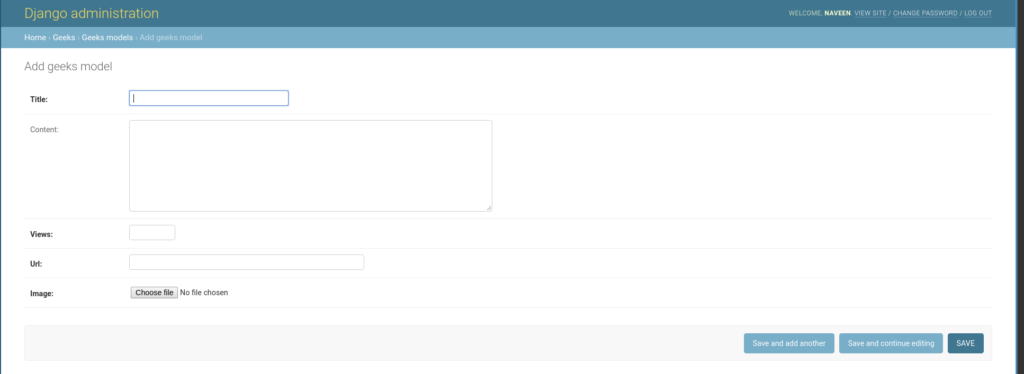
- Click Add to create a new entry.
- Fill in the required fields with your data.
- Click Save
The GeeksModel has now been rendered in the admin interface.
You can similarly register and manage any number of models in the Django Admin Panel.