RichTextField Django Models (original) (raw)
Last Updated : 23 Jul, 2025
RichTextField is generally used for storing paragraphs that can store any type of data. Rich text is the text that is formatted with common formatting options, such as bold, italics, images, URLs that are unavailable with plain text.
Syntax:
field_name=RichTextField()
Django Model RichTextField Explanation
Illustration of RichTextField using an Example. Consider a project named geeksforgeeks having an app named geeks.
Refer to the following articles to check how to create a project and an app in Django.
Now install django-ckeditor package by entering the following command in your terminal or command prompt.
pip install django-ckeditor
Go to settings.py and add the ckeditor and the geeks app to INSTALLED_APPS
Python3 `
Application definition
INSTALLED_APPS = [ 'django.contrib.admin', 'django.contrib.auth', 'django.contrib.contenttypes', 'django.contrib.sessions', 'django.contrib.messages', 'django.contrib.staticfiles', 'ckeditor', 'geeks', ]
`
Enter the following code into the models.py file of the geeks app.
Python3 `
from django.db import models from django.db.models import Model from ckeditor.fields import RichTextField
Create your models here.
class GeeksModel(Model): geeks_field = RichTextField()
`
Now when we run makemigrations command from the terminal,
python manage.py makemigrations
A new folder named migrations would be created in geeks directory with a file named 0001_initial.py
Python3 `
Generated by Django 3.2.3 on 2021-05-13 09:40
import ckeditor.fields from django.db import migrations, models
class Migration(migrations.Migration):
initial = True

dependencies = [
]

operations = [
    migrations.CreateModel(
        name='GeeksModel',
        fields=[
            ('id', models.BigAutoField(
              auto_created=True, primary_key=True,
              serialize=False, verbose_name='ID')),

            ('geeks_field', ckeditor.fields.RichTextField()),
        ],
    ),
]
`
Now run,
python manage.py migrate
Thus, a geeks_field RichTextField is created when you run migrations on the project. It is a field to store large data. Go to admin.py and register your model.
Python3 `
from django.contrib import admin from .models import GeeksModel
Register your models here.
admin.site.register(GeeksModel)
`
How to use RichTextField ?
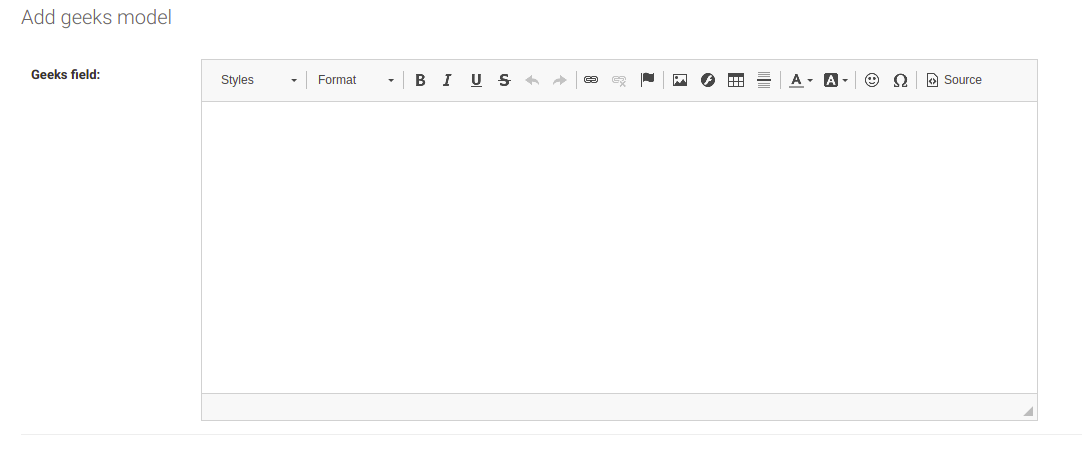
RichTextField is used for storing large data of different types(images, URLs, bold text, etc) in the database. Now let’s check it in the admin server. Whenever we click on Add Geeks Model we can see a RichTextField