Save multiple matplotlib figures in single PDF file using Python (original) (raw)
Last Updated : 23 Jul, 2025
In this article, we will discuss how to save multiple matplotlib figures in a single PDF file using Python. We can use the PdfPages class's savefig() method to save multiple plots in a single pdf. Matplotlib plots can simply be saved as PDF files with the .pdf extension. This saves Matplotlib-generated figures in a single PDF file named Save multiple plots as PDF.pdf in the current working directory.
Installation
pip install matplotlib
Stepwise Implementation
To come up with a solution, we will follow a few steps.
Step 1: Import necessary files.
Python3 `
from matplotlib import pyplot as plt from matplotlib.backends.backend_pdf import PdfPages
`
Step 2: Set up the figure size and adjust the padding between and around the subplots.
Python3 `
plt.rcParams["figure.figsize"] = [7.00, 3.50] plt.rcParams["figure.autolayout"] = True
`
Step 3: We will consider 3 plots, so let's name them fig1, fig2, and fig3 using plt.figure().
Python3 `
fig1 = plt.figure() fig2 = plt.figure() Fig3 = plt.figure()
`
Step 4: Plot the first line using the plt.plot() method.
Python3 `
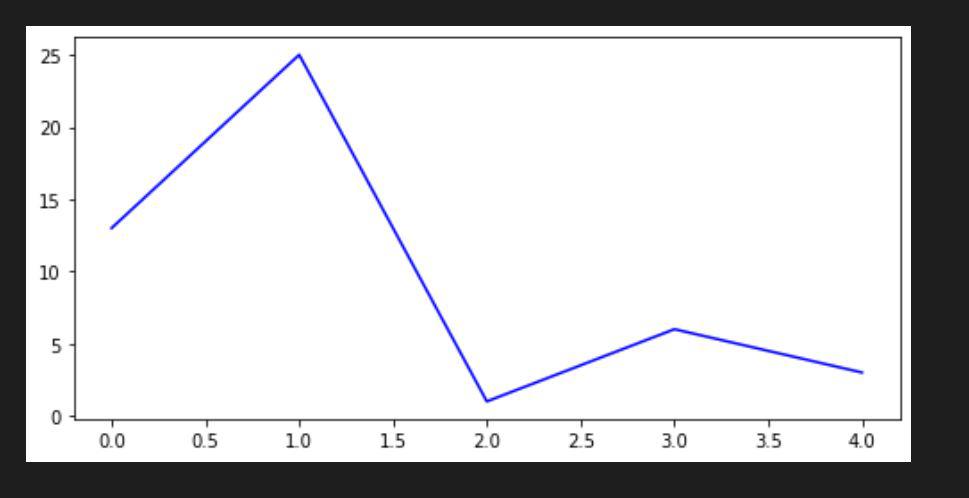
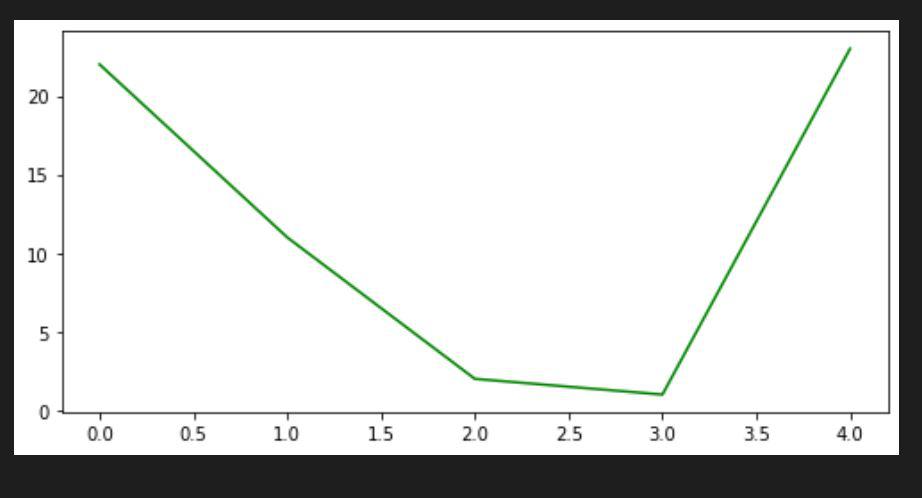
plt.plot([17, 45, 7, 8, 7], color='orange') plt.plot([13, 25, 1, 6, 3], color='blue') plt.plot([22, 11, 2, 1, 23], color='green')
`
Step 5: Create a function to save multiple images in a PDF file let's say save_image().
Python3 `
def save_image(filename):
# PdfPages is a wrapper around pdf
# file so there is no clash and
# create files with no error.
p = PdfPages(filename)

# get_fignums Return list of existing
# figure numbers
fig_nums = plt.get_fignums()
figs = [plt.figure(n) for n in fig_nums]

# iterating over the numbers in list
for fig in figs:

    # and saving the files
    fig.savefig(p, format='pdf')

# close the object
p.close()
`
Complete Code
Python3 `
import matplotlib from matplotlib import pyplot as plt from matplotlib.backends.backend_pdf import PdfPages
customizing runtime configuration stored
in matplotlib.rcParams
plt.rcParams["figure.figsize"] = [7.00, 3.50] plt.rcParams["figure.autolayout"] = True
fig1 = plt.figure() plt.plot([17, 45, 7, 8, 7], color='orange')
fig2 = plt.figure() plt.plot([13, 25, 1, 6, 3], color='blue')
Fig3 = plt.figure() plt.plot([22, 11, 2, 1, 23], color='green')
def save_image(filename):
# PdfPages is a wrapper around pdf
# file so there is no clash and create
# files with no error.
p = PdfPages(filename)

# get_fignums Return list of existing
# figure numbers
fig_nums = plt.get_fignums()
figs = [plt.figure(n) for n in fig_nums]

# iterating over the numbers in list
for fig in figs:

    # and saving the files
    fig.savefig(p, format='pdf')

# close the object
p.close()
name your Pdf file
filename = "multi_plot_image.pdf"
call the function
save_image(filename)
`
Output:
Now after you run the code you can see on your local directory that a pdf containing all three plots will be saved in a pdf named "multi_plot_image.pdf".