Scrollable ListBox in Pythontkinter (original) (raw)
Scrollable ListBox in Python-tkinter
Last Updated : 12 Jul, 2025
Tkinter is the standard GUI library for Python. Tkinter in Python comes with a lot of good widgets. Widgets are standard GUI elements, and the Listbox, Scrollbar will also come under this Widgets.Note: For more information, refer to Python GUI – tkinter
Listbox
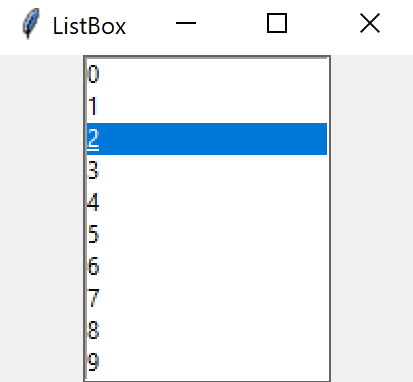
The ListBox widget is used to display different types of items. These items must be of the same type of font and having the same font color. The items must also be of Text type. The user can select one or more items from the given list according to the requirement.Syntax:
listbox = Listbox(root, bg, fg, bd, height, width, font, ..)
Scrollbar
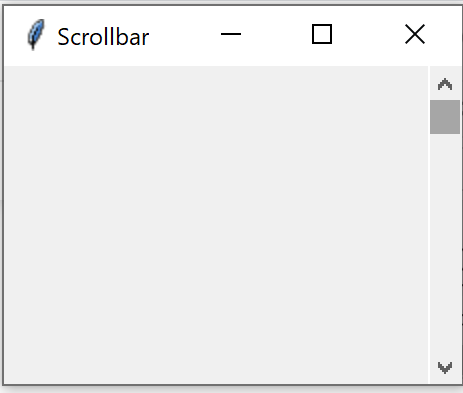
The scrollbar widget is used to scroll down the content. We can also create the horizontal scrollbars to the Entry widget.**Syntax:**The syntax to use the Scrollbar widget is given below.
w = Scrollbar(master, options)
Parameters:
- master: This parameter is used to represents the parent window.
- options: There are many options which are available and they can be used as key-value pairs separated by commas.
Adding Scrollbar to ListBox
To do this we need to attach the scrollbar to Listbox, and to attach we use a function listbox.config() and set its command parameter to the scrollbar’s set method then set the scrollbar’s command parameter to point a method that would be called when the scroll bar position is changed
Python3 1== `
from tkinter import *
Creating the root window
root = Tk()
Creating a Listbox and
attaching it to root window
listbox = Listbox(root)
Adding Listbox to the left
side of root window
listbox.pack(side = LEFT, fill = BOTH)
Creating a Scrollbar and
attaching it to root window
scrollbar = Scrollbar(root)
Adding Scrollbar to the right
side of root window
scrollbar.pack(side = RIGHT, fill = BOTH)
Insert elements into the listbox
for values in range(100): listbox.insert(END, values)
Attaching Listbox to Scrollbar
Since we need to have a vertical
scroll we use yscrollcommand
listbox.config(yscrollcommand = scrollbar.set)
setting scrollbar command parameter
to listbox.yview method its yview because
we need to have a vertical view
scrollbar.config(command = listbox.yview)
root.mainloop()
`
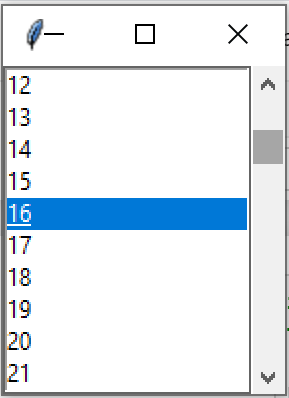
Output