Spatial Resolution (down sampling and up sampling) in image processing (original) (raw)
Last Updated : 8 Jan, 2026
A digital image is a two-dimensional array of size M × N, where M is the number of rows and N is the number of columns. Each element in this array is called a pixel, represented by coordinates (x,y) and intensity value f(x,y).
Spatial Resolution
The term spatial resolution corresponds to the total number of pixels in the given image. If the number of pixels is more, then the resolution of the image is more.
- Higher resolution -> more pixels -> better image quality.
- Lower resolution -> fewer pixels -> less detail.
Down-sampling
In the down-sampling technique, the number of pixels in the given image is reduced depending on the sampling frequency. Due to this, the resolution and size of the image decrease.
Up-sampling
The number of pixels in the down-sampled image can be increased by using up-sampling interpolation techniques. The up-sampling technique increases the resolution as well as the size of the image.
Some commonly used up-sampling techniques are
- Nearest neighbor interpolation
- Bilinear interpolation
- Cubic interpolation
Upsampling is performed using Nearest Neighbor interpolation by replicating rows and columns, which may introduce artifacts at higher sampling rates. Bilinear or Cubic interpolation gives better quality. Both downsampling and upsampling are shown in grayscale to avoid color distortions.
The below program depicts the down sampled and up sampled representation of a given image:
Python `
import cv2 import matplotlib.pyplot as plt import numpy as np
img1 = cv2.imread('gfg (1).png', 0) m, n = img1.shape print('Image Shape:', m, n)
print('Original Image:') plt.imshow(img1, cmap="gray") plt.title("Original Image") plt.show()
f = 4 img2 = np.zeros((m//f, n//f), dtype=int) for i in range(0, m, f): for j in range(0, n, f): try: img2[i//f][j//f] = img1[i][j] except IndexError: pass
print('Down Sampled Image:') plt.imshow(img2, cmap="gray") plt.title("Down Sampled Image") plt.show()
img3 = np.zeros((m, n), dtype=int)
for i in range(0, m-1, f): for j in range(0, n-1, f): img3[i, j] = img2[i//f][j//f]
for i in range(1, m-(f-1), f): for j in range(0, n-(f-1)): img3[i:i+(f-1), j] = img3[i-1, j]
for i in range(0, m-1): for j in range(1, n-1, f): img3[i, j:j+(f-1)] = img3[i, j-1]
print('Up Sampled Image:') plt.imshow(img3, cmap="gray") plt.title("Up Sampled Image") plt.show()
`
**Input:

**Output:
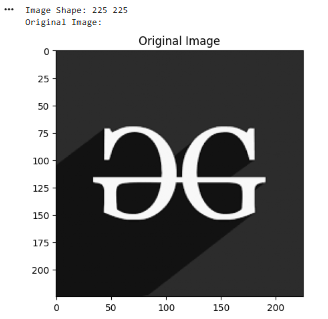
Original Image
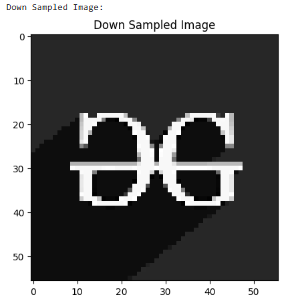
Down Sampled Image
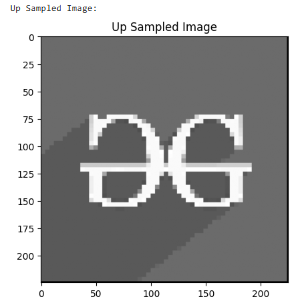
Up Sampled Image
**Explanation:
Downsampling
- **f = 4: set the downsampling factor to pick every 4th pixel.
- **img2 = np.zeros((m//f, n//f), dtype=int): create a smaller matrix to store downsampled pixels.
- **img2[i//f][j//f] = img1[i][j]: copy every f-th pixel from original image.
Upsampling (Nearest Neighbor)
- **img3 = np.zeros((m, n), dtype=int): create a matrix of original size for upsampled image.
- **img3[i, j] = img2[i//f][j//f]: place downsampled pixels at intervals.
- **img3[i:i+(f-1), j] = img3[i-1, j]: replicate previous row to fill missing rows.
- **img3[i, j:j+(f-1)] = img3[i, j-1]: replicate previous column to fill missing columns.