Templating With Jinja2 in Flask (original) (raw)
Web applications often require dynamic content, where data from Python needs to be displayed inside HTML pages. Flask supports this using a templating engine called Jinja2, which allows to embed Python-like expressions, variables and control structures directly within HTML files.
Using Jinja2 templates one can display dynamic data, apply conditions, loop through data and reuse layouts across multiple pages.
Installing Required Package
Jinja2 is already included when installing Flask, so there is no need to install it separately. Installing Flask will automatically install the Jinja2 templating engine. Run the following command:
pip install flask
Project Directory Structure
Before writing the code, the project should follow this structure:
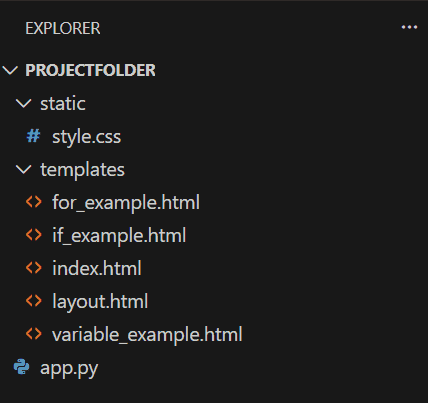
folder structure
- **app.py -> Main Flask application file.
- **templates/ -> Contains all HTML files used by Flask.
- **static/ -> Stores static resources such as CSS and JavaScript.
Main Flask Application File
The app.py file defines the routes of the application and renders the HTML templates.
Python `
from flask import Flask, render_template, redirect, url_for
app = Flask(name)
@app.route("/") def home(): return render_template("index.html")
@app.route("/default") def default(): return render_template("layout.html")
@app.route("/variable") def var(): user = "Geeksforgeeks" return render_template("variable_example.html", name=user)
@app.route("/if") def ifelse(): user = "Practice GeeksforGeeks" return render_template("if_example.html", name=user)
@app.route("/for") def for_loop(): list_of_courses = ['Java', 'Python', 'C++', 'MATLAB'] return render_template("for_example.html", courses=list_of_courses)
@app.route("/choice/") def choice(pick): if pick == 'variable': return redirect(url_for('var')) if pick == 'if': return redirect(url_for('ifelse')) if pick == 'for': return redirect(url_for('for_loop'))
if name == "main": app.run(debug=False)
`
**Explanation:
- app = Flask(__name__) creates the Flask application instance.
- @app.route("/") defines the homepage route.
- render_template("index.html") loads and displays the index.html template.
- render_template("variable_example.html", name=user) passes the variable user from Python to the HTML template.
- render_template("for_example.html", courses=list_of_courses) sends a list of courses to the template so it can be displayed using a loop.
- redirect(url_for('var')) redirects the user to another route using url_for().
- app.run(debug=False) runs the Flask application.
Jinja Template Variables
Jinja2 allows displaying Python variables inside HTML templates.
**Syntax:
{{ variable_name }}
**variable_example.html
HTML `
Variable ExampleHello {{name}}
`
**Output
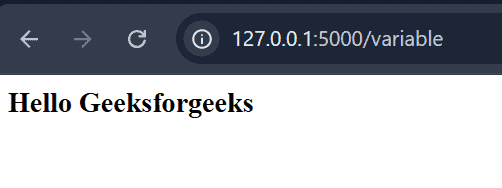
**Explanation: {{name}} displays the value of the variable name passed from the Flask application.
Jinja Template if Statement
Jinja2 supports conditional statements similar to Python. These are used to display content based on certain conditions.
**Syntax:
{% if condition %}
...
{% else %}
...
{% endif %}
**if_example.html
HTML `
If Example{% if(name == "Geeksforgeeks") %}
Welcome
{% else %}
Unknown name entered: {{name}}
{% endif %}
`
**Output
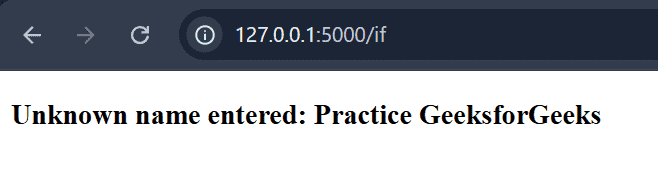
**Explanation:
- {% if(name == "Geeksforgeeks") %} checks whether the value of name equals "Geeksforgeeks".
- {% else %} executes when the condition is false.
- {{name}} displays the variable value passed from Python.
- {% endif %} marks the end of the conditional block.
Jinja Template for Loop
Jinja2 also supports loops, which allow iterating through lists or sequences.
**Syntax:
{% for item in sequence %}
...
{% endfor %}
**for_example.html
HTML `
For ExampleGeeksforGeeks Available Course
{% for course in courses %}
{{course}}
{% endfor %}`
**Output
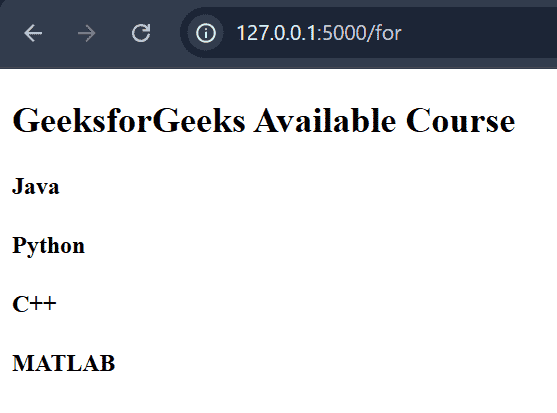
**Explanation:
- {% for course in courses %} loops through the courses list sent from the Flask application.
- {{course}} displays each item in the list.
- {% endfor %} marks the end of the loop.
Jinja Template Inheritance
Template inheritance allows multiple HTML pages to share a common layout, such as headers and footers. A parent template defines the structure, and child templates extend it.
**Syntax:
**layout.html
{% block content %}
{% endblock %}
**index.html
{% extends "layout.html" %}
{% block content %}
....
{% endblock %}
**layout.html (Parent Template)
HTML `
Jinja2 and FlaskWelcome to Geeksforgeeks
A Computer Science portal for geeks.
{% block content %} {% endblock %}`
**index.html (Child Template)
HTML `
{% extends "layout.html" %} {% block content %}
{% endblock %}`
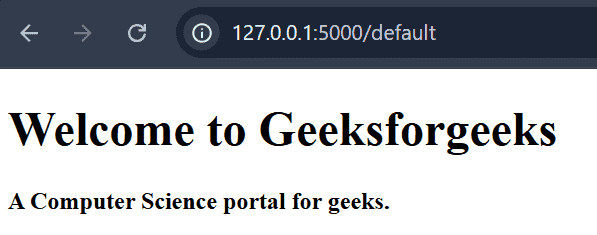
**Output
**layout.html
**index.html
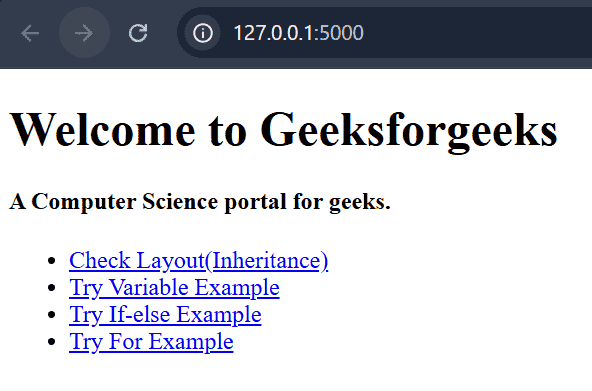
**Explanation:
- {% extends "layout.html" %} makes layout.html the parent template.
- {% block content %} defines a section that child templates can modify.
- {% endblock %} marks the end of the block.
Jinja Template url_for Function
The url_for() function is used to generate URLs dynamically and manage redirection between routes.
**Syntax:
url_for(function_name)
**Example 1: In this example, the url_for() function is used inside the Flask application file (app.py) to redirect users to different routes based on their input.
Python `
@app.route("/choice/") def choice(pick):
if pick == 'variable':
    return redirect(url_for('var'))

if pick == 'if':
    return redirect(url_for('ifelse'))

if pick == 'for':
    return redirect(url_for('for_loop'))
`
**Output


**Explanation:
- @app.route("/choice/") creates a dynamic route where the value entered in the URL is stored in pick.
- def choice(pick): defines a function that receives the value from the URL.
- url_for('var') generates the URL for the var() route defined in the Flask application.
- redirect() redirects the user to the generated route.
**Example 2: The url_for() function can also be used inside HTML templates to link static files such as CSS or JavaScript. When used in HTML templates, it must be written inside {{ }} because it is treated as a Jinja2 expression.
HTML `
Template with Jinja2 and FlaskWelcome to Geeksforgeeks
A Computer Science portal for geeks.
{% block content %} {% endblock %}
`
Now, inside the static folder, create a file named style.css.
CSS `
body { background-color: #f4f4f4; font-family: Arial, sans-serif; text-align: center; }
h1 { color: darkgreen; }
h4 { color: gray; }
`