turtle.isdown() function in Python (original) (raw)
Last Updated : 29 Aug, 2025
turtle.down() method is used to lower the turtle’s pen, allowing it to draw as it moves. If the pen is already down, the turtle continues drawing.
**Syntax :
turtle.down()
# or
turtle.pendown()
# or
turtle.pd()
- **Parameters: This method does not require any arguments.
- **Returns: It only changes the pen state to “down” to enable drawing.
Examples
**Example 1: Basic use of pen up and down
Python `
import turtle
turtle.forward(50) turtle.up() turtle.forward(50) turtle.down() turtle.forward(50)
turtle.done()
`
Output:
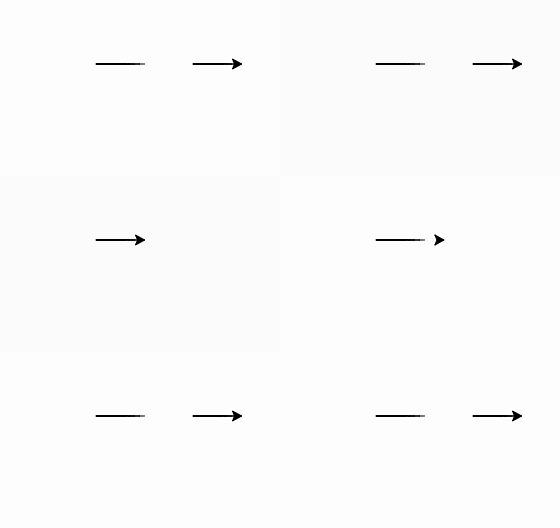
**Explanation:
- The turtle draws the first 50 units.
- turtle.up() lifts the pen, so the next 50 units are moved without drawing.
- turtle.down() lowers the pen again, so the following 50 units are drawn.
**Example 2: Using pen up and down with turns
Python `
import turtle
turtle.forward(50) turtle.right(90) turtle.up() turtle.forward(50) turtle.down() turtle.right(90) turtle.forward(50)
turtle.done()
`
**Output:
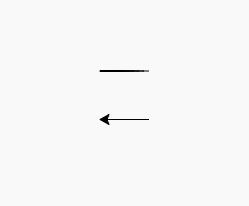
**Explanation:
- The turtle draws the first segment, turns, and lifts the pen to move without drawing.
- After lowering the pen with turtle.down(), it resumes drawing the next segment, demonstrating how pen state controls what is drawn.